
Ever wanted to make your own Bunny Run? Here’s how you can make the iconic game!
Place down your Bunny Run Fields as shown then place the stack tiles on top. You can also place the Egg Pole and one of 30 seconds counter down as shown below.
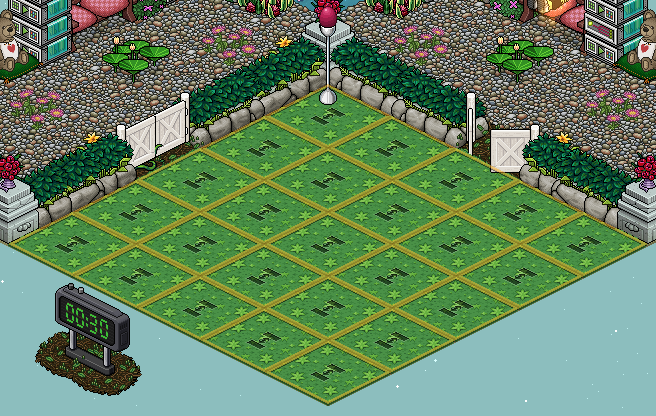
The first (orange) stack of wired is for when the round ends and to stop the players moving about. You will need:
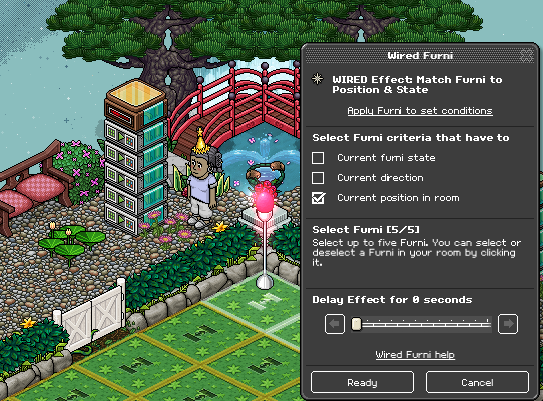
The second (pink) stack of wired will be where you want the stack tiles to go once the game has started. You will need:
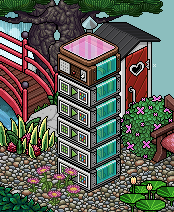
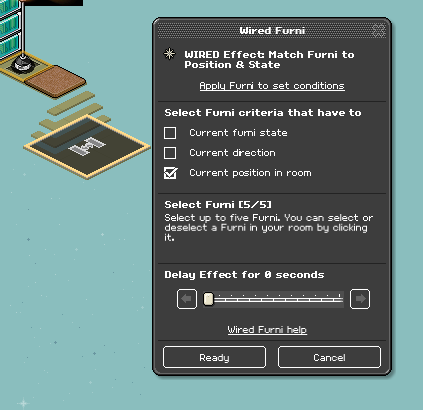
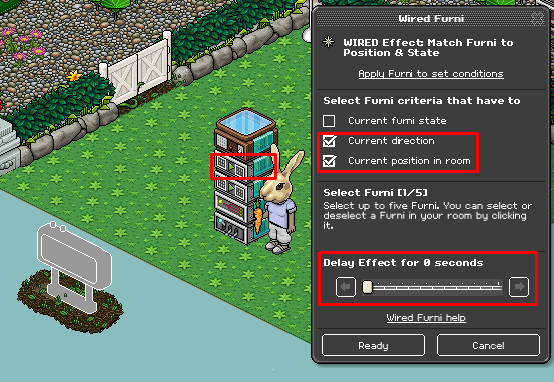
Wire all your Match Effects to your stack tiles once again which should be still laid out from Step 2, don’t tick any boxes just yet. Move them into an area where you want to hide them. Then go back into each Match Effect and tick current position in room on each Match Effect, shown below.
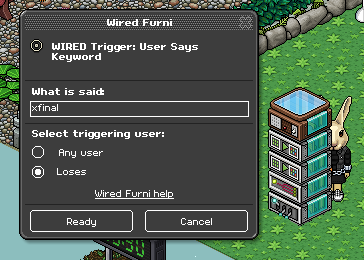
Wire the Keyword Trigger, this will be your keyword you use to reset.
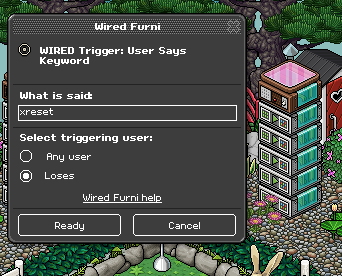
Note: Make sure you set the keyword to yourself unless you’re adding Group wired.
The third (green) stack will be to start the game. You will need:
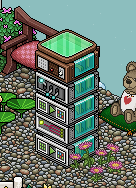
Wire the Keyword Trigger, this will be the keyword you use to start the game.
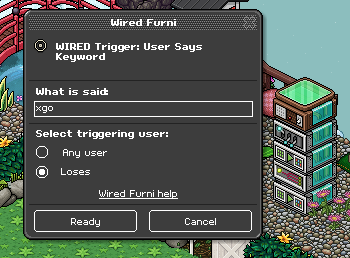
Note: Make sure you set the keyword to yourself unless you’re adding Group wired.
Wire the Execute Stacks Effect and select any of the Match Positions on the pink stack from Step 3. Set the delay to 1.5 seconds.
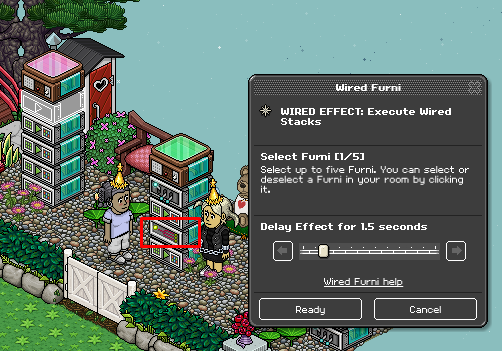
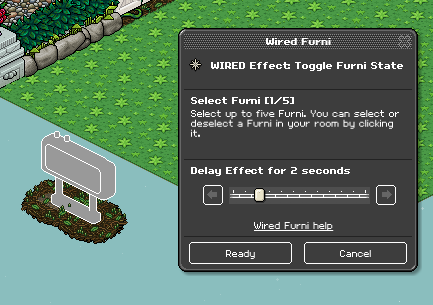
Wire the Toggle Effect to the 30 seconds counter and set the delay to 2 seconds.
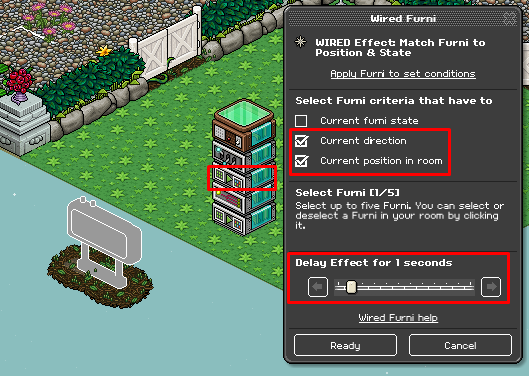
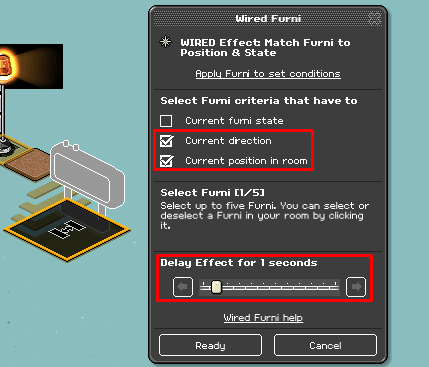
The highlighted Match Effect is to delay the 30 seconds counter to go to this position so it gives the other timer enough time to go away. Select the counter, tick the following boxes and delay the effect to 1 second.
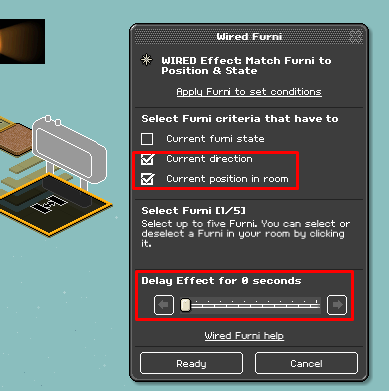
The highlighted Match Effect needs to be selected to your 1 minute counter. Tick the following boxes and make sure there’s no delay.
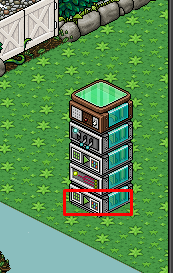
The final round is 1 minute which is why we have a second timer. You will need:
Move your 1 minute counter onto the ground and place your 30 seconds one elsewhere for now. Wire your first Match Effect to the 1 minute counter, tick the following boxes and make sure there’s no delay.
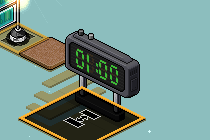
Place your 30 seconds counter into the hidden area and make sure it’s set to 30 seconds.
Wire your second Match Effect to this counter, tick the following boxes and set the delay to 1 second.
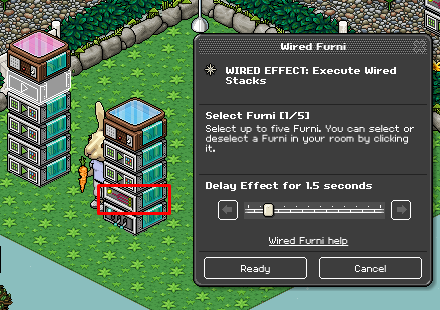
Wire your Execute Stacks Effect to any Match Position from the pink tile stack as shown below.
Move all the wired up to a hidden area and there you have it, your very own Bunny Run! Remember if you want to make the game area bigger you will have to add more wired.
What you'll need
- 20x Bunny Run Field
- 20x 2x2 Stack Tile
- 1x Egg Pole
- 2x Counter (30 seconds & 1 minute)
- 14x WIRED Effect: Match Furni to Position & State
- 2x WIRED Effect: Execute Wired Stacks
- 2x WIRED Effect: Toggle Furni State
- 1x WIRED Trigger: Game Ends
- 3x WIRED Trigger: User Says Keyword
Step 1
Place down your Bunny Run Fields as shown then place the stack tiles on top. You can also place the Egg Pole and one of 30 seconds counter down as shown below.
Step 2
The first (orange) stack of wired is for when the round ends and to stop the players moving about. You will need:
- 5x Wired Effect: Match Furni to Position & State
- 1x Wired Trigger: Game Ends
Step 3
The second (pink) stack of wired will be where you want the stack tiles to go once the game has started. You will need:
- 5x Wired Effect: Match Furni to Position & State
- 1x Wired Trigger: User Says Keyword
Step 4
Wire all your Match Effects to your stack tiles once again which should be still laid out from Step 2, don’t tick any boxes just yet. Move them into an area where you want to hide them. Then go back into each Match Effect and tick current position in room on each Match Effect, shown below.
Step 5
Wire the Keyword Trigger, this will be your keyword you use to reset.
Note: Make sure you set the keyword to yourself unless you’re adding Group wired.
Step 6
The third (green) stack will be to start the game. You will need:
- 2x Wired Effect: Match Furni to Position & State
- 1x Wired Effect: Execute Wired Stacks
- 1x Wired Effect: Toggle Furni State
- 1x Wired Trigger: User Says Keyword
Step 7
Wire the Keyword Trigger, this will be the keyword you use to start the game.
Note: Make sure you set the keyword to yourself unless you’re adding Group wired.
Step 8
Wire the Execute Stacks Effect and select any of the Match Positions on the pink stack from Step 3. Set the delay to 1.5 seconds.
Step 9
Wire the Toggle Effect to the 30 seconds counter and set the delay to 2 seconds.
Step 10
The highlighted Match Effect is to delay the 30 seconds counter to go to this position so it gives the other timer enough time to go away. Select the counter, tick the following boxes and delay the effect to 1 second.
Step 11
The highlighted Match Effect needs to be selected to your 1 minute counter. Tick the following boxes and make sure there’s no delay.
Step 12
The final round is 1 minute which is why we have a second timer. You will need:
- 1x Wired Effect: Toggle Furni State
- 1x Wired Effect: Execute Wired Stacks
- 2x Wired Effect: Match Furni to Position & State
- 1x Wired Trigger: User Says Keyword
Step 13
Move your 1 minute counter onto the ground and place your 30 seconds one elsewhere for now. Wire your first Match Effect to the 1 minute counter, tick the following boxes and make sure there’s no delay.
Step 14
Place your 30 seconds counter into the hidden area and make sure it’s set to 30 seconds.
Wire your second Match Effect to this counter, tick the following boxes and set the delay to 1 second.
Step 15
Wire your Execute Stacks Effect to any Match Position from the pink tile stack as shown below.
Move all the wired up to a hidden area and there you have it, your very own Bunny Run! Remember if you want to make the game area bigger you will have to add more wired.
Eevee7 years ago