
Complete the quests to earn Popsicles!
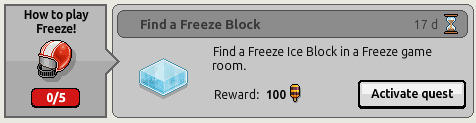
Activate the quest by opening the quest menu and clicking 'Activate quest'.
Note: Make sure your quest is activated before doing the task.

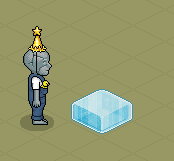
Double click on a freeze block 3 times to complete this quest. Once completed you will receive 100 Popsicles.
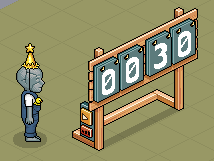
Double click on a freeze counter to complete this quest. Once completed you will receive 100 Popsicles.
Throw 3 snowballs to complete this quest. Once completed you will receive 100 Popsicles.
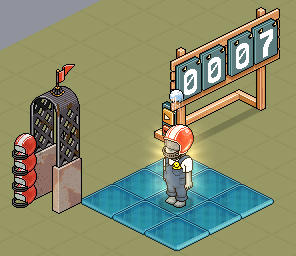
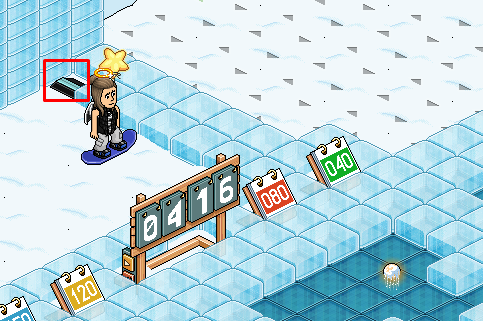
Place a counter, freeze gate and freeze tiles. Enter the gate to wear a helmet, start the timer, then step and double click on a freeze tile to throw a snowball.
Double click on an exit tile to complete this quest. Once completed you will receive 100 Popsicles.
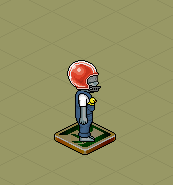
Enter a game of freeze in the room [TRN] Freeze Tournament owned by GentleTeapot. Once completed you will receive 100 popsicles.
At the end of these quests, you will receive 500 Popsicles total. You can save these up to buy a collectible from the shop.
Let us know in the comments section below what your thoughts on this popsicle quest is! Did you enjoy the event?
Step 1 - Activate the Quest
Activate the quest by opening the quest menu and clicking 'Activate quest'.
Note: Make sure your quest is activated before doing the task.
Step 2
Double click on a freeze block 3 times to complete this quest. Once completed you will receive 100 Popsicles.
Step 3
Double click on a freeze counter to complete this quest. Once completed you will receive 100 Popsicles.
Step 4
Throw 3 snowballs to complete this quest. Once completed you will receive 100 Popsicles.
Place a counter, freeze gate and freeze tiles. Enter the gate to wear a helmet, start the timer, then step and double click on a freeze tile to throw a snowball.
Step 5
Double click on an exit tile to complete this quest. Once completed you will receive 100 Popsicles.
Step 6
Enter a game of freeze in the room [TRN] Freeze Tournament owned by GentleTeapot. Once completed you will receive 100 popsicles.
Step 7
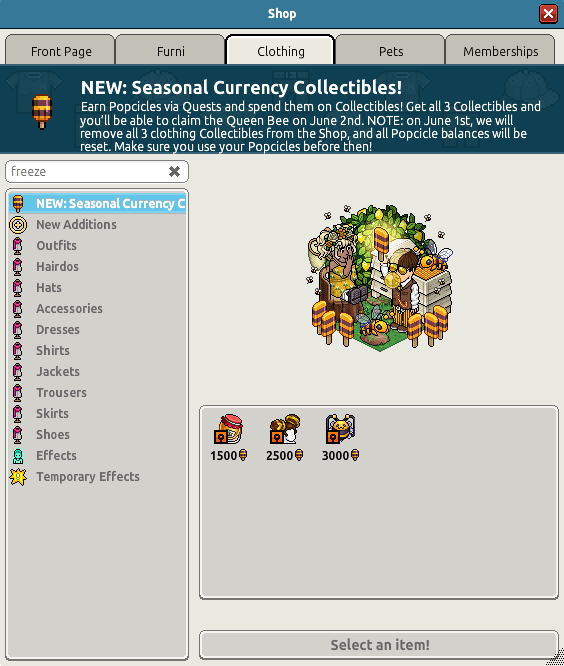
At the end of these quests, you will receive 500 Popsicles total. You can save these up to buy a collectible from the shop.
Let us know in the comments section below what your thoughts on this popsicle quest is! Did you enjoy the event?
 Twingled 2 years ago
 Kate 2 years ago
 Rotating 2 years ago
 SwiftieZoe 2 years ago
 Nexus 2 years ago