
Wanted to learn how to wire this fun auto game that is very addicting. Well follow this tutorial and you will have your own setup!
2x Wired Trigger: Game Ends
1x Wired Trigger: User Stuff Collision
8x Wired Trigger: User Walks On Furni
1x Wired Trigger: Game Starts
1x WIred Trigger: Furni State Is Changed
6x Wired Effect: Move Furni Towards Nearest User
4x Wired Effect: Tele To Furni
7x Wired Effect: Match Furni To Position & State
7x Wired Effect: Toggle Furni State
1x Exit Tile
Freeze Tiles
2x Switches
8x Random Banzai Teleporter’s
1x Counter
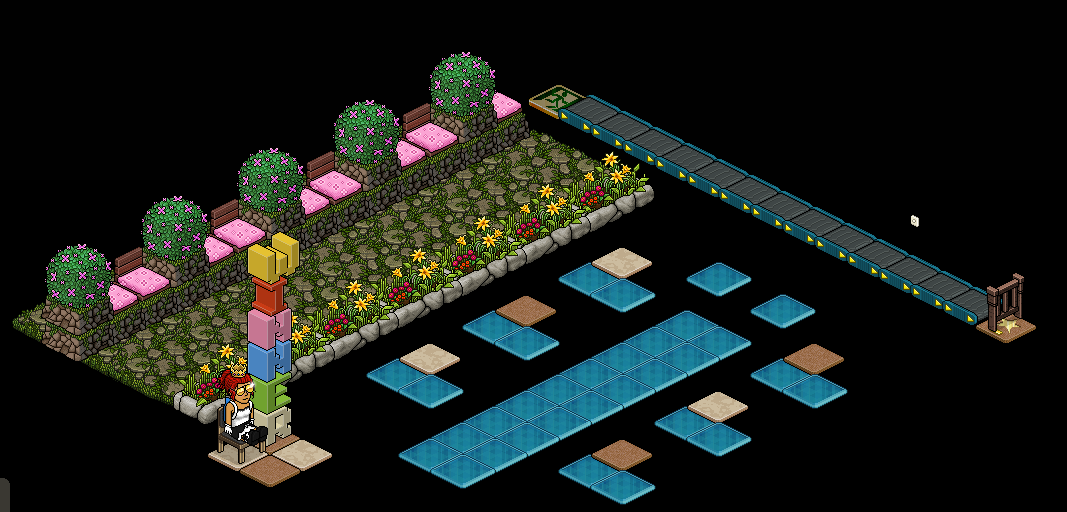
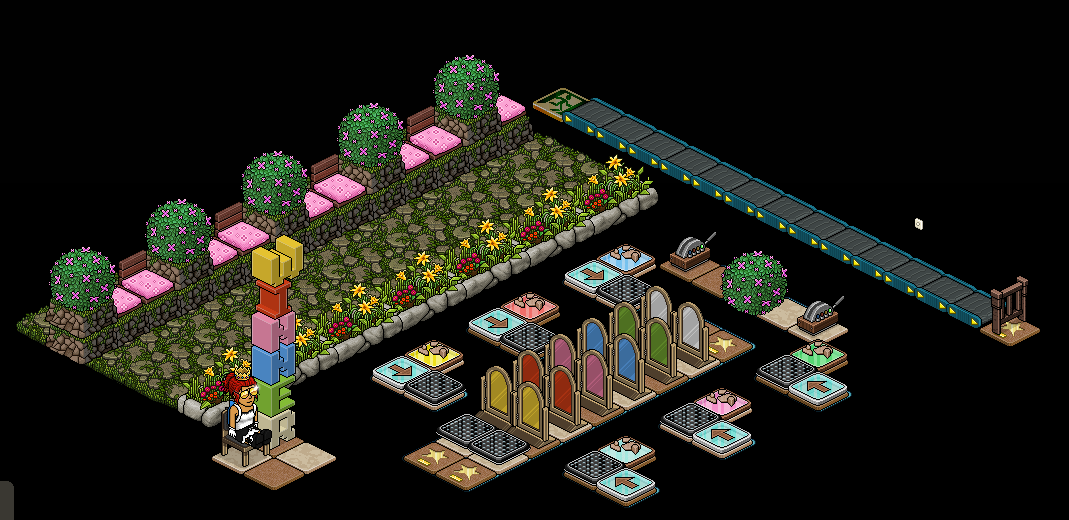
The first step we are going to do is create the auto side of the game. For this you will need 1x Wired Trigger: Game Ends & 6x Wired Effect: Move Furni Towards User set up as shown below.
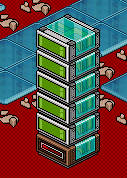
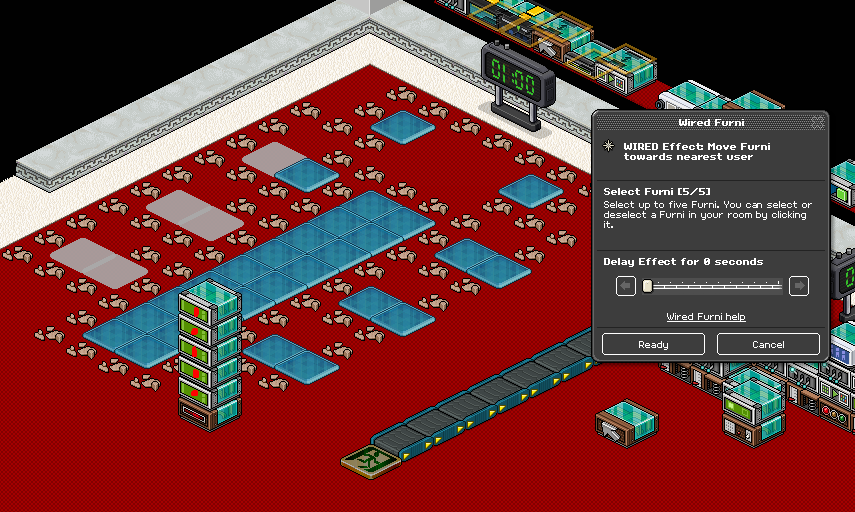
Using the Wired Effect: Move Furni Towards User’s select all the freeze tiles placed under the gaming area.
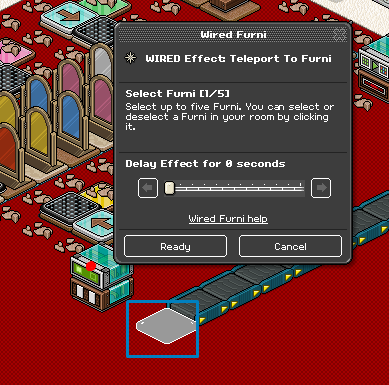
For this step you need 1x Wired Trigger: User Stuff Collision & 1x Wired Effect: Tele To Furni set up as shown below.
Using the Wired Effect: Tele To Furni & select an area outside of the game area as shown below.
For this step you will need 1x Wired Trigger: Game Ends & 2x Wired Effect: Match Furni To Position & State set up as shown below.
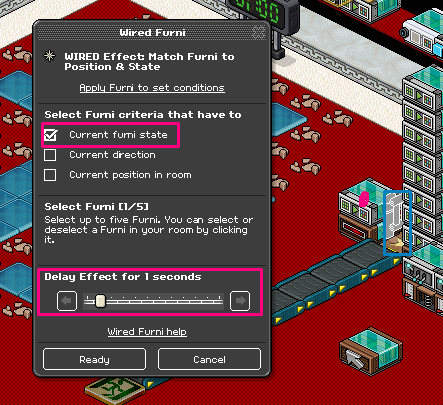
Using the first Wired Effect: Match Furni To Position & State select the gate at the front of your line.
Note: Make sure that gate is open & select current furni state with a delay. We recommend at least 1 second to avoid glitches.
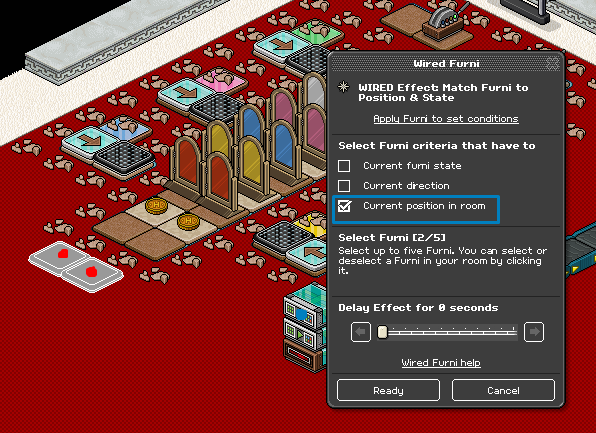
Using the second Wired Effect: Match Furni To Position & State select the banzai’s that are used at the start and make sure they are moved out of the game area.
Note: Make sure to select current position in room!
This next step I will show you how to start the game back up. For this you are going to need 1x Wired Trigger: User Walks On Furni, 1x Wired Effect: Tele To Furni, 1x Wired Effect: Toggle Furni State & 1x Wired Effect: Match Furni To Position & State as shown below.
Using the Wired Trigger: User Walks On Furni select the gate at the front of your queue.
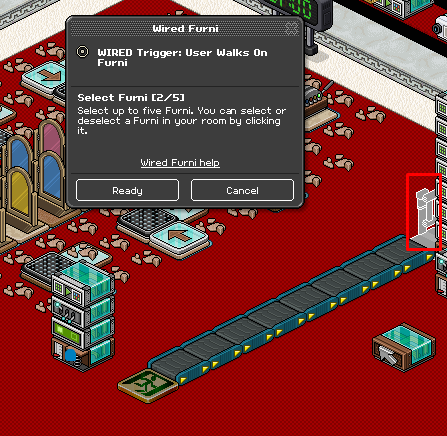
Using the Wired Effect: Tele To Furni select the tiles at the start of the game area.
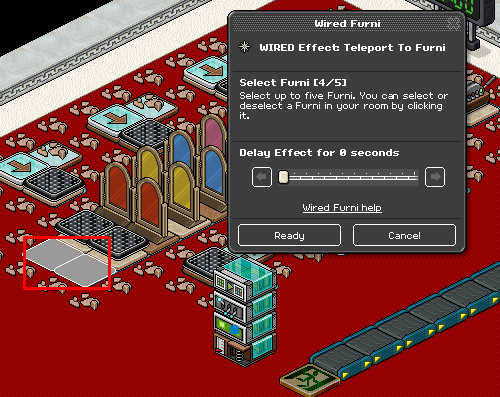
Using the Wired Effect: Toggle Furni State and select the timer.
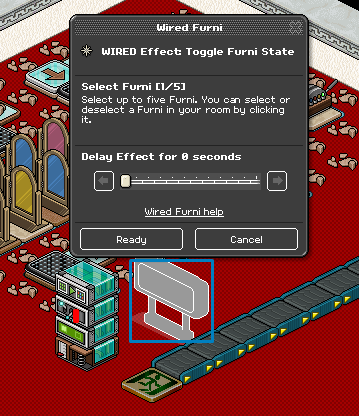
Using The Wired Effect: Match Furni To Position & State and select the gate. Make sure the gate is closed and you have selected current furni state.
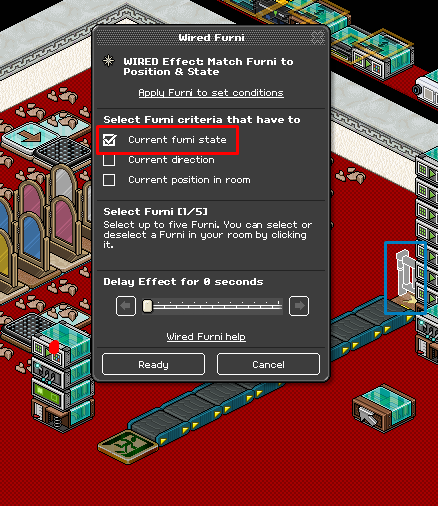
To have the game start automatically you will need 1x Wired Trigger: Game Starts & 4x Wired Effect: Match Furni To Position & State set up as shown below.
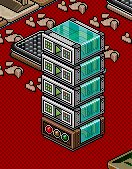
Using the Wired Effect: Match Furni To Position & State select the 2 banzais all the gates. Make sure the gates are closed and current furni state is selected and the 2 banzai’s that start the game are placed where they need to be & current position in room is selected.
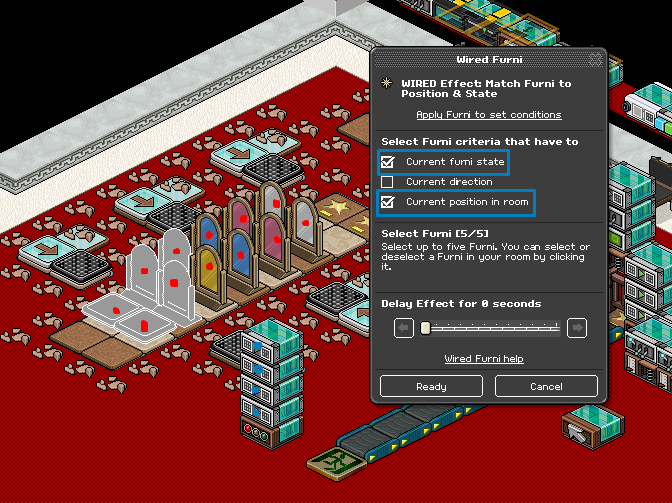
For this next step you will need 6x Wired Trigger: User Walks On Furni & 6x Wired Effect: Toggle Furni State set up as shown below.
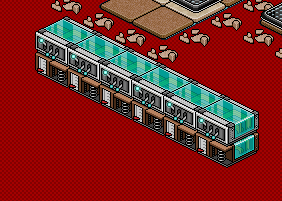
Using the Wired Trigger: User Walks On Furni each arrow plate needs to be matched to a gate.
Note: I have used the blue gate in this tutorial.
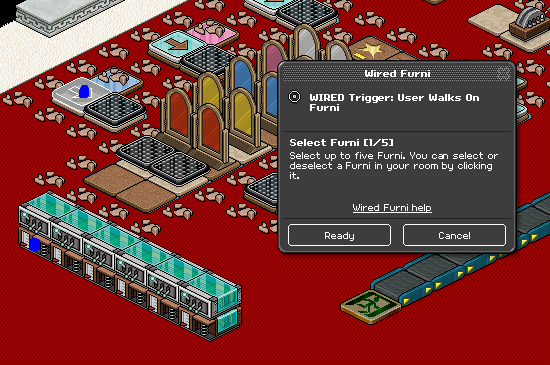
Using the Wired Effect: Toggle Furni State’s select the corresponding gates to the colour next to the arrow plate.
Note: I have used the blue gate in this tutorial.
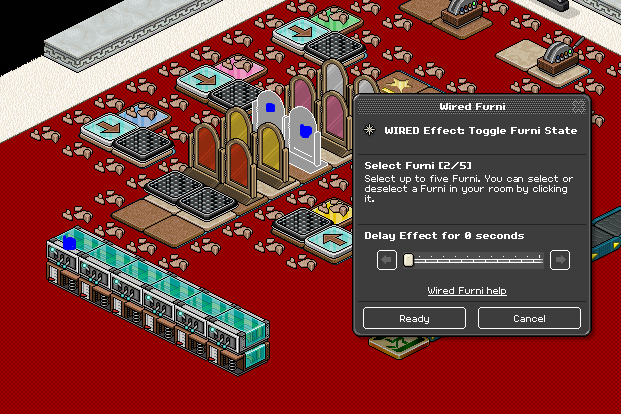
Repeat this step for each set of coloured gates.
To set up the switches you will need 1x Wired Trigger: Furni State Is Changed & 1x Wired Effect: Tele To Furni set up as shown below.
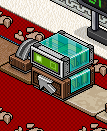
Using the Wired Trigger: Furni State Is Changed select both of the switches,
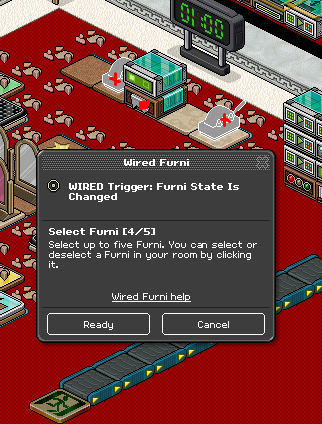
Using the Wired Effect: Tele To Furni select one of the tiles in the gaming area and one of the tiles on the outside as shown below.
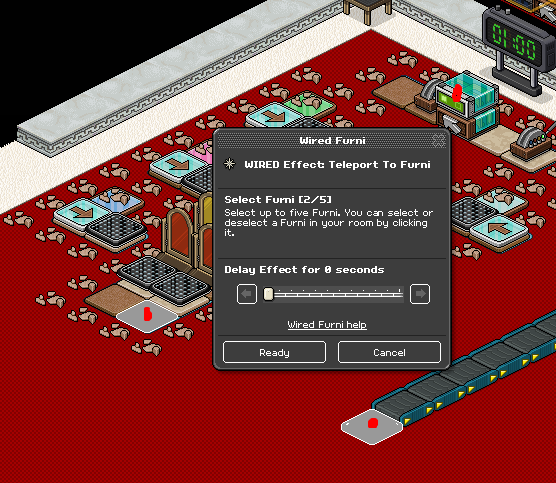
The Final step you will need 1x Wired Trigger: User Walks On Furni & 1x Wired Effect: Tele To Furni set up as shown below.
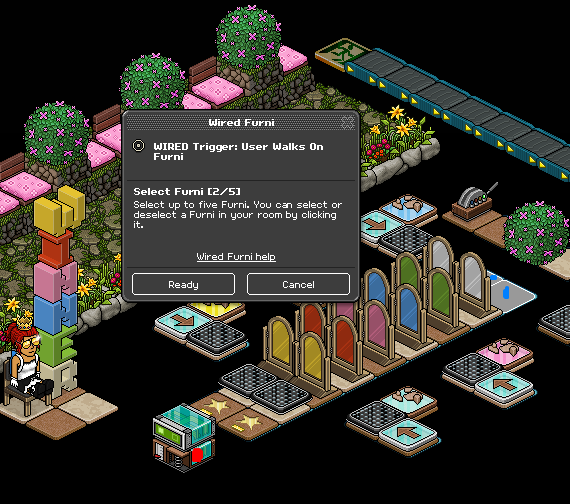
Using the Wired Trigger: User Walks On Furni select the two tiles used at the end of the gates.
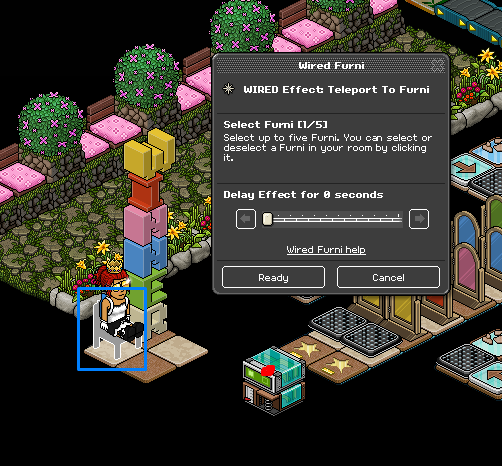
Using the Wired Effect: Tele To Furni select the chair or piece of furni that the winner will teleport too.
You should now have an Auto Step On It game if you need any help please don’t hesitate to ask!
What You Will Need
2x Wired Trigger: Game Ends
1x Wired Trigger: User Stuff Collision
8x Wired Trigger: User Walks On Furni
1x Wired Trigger: Game Starts
1x WIred Trigger: Furni State Is Changed
6x Wired Effect: Move Furni Towards Nearest User
4x Wired Effect: Tele To Furni
7x Wired Effect: Match Furni To Position & State
7x Wired Effect: Toggle Furni State
1x Exit Tile
Freeze Tiles
2x Switches
8x Random Banzai Teleporter’s
1x Counter
Room Layout
Step 1
The first step we are going to do is create the auto side of the game. For this you will need 1x Wired Trigger: Game Ends & 6x Wired Effect: Move Furni Towards User set up as shown below.
Using the Wired Effect: Move Furni Towards User’s select all the freeze tiles placed under the gaming area.
Step 2
For this step you need 1x Wired Trigger: User Stuff Collision & 1x Wired Effect: Tele To Furni set up as shown below.
Using the Wired Effect: Tele To Furni & select an area outside of the game area as shown below.
Step 3
For this step you will need 1x Wired Trigger: Game Ends & 2x Wired Effect: Match Furni To Position & State set up as shown below.
Using the first Wired Effect: Match Furni To Position & State select the gate at the front of your line.
Note: Make sure that gate is open & select current furni state with a delay. We recommend at least 1 second to avoid glitches.
Using the second Wired Effect: Match Furni To Position & State select the banzai’s that are used at the start and make sure they are moved out of the game area.
Note: Make sure to select current position in room!
Step 4
This next step I will show you how to start the game back up. For this you are going to need 1x Wired Trigger: User Walks On Furni, 1x Wired Effect: Tele To Furni, 1x Wired Effect: Toggle Furni State & 1x Wired Effect: Match Furni To Position & State as shown below.
Using the Wired Trigger: User Walks On Furni select the gate at the front of your queue.
Using the Wired Effect: Tele To Furni select the tiles at the start of the game area.
Using the Wired Effect: Toggle Furni State and select the timer.
Using The Wired Effect: Match Furni To Position & State and select the gate. Make sure the gate is closed and you have selected current furni state.
Step 5
To have the game start automatically you will need 1x Wired Trigger: Game Starts & 4x Wired Effect: Match Furni To Position & State set up as shown below.
Using the Wired Effect: Match Furni To Position & State select the 2 banzais all the gates. Make sure the gates are closed and current furni state is selected and the 2 banzai’s that start the game are placed where they need to be & current position in room is selected.
Step 6
For this next step you will need 6x Wired Trigger: User Walks On Furni & 6x Wired Effect: Toggle Furni State set up as shown below.
Using the Wired Trigger: User Walks On Furni each arrow plate needs to be matched to a gate.
Note: I have used the blue gate in this tutorial.
Using the Wired Effect: Toggle Furni State’s select the corresponding gates to the colour next to the arrow plate.
Note: I have used the blue gate in this tutorial.
Repeat this step for each set of coloured gates.
Step 7
To set up the switches you will need 1x Wired Trigger: Furni State Is Changed & 1x Wired Effect: Tele To Furni set up as shown below.
Using the Wired Trigger: Furni State Is Changed select both of the switches,
Using the Wired Effect: Tele To Furni select one of the tiles in the gaming area and one of the tiles on the outside as shown below.
Step 8
The Final step you will need 1x Wired Trigger: User Walks On Furni & 1x Wired Effect: Tele To Furni set up as shown below.
Using the Wired Trigger: User Walks On Furni select the two tiles used at the end of the gates.
Using the Wired Effect: Tele To Furni select the chair or piece of furni that the winner will teleport too.
You should now have an Auto Step On It game if you need any help please don’t hesitate to ask!
Eevee7 years ago