
Ever wanted to host Rock and Roll? Here is exactly how you can wire the competitive game on Habbo!
You will need a decent sized room as this can be a big game. You will need a separate area for the game area and then another section where a player can teleport to if they reach the seat first.
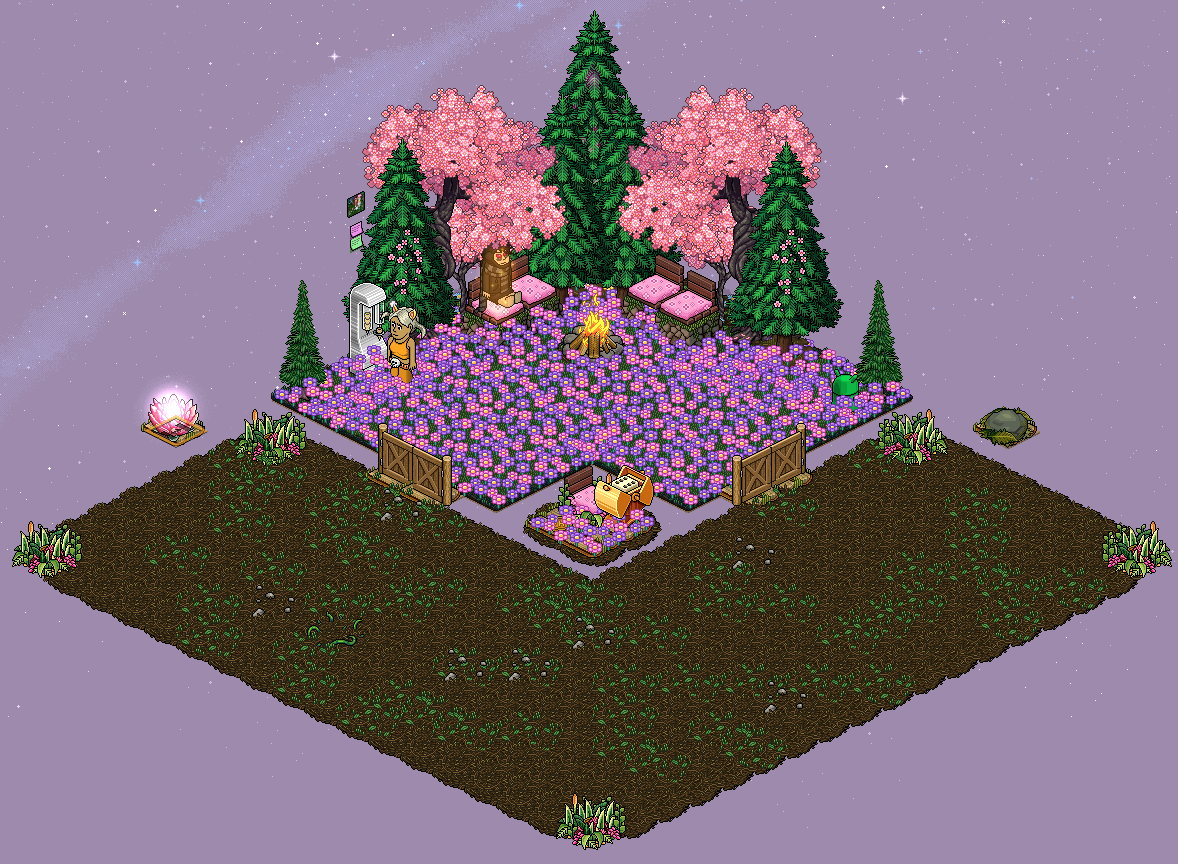
You will need to wire an entrance for players to join a new game. For this wired tutorial, I am going to use two gates either side of the game area. To wire this, you will need:
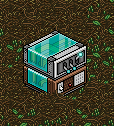
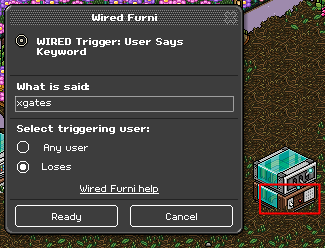
Wire the Keyword Trigger, set the keyword to what you will say to open your gates. Make sure you set the keyword to yourself unless you're adding Group wired.
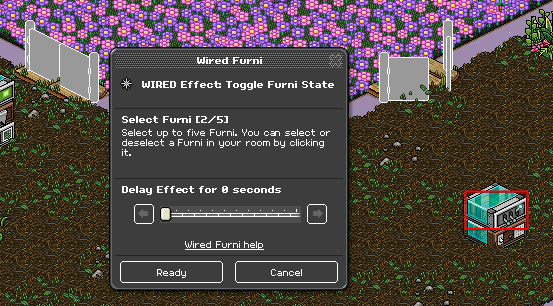
Wire the Toggle Effect and select the gates you are using.
For the next stack of wired, you will be setting up your seat. The seat you use, will move around the area until a player sits on it. For this tutorial, I have decided to use a Mossy Rock. To wire this, you will need:
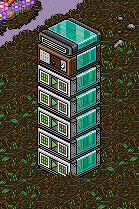
Wire the Keyword Trigger, set the keyword to what you will say to bring your seat into the game area. Make sure you set the keyword to yourself unless you're adding Group wired.
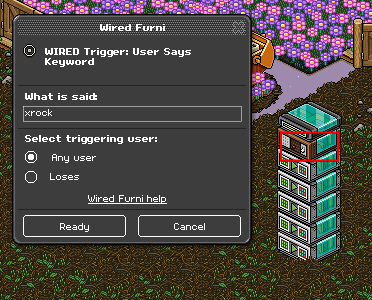
Wire the Match Furni to Position & State Effect, place your seat somewhere in the game area and select current position in room. Repeat this on the other Match Furni Effects, selecting a different position in the game area each time.
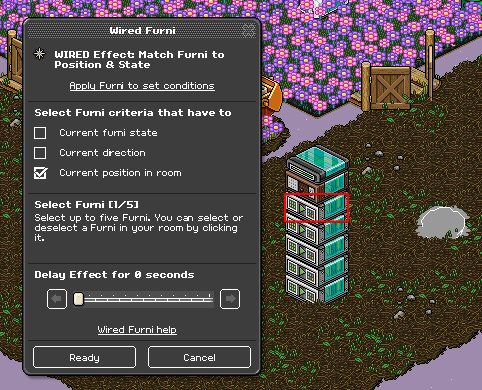
The Random Effect Add-on stays on the stack to ensure that a Random Effect happens every time you say the keyword.
For the next stack of wired, you will be making the seat move around so the players can chase to sit on it. You will need:
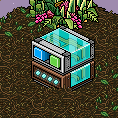
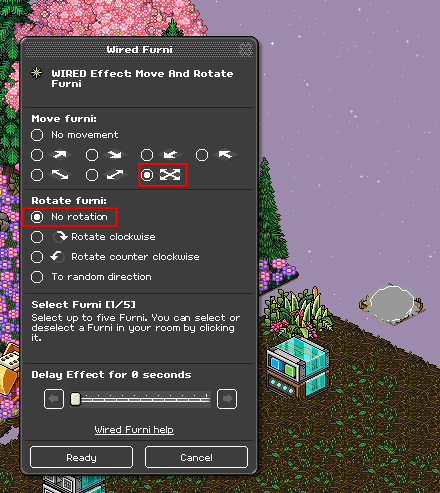
Wire the Move and Rotate Furni Effect. Under Move furni, select the movement shown below and ensure you select No rotation under Rotate Furni.
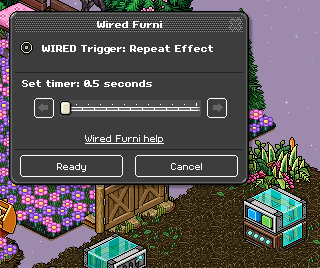
Wire the Repeat Effect Trigger and select a reasonable amount of time, I suggest you use 0.5 seconds.
The next stacks of wired will be used for when a player sits on the seat first. You will need:
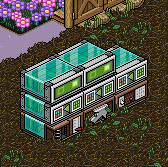
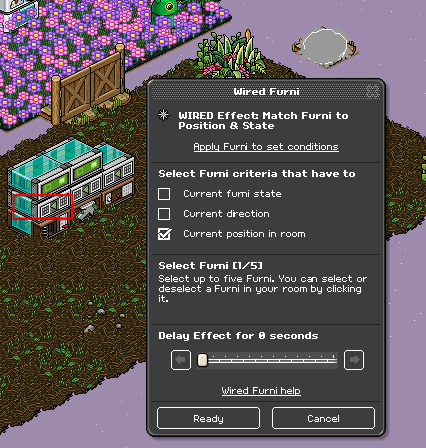
Let's start with the first stack, move your seat to somewhere outside the game area. I created a separate tile for my seat but you can easily block it off with furni to stop it moving around. Wire the Match Furni to Position & State Effect and select the seat and select Current Position in room. When a player sits on the rock, it will return to this position.
Wire your Walks on Furni Trigger and select the seat again.
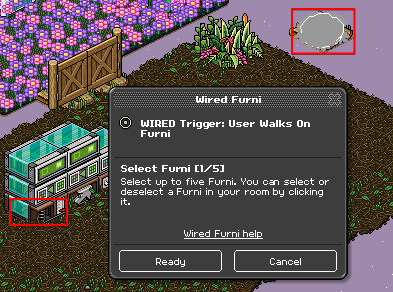
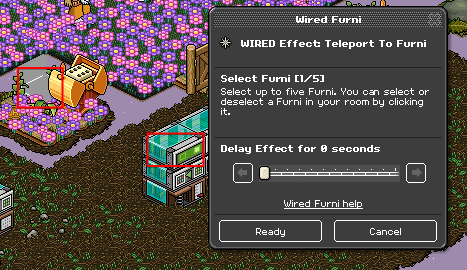
Wire your Teleport to Furni Effect and select the seat you want the player to teleport to when they have sat on the rock. In my room, I have used a Tatami Seat.
For the second stack, you will wire so a player can teleport back into the area unless they roll a number which means they lose. Place and switch next to the seat. Wire your Furni State is Changed Trigger and select the switch.
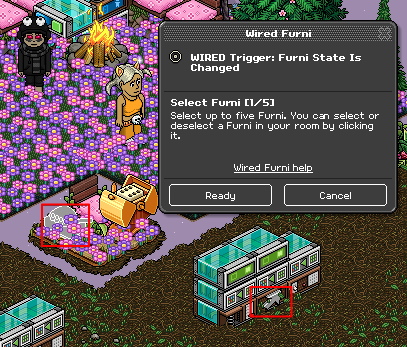
Move your switch to another tile, I suggest you move it to an area where you will be placing your wired also ensure the tile can not be blocked by any other furni. Once done, wire your Match Furni to Position & State Effect and select the switch in it's new position, select Current Position in room as well.
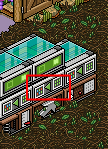
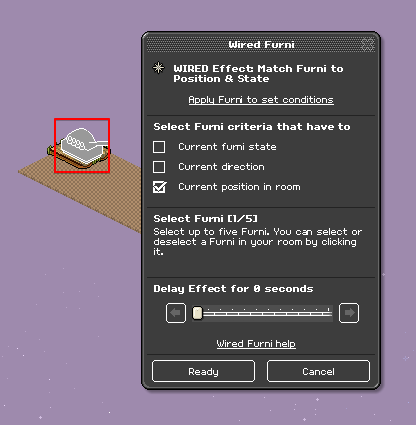
Wire your Teleport to Furni Effect and select positions in the game area where the player will teleport back to. For my room, I have selected a few random places.
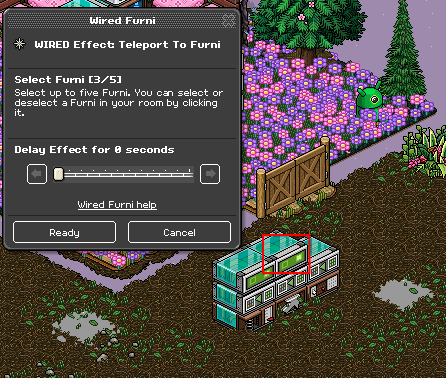
For the third stack, you want to be able to spawn the switch next to the player if they need to teleport back into the game area. Select the Keyword Trigger and input a keyword you will use to spawn the switch. Make sure you set the keyword to yourself unless you're adding Group wired.
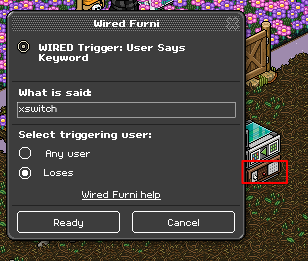
Place your switch next to the seat where the player spawns to. Wire your Match Furni to Position & State Effect, select the switch and also Current position in room.
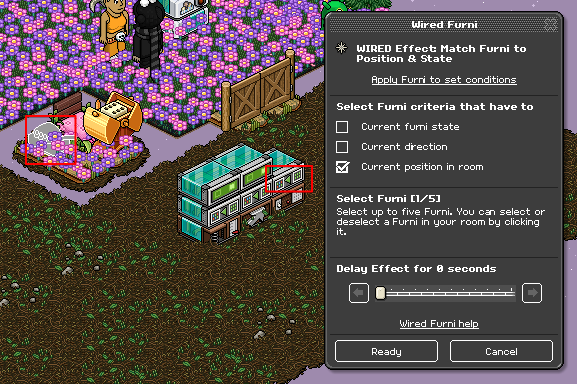
For the next stacks of wired, you will be wiring your attack rounds. For my attack round, I use star flowers but you can use any other five items that do not stack on each other. You also do not need to use five items, I suggest you use whatever will be suitable for your game area. You will need:
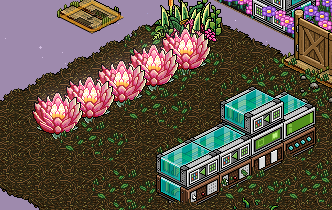
Wire your Keyword Trigger and input what you want to say to spawn the attack items. Make sure you set the keyword to yourself unless you're adding Group wired.
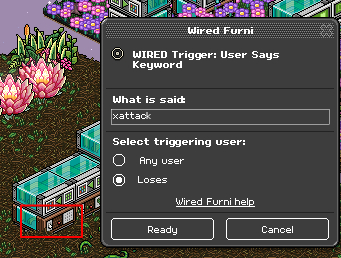
Set up where you want your attack items to spawn. I recommend putting them equally at each corner in the game area. Make sure you place coins or something users can not walk underneath, this will stop players cheating in the game.
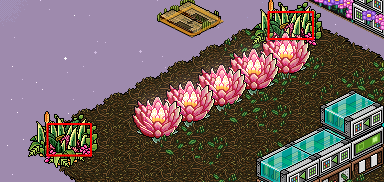
Place your attack items onto the coins where you want them to spawn. Wire your Match Furni to Position & State Effect and select your attack items as well as Current position in room.
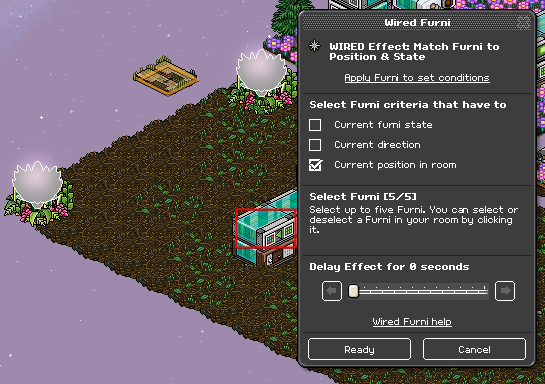
The next stack of Wired is optional but I like to have it just incase I need to reset the attack items for whatever reason. Wire your Keyword Trigger and set it to something you want to say to reset your attack items. Make sure you set the keyword to yourself unless you're adding Group wired.
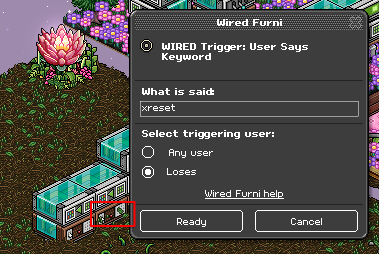
Ensure you have a separate tile for your attack items to reset both by keyword and when a user collides with them. I created a separate tile for my seat but you can easily block it off with furni to stop the items moving around. Ensure you also drop a 1x1 Stack Magic Tile to stack the items. Once done, wire your Match Furni to Position & State Effect and select all your attack items once more. Do not select Current position in room just yet.
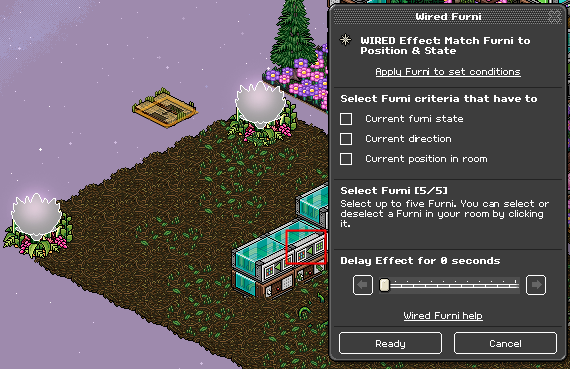
Then move your attack items onto the separate tile on top of the Stack Magic Tile. Wire your Match Furni to Position & State Effect again, this time select Current position in room.
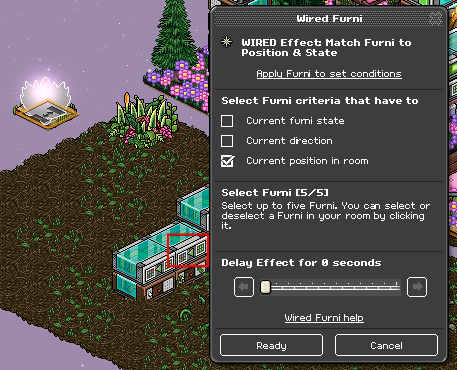
For the next stack, wire your Match Furni to Position & State Effect and repeat the exact stack above. Selecting your attack items and moving them onto a tile outside of the game area to where they will reset. Ensure you select Current position in room once done.
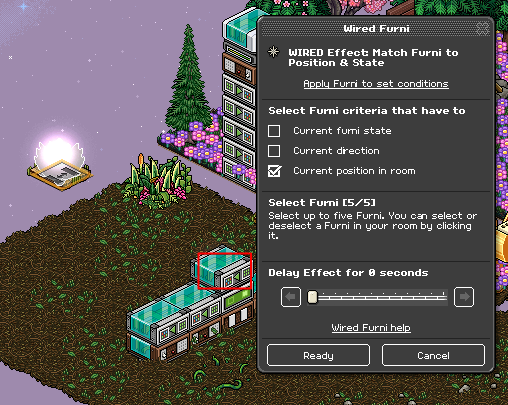
Wire your Teleport to Furni Effect and select a seat outside of your game area, somewhere in your lobby where players will teleport when they collide with the attack items.
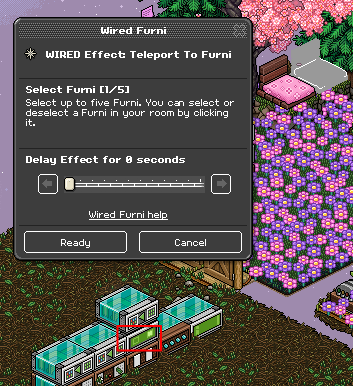
For the final stack, wire your Move Furni Towards Nearest User and select the five attack items once more.
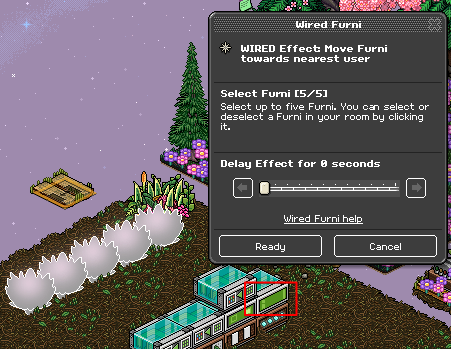
Then wire your Repeat Effect Trigger and set it 0.5 seconds. Finally, place your attack items back onto the Stack Magic tile.
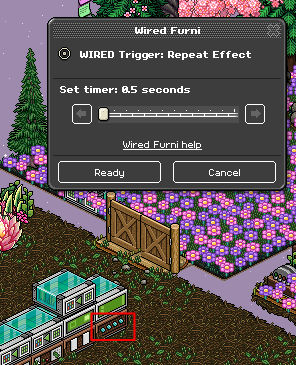
This is an optional step but if you wish to use a kicker within your Rock and Roll then follow the steps below for a non glitch way of doing so. It's important not to use your kicker when there is an ongoing round of attack or your items will reset so take note. You will need:
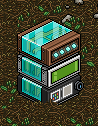
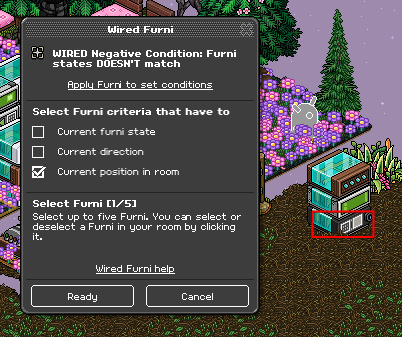
Wire your Furni States Doesn't Match Negative Condition and select your kicker item as well as Current position in room.
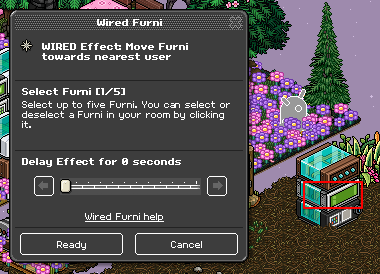
Wire your Move Furni Towards Nearest User Effect and select your kicker item again.
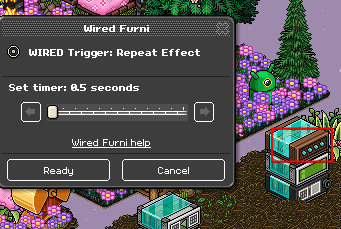
Wire your Repeat Effect Trigger and set it at 0.5 seconds.
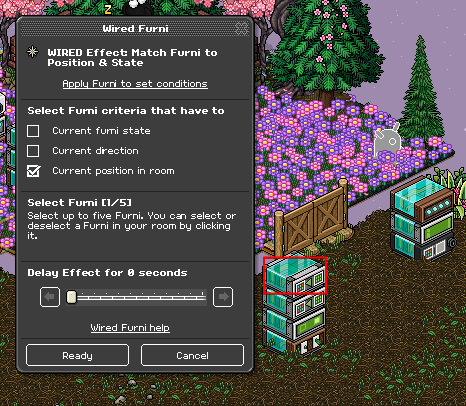
Refer to the stack from Step 9, drop your Match Furni to Position & State Effect onto that stack. Select your kicker item and also Current position in room.
Move all your wired up to a hidden area and that's your Rock 'n' Roll wired and ready to host!
What you'll need
-
- 5x Wired Trigger: User Says Keyword
- 1x Wired Effect: Toggle Furni
- 11x Wired Effect: Match Furni to Position & State
- 1x Wired Add-on: Random Effect
- 2x Wired Trigger: Repeat Effect
- 1x Wired Effect: Move and Rotate Furni
- 1x Wired Trigger: Walks On Furni
- 1x Wired Trigger: Furni State is Changed
- 3x Wired Effect: Teleport to Furni
- 1x Wired Trigger: User Stuffs Collision
- 1x Wired Effect: Move Furni to Nearest User
- 5x Attack Items
- 1x 1x1 Stack Tile Optional
- 1x Wired Effect: Match Furni to Position & State
- 1x Wired Negative Condition: Furni States Doesn't Match
- 1x Wired Effect: Move Furni Towards Nearest User
- 1x Wired Trigger: Repeat Effect
Room Layout
You will need a decent sized room as this can be a big game. You will need a separate area for the game area and then another section where a player can teleport to if they reach the seat first.
Step 1
You will need to wire an entrance for players to join a new game. For this wired tutorial, I am going to use two gates either side of the game area. To wire this, you will need:
- 1x Wired Trigger: User Says Keyword
- 1x Wired Effect: Toggle Furni
Wire the Keyword Trigger, set the keyword to what you will say to open your gates. Make sure you set the keyword to yourself unless you're adding Group wired.
Wire the Toggle Effect and select the gates you are using.
Step 2
For the next stack of wired, you will be setting up your seat. The seat you use, will move around the area until a player sits on it. For this tutorial, I have decided to use a Mossy Rock. To wire this, you will need:
- 5x Wired Effect: Match Furni to Position & State
- 1x Wired Trigger: User Says Keyword
- 1x Wired Add-on: Random Effect
Wire the Keyword Trigger, set the keyword to what you will say to bring your seat into the game area. Make sure you set the keyword to yourself unless you're adding Group wired.
Wire the Match Furni to Position & State Effect, place your seat somewhere in the game area and select current position in room. Repeat this on the other Match Furni Effects, selecting a different position in the game area each time.
The Random Effect Add-on stays on the stack to ensure that a Random Effect happens every time you say the keyword.
Step 3
For the next stack of wired, you will be making the seat move around so the players can chase to sit on it. You will need:
- 1x Wired Trigger: Repeat Effect
- 1x Wired Effect: Move and Rotate Furni
Wire the Move and Rotate Furni Effect. Under Move furni, select the movement shown below and ensure you select No rotation under Rotate Furni.
Wire the Repeat Effect Trigger and select a reasonable amount of time, I suggest you use 0.5 seconds.
Step 4
The next stacks of wired will be used for when a player sits on the seat first. You will need:
- 1x Wired Trigger: Walks On Furni
- 1x Wired Trigger: Furni State is Changed
- 1x Wired Trigger: User Says Keyword
- 3x Wired Effect: Match Furni to Position & State
- 2x Wired Effect: Teleport to Furni
Let's start with the first stack, move your seat to somewhere outside the game area. I created a separate tile for my seat but you can easily block it off with furni to stop it moving around. Wire the Match Furni to Position & State Effect and select the seat and select Current Position in room. When a player sits on the rock, it will return to this position.
Wire your Walks on Furni Trigger and select the seat again.
Wire your Teleport to Furni Effect and select the seat you want the player to teleport to when they have sat on the rock. In my room, I have used a Tatami Seat.
Step 5
For the second stack, you will wire so a player can teleport back into the area unless they roll a number which means they lose. Place and switch next to the seat. Wire your Furni State is Changed Trigger and select the switch.
Move your switch to another tile, I suggest you move it to an area where you will be placing your wired also ensure the tile can not be blocked by any other furni. Once done, wire your Match Furni to Position & State Effect and select the switch in it's new position, select Current Position in room as well.
Wire your Teleport to Furni Effect and select positions in the game area where the player will teleport back to. For my room, I have selected a few random places.
Step 6
For the third stack, you want to be able to spawn the switch next to the player if they need to teleport back into the game area. Select the Keyword Trigger and input a keyword you will use to spawn the switch. Make sure you set the keyword to yourself unless you're adding Group wired.
Place your switch next to the seat where the player spawns to. Wire your Match Furni to Position & State Effect, select the switch and also Current position in room.
Step 7
For the next stacks of wired, you will be wiring your attack rounds. For my attack round, I use star flowers but you can use any other five items that do not stack on each other. You also do not need to use five items, I suggest you use whatever will be suitable for your game area. You will need:
- 2x Wired Trigger: User Says Keyword
- 1x Wired Trigger: User Stuffs Collision
- 1x Wired Trigger: Repeat Effect
- 3x Wired Effect: Match Furni to Position & State
- 1x Wired Effect: Teleport to Furni
- 1x Wired Effect: Move Furni to Nearest User
- 5x Attack Items
Wire your Keyword Trigger and input what you want to say to spawn the attack items. Make sure you set the keyword to yourself unless you're adding Group wired.
Set up where you want your attack items to spawn. I recommend putting them equally at each corner in the game area. Make sure you place coins or something users can not walk underneath, this will stop players cheating in the game.
Place your attack items onto the coins where you want them to spawn. Wire your Match Furni to Position & State Effect and select your attack items as well as Current position in room.
Step 8
The next stack of Wired is optional but I like to have it just incase I need to reset the attack items for whatever reason. Wire your Keyword Trigger and set it to something you want to say to reset your attack items. Make sure you set the keyword to yourself unless you're adding Group wired.
Ensure you have a separate tile for your attack items to reset both by keyword and when a user collides with them. I created a separate tile for my seat but you can easily block it off with furni to stop the items moving around. Ensure you also drop a 1x1 Stack Magic Tile to stack the items. Once done, wire your Match Furni to Position & State Effect and select all your attack items once more. Do not select Current position in room just yet.
Then move your attack items onto the separate tile on top of the Stack Magic Tile. Wire your Match Furni to Position & State Effect again, this time select Current position in room.
Step 9
For the next stack, wire your Match Furni to Position & State Effect and repeat the exact stack above. Selecting your attack items and moving them onto a tile outside of the game area to where they will reset. Ensure you select Current position in room once done.
Wire your Teleport to Furni Effect and select a seat outside of your game area, somewhere in your lobby where players will teleport when they collide with the attack items.
Step 10
For the final stack, wire your Move Furni Towards Nearest User and select the five attack items once more.
Then wire your Repeat Effect Trigger and set it 0.5 seconds. Finally, place your attack items back onto the Stack Magic tile.
Step 11 (Optional)
This is an optional step but if you wish to use a kicker within your Rock and Roll then follow the steps below for a non glitch way of doing so. It's important not to use your kicker when there is an ongoing round of attack or your items will reset so take note. You will need:
- 1x Wired Effect: Match Furni to Position & State
- 1x Wired Negative Condition: Furni States Doesn't Match
- 1x Wired Effect: Move Furni Towards Nearest User
- 1x Wired Trigger: Repeat Effect
Wire your Furni States Doesn't Match Negative Condition and select your kicker item as well as Current position in room.
Wire your Move Furni Towards Nearest User Effect and select your kicker item again.
Wire your Repeat Effect Trigger and set it at 0.5 seconds.
Refer to the stack from Step 9, drop your Match Furni to Position & State Effect onto that stack. Select your kicker item and also Current position in room.
Move all your wired up to a hidden area and that's your Rock 'n' Roll wired and ready to host!
Eevee7 years ago