
Ever wanted to wire your own Pool Attack? Follow this guide and we’ll show you how!
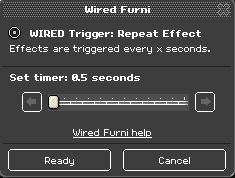
Double click the WIRED Trigger: Repeat Effect and set it to 0.5 seconds.
 \
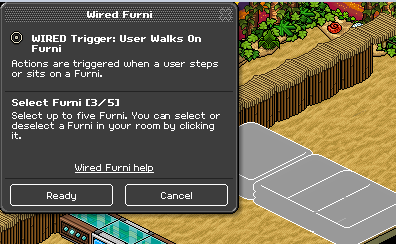
Double click the WIRED Trigger: User Walks On Furni and select the pools you are using.
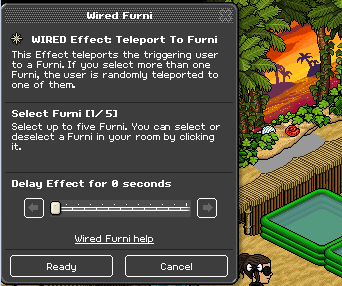
Finally, double click the WIRED Effect: Teleport To Furni and select the furni you want the person to teleport to after stepping on the pools.
Stack the WIRED Effect: Teleport To Furni on top of the WIRED Trigger: User Walks On Furni.
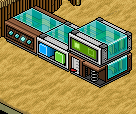
Take the two WIRED Trigger: User Says Keyword and stack the final two WIRED Effect: Move And Rotate Furni on top. Make sure that you can only say the keyword.
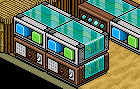
On one of the WIRED Trigger: User Says Keyword set the keyword to Start and on the other one Stop.
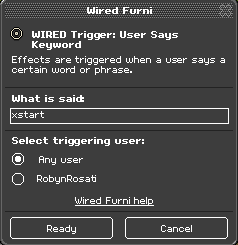
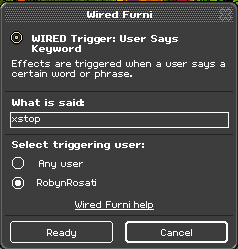
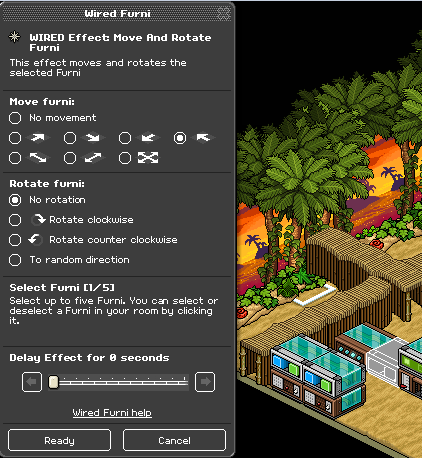
Double click the WIRED Effect: Move And Rotate Furni and on the “Start” keyword make sure it goes to the left and on the Stop keyword make sure it goes to the right. (The left side stacking ontop of the WIRED Effect: Repeat Effect.)
Stack all the wired together out of the way from the game area.
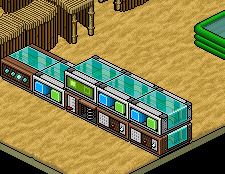
Note: You may want to put an object on top of the WIRED Effect: Teleport To Furni to stop the WIRED Effect: Move And Rotate Furni from going on top of it.
What you'll need
- 1x WIRED Trigger: User Walks On Furni
- 1x WIRED Effect: Teleport To Furni
- 1x WIRED Trigger: Repeat Effect
- 3x WIRED Effect: Move And Rotate Furni
- 2x WIRED Trigger: User Says Keyword
Step 1
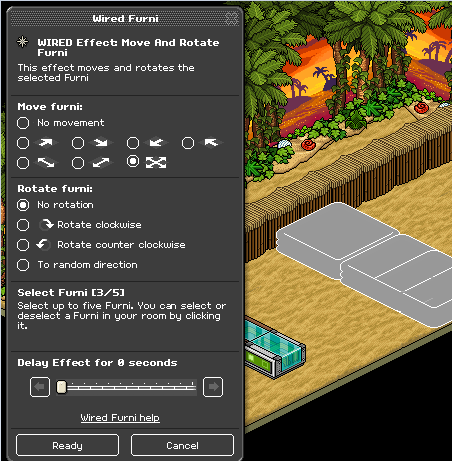
Double click the WIRED Effect: Move And Rotate Furni and select the pools which you are using, make sure to select that the furni goes in all directions under “Move furni”.Step 2
Double click the WIRED Trigger: Repeat Effect and set it to 0.5 seconds.
\Step 3
Double click the WIRED Trigger: User Walks On Furni and select the pools you are using.
Step 4
Finally, double click the WIRED Effect: Teleport To Furni and select the furni you want the person to teleport to after stepping on the pools.
Step 5
Stack the WIRED Effect: Teleport To Furni on top of the WIRED Trigger: User Walks On Furni.
Step 6
Take the two WIRED Trigger: User Says Keyword and stack the final two WIRED Effect: Move And Rotate Furni on top. Make sure that you can only say the keyword.
Step 7
On one of the WIRED Trigger: User Says Keyword set the keyword to Start and on the other one Stop.
Step 8
Double click the WIRED Effect: Move And Rotate Furni and on the “Start” keyword make sure it goes to the left and on the Stop keyword make sure it goes to the right. (The left side stacking ontop of the WIRED Effect: Repeat Effect.)
Step 9
Stack all the wired together out of the way from the game area.
Note: You may want to put an object on top of the WIRED Effect: Teleport To Furni to stop the WIRED Effect: Move And Rotate Furni from going on top of it.
Eevee7 years ago