
Ever wondered how people wired Hole in the Wall? Well here is a little guide to help you get that game going!
:2x Wired Trigger: User Says Keyword
1x Wired Trigger: Repeat Effect
1x Wired Trigger: User Stuff Collision
2x Wired Trigger: User Walks On Furni
8x Wired Effect: Match Furni To Position & State
6x Wired Effect: Move & Rotate Furni
1x Wired Effect: Toggle Furni State
1x Wired Effect: Teleport To Furni
30x Kicking objects for wall pieces (in this case I used Star Flowers)
1x 2x2 Magic Stack Tile
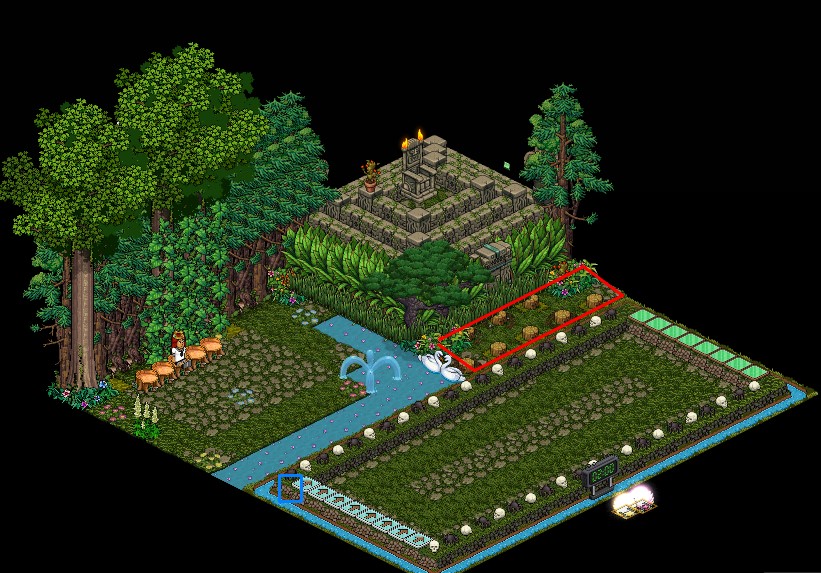
This is an example of the room layout I used. I have a separate section for the players to teleport too when they reach the end and I used freeze tiles & exit tiles. This may differ depending on your design.
Firstly we need to wire the reset wired. For this you will need 1x Wired Trigger: User Says Keyword & 7x Wired Effect: Match Furni To Position & State as shown below.
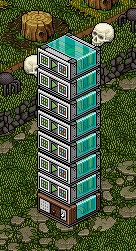
Select the Wired Trigger: User Says Keyword and set it to a memorable word to reset the game after each round.
Please Note: Make sure to set it to only your user unless you are using Wired Condition: Group Member or Wired Condition: Triggering User Is On Furni!
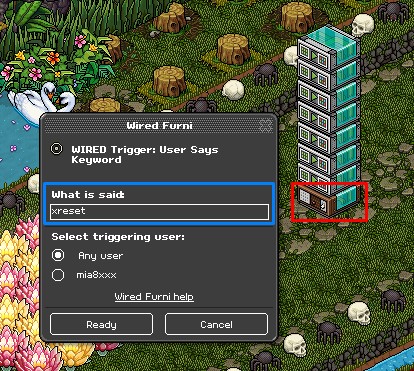
Using 6x Wired Effect: Match Furni To Position & State select the items you are using for the wall, in this case, I used Star Flowers.
Please Note: Make sure the items are away from the playing area and you have selected current furni state, current position in room, also a delay is optional I think it helps prevent glitching!
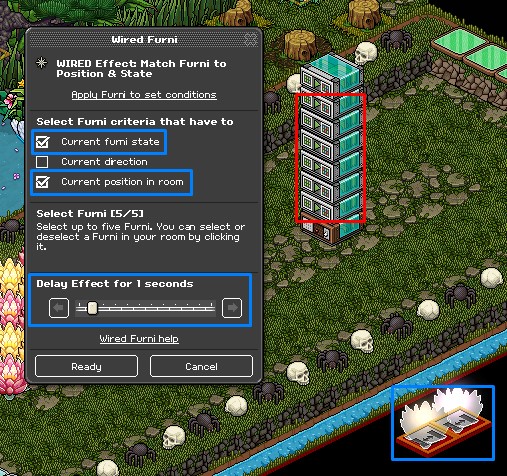
In this step I will show you how to wire your wall, for this, you will need 1x Wired Trigger: Repeat Effect and 6x Wired Effect: Move & Rotate Furni as shown below.
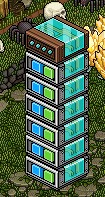
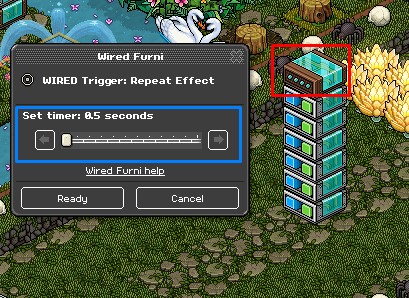
Select the Wired Trigger: Repeat Effect and select how fast you want the wall to move forward, in this case, I have set it to 0.5 seconds.
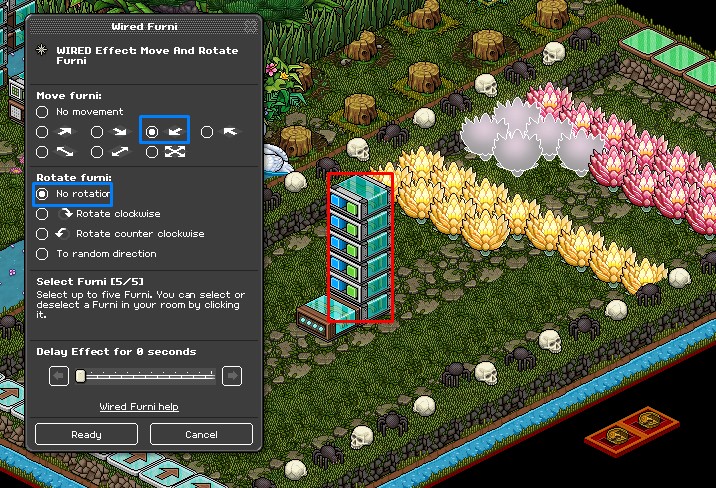
Using the 6x Wired Effect: Move & Rotate Furni select all the items you are using for your wall, in this case, I used starflowers.
Please Note: Make sure to select the direction your wall will be moving in and no rotation!
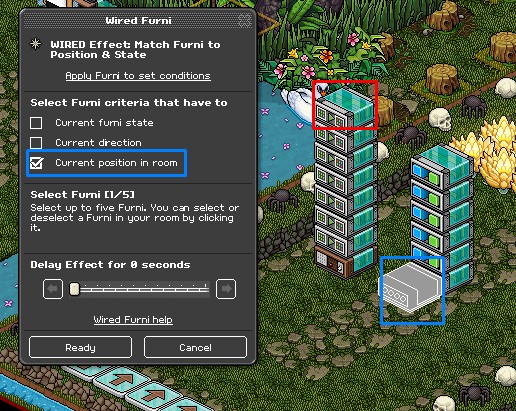
For this bit, you will also need the stack of wired from Step 1. Select the 7th Wired Effect: Match Furni To Position & State from step 1 and select the Wired Trigger: Repeat Effect from your current stack. Make sure the Wired Trigger: Repeat Effect is placed off your wired stack and current position in room is selected.
Please Note: You will have to redo this bit to where you are hiding you're wired when finished!
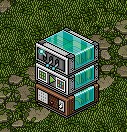
In this step, you will be shown how to start the game off. For this you will need 1x Wired Trigger: User Says Keyword, 1x Wired Effect: Match Furni To Position & State & 1x Wired Effect: Toggle Furni State set up as shown below.
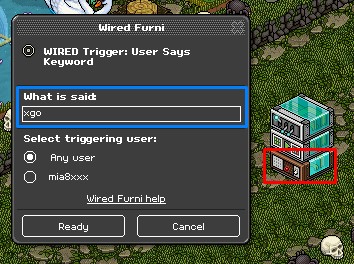
Select the Wired Trigger: User Says Keyword and set it to a memorable word to start the rounds off.
Please Note: Make sure it is set to only your user unless you are adding Wired Condition: Group Member or Triggering User Is On Furni!
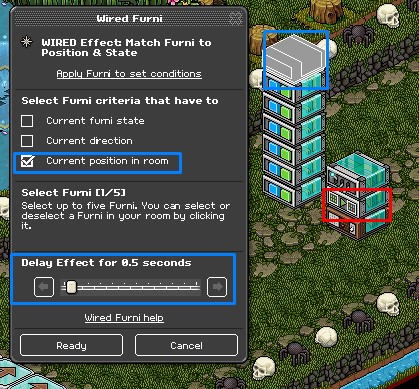
Select the Wired Effect: Match Furni To Position & State and select the Wired Trigger Repeat Effect from Step 2 and place it on top of the Wired Effect: Move & Rotate furni’s from Step 2. Make sure to select current position in room and have a delay of 0.5 seconds!
Please Note: Make sure to select when you hide your wired you redo this bit to replace the positions in the room!
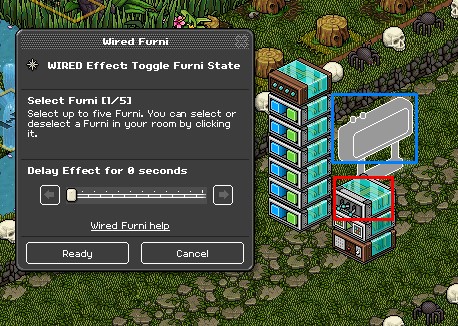
Select the Wired Effect: Toggle Furni State and select the counter you are using.
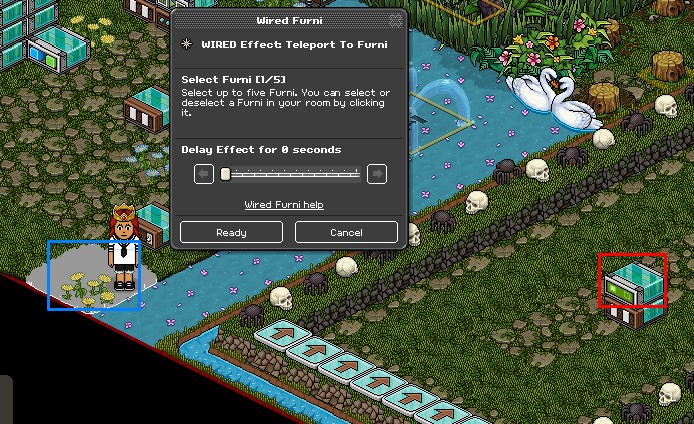
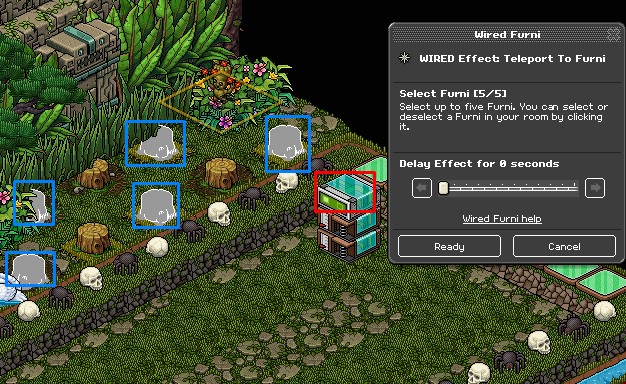
In this section, I will show you to set it up so your wall will kick people who lose. You will need 1x Wired Trigger: User Stuff Collision & 1x Wired Effect: Teleport To Furni, set up as shown below.
Select the Wired Effect: Teleport to Furni and select a piece of furni that the player's exit too when they lose.
Please Note: You do not need to do anything to the Wired Trigger: User Stuff Collision!
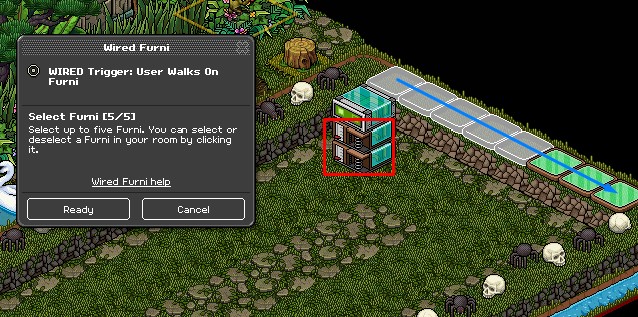
The people who make it to the end need somewhere to wait for everyone else to do this you will 2x Wired Trigger: User Walks On Furni & 1x Wired Effect: Teleport To Furni as shown below.
Please Note: This wired may differ if you are using switches rather than furni!
Using both the Wired Trigger: User Walks On Furni’s select the tiles or item you are using that people need to get to.
Select the Wired Effect: Teleport To Furni and select the seats or items you are using for when players make it across.
If you have any questions please don’t hesitate to ask!
What you will need
:2x Wired Trigger: User Says Keyword
1x Wired Trigger: Repeat Effect
1x Wired Trigger: User Stuff Collision
2x Wired Trigger: User Walks On Furni
8x Wired Effect: Match Furni To Position & State
6x Wired Effect: Move & Rotate Furni
1x Wired Effect: Toggle Furni State
1x Wired Effect: Teleport To Furni
30x Kicking objects for wall pieces (in this case I used Star Flowers)
1x 2x2 Magic Stack Tile
Example Room Layout
This is an example of the room layout I used. I have a separate section for the players to teleport too when they reach the end and I used freeze tiles & exit tiles. This may differ depending on your design.
Step 1
Firstly we need to wire the reset wired. For this you will need 1x Wired Trigger: User Says Keyword & 7x Wired Effect: Match Furni To Position & State as shown below.
Select the Wired Trigger: User Says Keyword and set it to a memorable word to reset the game after each round.
Please Note: Make sure to set it to only your user unless you are using Wired Condition: Group Member or Wired Condition: Triggering User Is On Furni!
Using 6x Wired Effect: Match Furni To Position & State select the items you are using for the wall, in this case, I used Star Flowers.
Please Note: Make sure the items are away from the playing area and you have selected current furni state, current position in room, also a delay is optional I think it helps prevent glitching!
Step 2
In this step I will show you how to wire your wall, for this, you will need 1x Wired Trigger: Repeat Effect and 6x Wired Effect: Move & Rotate Furni as shown below.
Select the Wired Trigger: Repeat Effect and select how fast you want the wall to move forward, in this case, I have set it to 0.5 seconds.
Using the 6x Wired Effect: Move & Rotate Furni select all the items you are using for your wall, in this case, I used starflowers.
Please Note: Make sure to select the direction your wall will be moving in and no rotation!
For this bit, you will also need the stack of wired from Step 1. Select the 7th Wired Effect: Match Furni To Position & State from step 1 and select the Wired Trigger: Repeat Effect from your current stack. Make sure the Wired Trigger: Repeat Effect is placed off your wired stack and current position in room is selected.
Please Note: You will have to redo this bit to where you are hiding you're wired when finished!
Step 3
In this step, you will be shown how to start the game off. For this you will need 1x Wired Trigger: User Says Keyword, 1x Wired Effect: Match Furni To Position & State & 1x Wired Effect: Toggle Furni State set up as shown below.
Select the Wired Trigger: User Says Keyword and set it to a memorable word to start the rounds off.
Please Note: Make sure it is set to only your user unless you are adding Wired Condition: Group Member or Triggering User Is On Furni!
Select the Wired Effect: Match Furni To Position & State and select the Wired Trigger Repeat Effect from Step 2 and place it on top of the Wired Effect: Move & Rotate furni’s from Step 2. Make sure to select current position in room and have a delay of 0.5 seconds!
Please Note: Make sure to select when you hide your wired you redo this bit to replace the positions in the room!
Select the Wired Effect: Toggle Furni State and select the counter you are using.
Step 4
In this section, I will show you to set it up so your wall will kick people who lose. You will need 1x Wired Trigger: User Stuff Collision & 1x Wired Effect: Teleport To Furni, set up as shown below.
Select the Wired Effect: Teleport to Furni and select a piece of furni that the player's exit too when they lose.
Please Note: You do not need to do anything to the Wired Trigger: User Stuff Collision!
Step 5
The people who make it to the end need somewhere to wait for everyone else to do this you will 2x Wired Trigger: User Walks On Furni & 1x Wired Effect: Teleport To Furni as shown below.
Please Note: This wired may differ if you are using switches rather than furni!
Using both the Wired Trigger: User Walks On Furni’s select the tiles or item you are using that people need to get to.
Select the Wired Effect: Teleport To Furni and select the seats or items you are using for when players make it across.
If you have any questions please don’t hesitate to ask!
Eevee7 years ago