
Ever wanted to go back to the nostalgic memories of Old School Habbo and its games? Here’s the first guide for how to wire Avalanche!
20x rollers
Obstacles of your choice (1-3)
2x WIRED Trigger: Furni State Is Changed
1x WIRED Effect: Match Furni to Position & State
10x WIRED Trigger: User Walks On Furni
Set up your rollers in a 5 x 4 pattern as shown below.
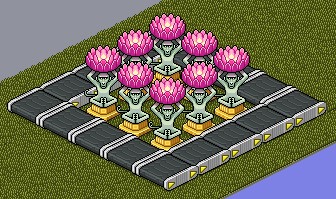
Note: You will need to ensure that users cannot be rolled onto the floor.
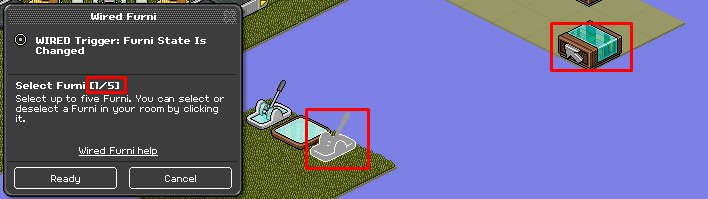
Double click the WIRED Trigger: Furni State is changed and click select a clickable item in the hosting area that only the host can touch, for example, a Floor Switch.
Double click the WIRED Effect: Move & Rotate Furni and select all the Roller(s) that the players are stood on at the beginning of each game.
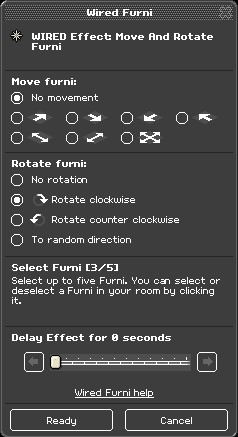
After this, stack the WIRED Trigger: Furni State is changed and WIRED Effect: Move & Rotate Furni on top of each other. The switch should now rotate the rollers.
Double click the second WIRED Trigger: Furni State is changed and click select a clickable item in the hosting area that only the host can touch, for example, a Floor Switch.
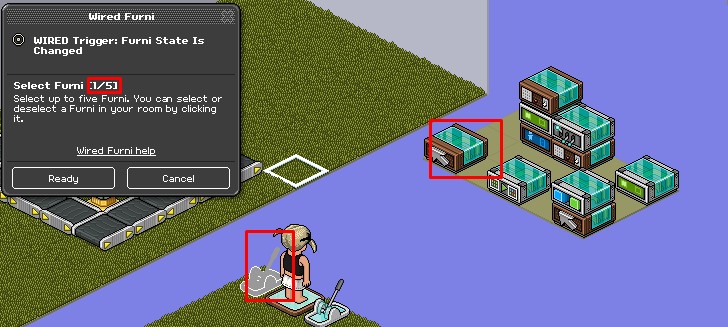
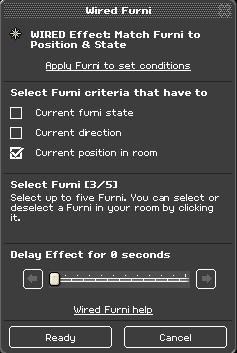
Double click the WIRED Effect: Match Furni to Position & State and place the obstacle where you want it to go after you click the triggering furniture. Ideally, somewhere on the Rollers. Ensure Current position in room is ticked.
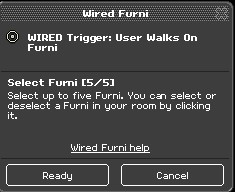
Double click the WIRED Trigger: User Walks On Furni and select all the tiles surrounding the rollers. Do this until all the tiles are selected.
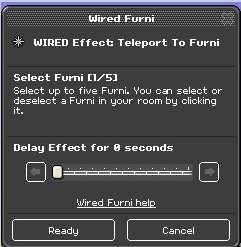
Double click the WIRED Effect: Teleport to Furni and select a tile outside of the game area.
Stack the two wired boxes on top of each other.
What you will need
20x rollers
Obstacles of your choice (1-3)
2x WIRED Trigger: Furni State Is Changed
1x WIRED Effect: Match Furni to Position & State
10x WIRED Trigger: User Walks On Furni
Step 1
Set up your rollers in a 5 x 4 pattern as shown below.
Note: You will need to ensure that users cannot be rolled onto the floor.
Step 2
Double click the WIRED Trigger: Furni State is changed and click select a clickable item in the hosting area that only the host can touch, for example, a Floor Switch.
Step 3
Double click the WIRED Effect: Move & Rotate Furni and select all the Roller(s) that the players are stood on at the beginning of each game.
After this, stack the WIRED Trigger: Furni State is changed and WIRED Effect: Move & Rotate Furni on top of each other. The switch should now rotate the rollers.
Step 4
Double click the second WIRED Trigger: Furni State is changed and click select a clickable item in the hosting area that only the host can touch, for example, a Floor Switch.
Step 5
Double click the WIRED Effect: Match Furni to Position & State and place the obstacle where you want it to go after you click the triggering furniture. Ideally, somewhere on the Rollers. Ensure Current position in room is ticked.
Step 6
Double click the WIRED Trigger: User Walks On Furni and select all the tiles surrounding the rollers. Do this until all the tiles are selected.
Double click the WIRED Effect: Teleport to Furni and select a tile outside of the game area.
Stack the two wired boxes on top of each other.
Eevee7 years ago