
Wish to make a maze room where players can only walk when an item is on or off? Here is how you can!
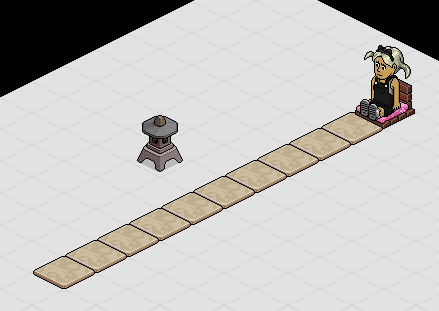
Lay out your tiles, seat and the item you are using that will turn on and off. I am using 10 Marble Tiles and a Japanese Lantern as it has 2 states.
For your first stack you will need to drop both your Walks On Furni Triggers and also both your Teleport to Furni Effects. Wire your first Walks on Furni Trigger and select your first 5 tiles like shown.
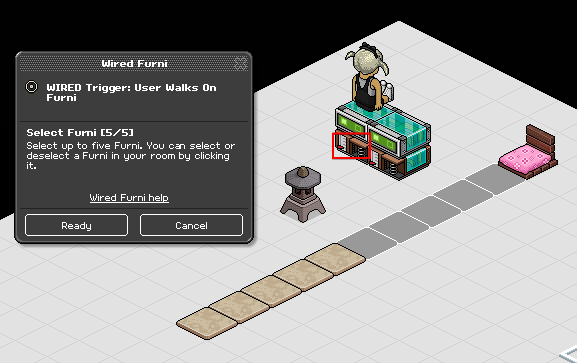
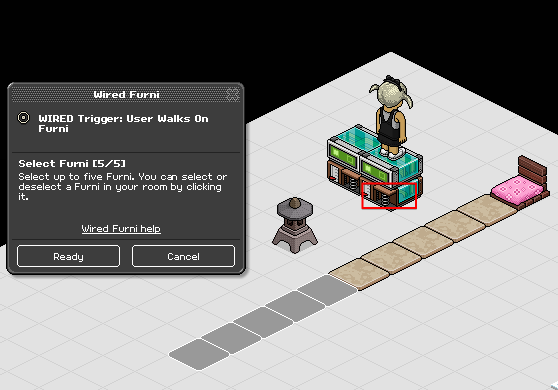
Wire your second Walks on Furni trigger and repeat the exact same above, selecting your other 5 tiles in the game area.
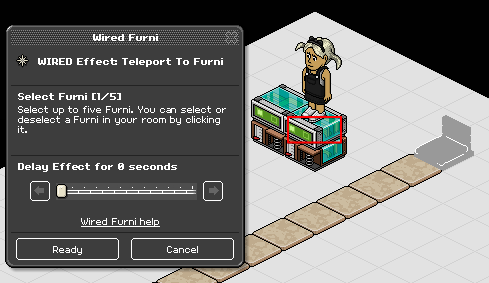
Wire your first Teleport to Furni Effect, selecting the chair you want players to start from and teleport to when they lose. I am using a Tatami Chair for this tutorial.
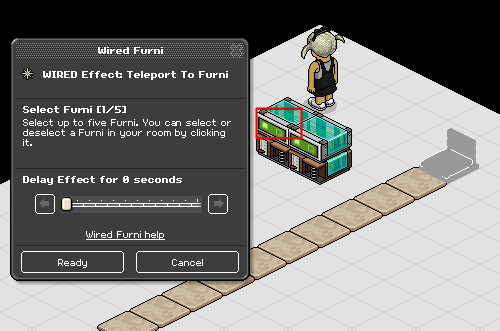
Repeat the same Wired above and wire your second Teleport to Furni Effect, selecting the chair once again.
Drop a Furni States and Positions Match Condition on each of your stacks. Wire the first one and select the item you will be using to turn on and off. I am using the Japanese Lantern, ensure you set it to either on and off before wiring. Mine is currently off, which means if players will walk when it's off, they will be sent back to the start. If you'd like to make it so players have to walk when it's off, make sure you turn your item on or change it's state. Ensure you select your item and also Current furni state.
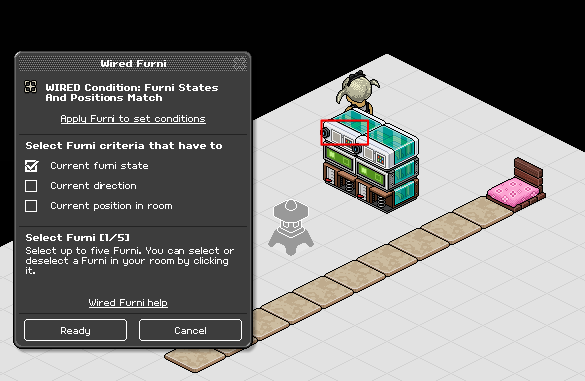
Repeat the same exact Wired as above and wire the item again, ensuring it's in the exact same furni state as the Wired in the first stack. Select your item and also Current furni state.
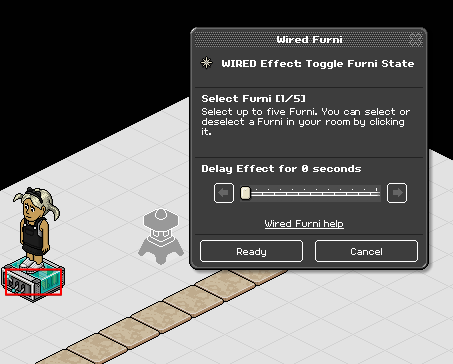
Drop your Toggle Furni Effect to start your next stack. Wire it and select your item, ensure the delay is 0 seconds.
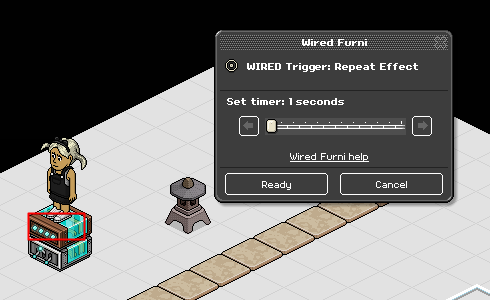
Add your Repeat Trigger to the stack. Wire it and select a reasonable amount of time, I have set mine at 1 seconds.
There it is, your very own Walk When Furni is On/Off! Your item should now constantly toggle on and off.

What you'll need
- Tiles
- Seat
- 2 State Item e.g Lamp
- 2x Wired Effect: Teleport To Furni
- 1x Wired Effect: Toggle Furni State
- 2x Wired Condition: Furni States and Positions Match
- 1x Wired Trigger: Repeat Effect
- x2 Wired Trigger: User Walks On Furni
Game Layout
Lay out your tiles, seat and the item you are using that will turn on and off. I am using 10 Marble Tiles and a Japanese Lantern as it has 2 states.
Step 1
For your first stack you will need to drop both your Walks On Furni Triggers and also both your Teleport to Furni Effects. Wire your first Walks on Furni Trigger and select your first 5 tiles like shown.
Wire your second Walks on Furni trigger and repeat the exact same above, selecting your other 5 tiles in the game area.
Step 2
Wire your first Teleport to Furni Effect, selecting the chair you want players to start from and teleport to when they lose. I am using a Tatami Chair for this tutorial.
Repeat the same Wired above and wire your second Teleport to Furni Effect, selecting the chair once again.
Step 3
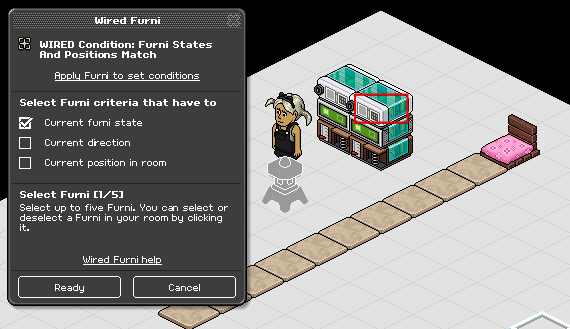
Drop a Furni States and Positions Match Condition on each of your stacks. Wire the first one and select the item you will be using to turn on and off. I am using the Japanese Lantern, ensure you set it to either on and off before wiring. Mine is currently off, which means if players will walk when it's off, they will be sent back to the start. If you'd like to make it so players have to walk when it's off, make sure you turn your item on or change it's state. Ensure you select your item and also Current furni state.
Repeat the same exact Wired as above and wire the item again, ensuring it's in the exact same furni state as the Wired in the first stack. Select your item and also Current furni state.
Step 4
Drop your Toggle Furni Effect to start your next stack. Wire it and select your item, ensure the delay is 0 seconds.
Step 5
Add your Repeat Trigger to the stack. Wire it and select a reasonable amount of time, I have set mine at 1 seconds.
Example
There it is, your very own Walk When Furni is On/Off! Your item should now constantly toggle on and off.
Eevee7 years ago