
Ever wondered how hosts use colour tiles instead of gates to teleport players into their games? Here's how!

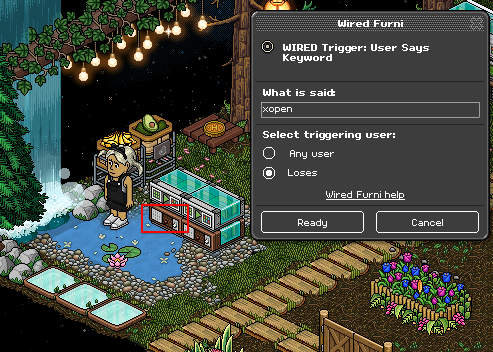
Let's start with two stacks. Drop both User Says Keyword Triggers and both Match Furni to Position & State Effects on top of them. Wire your first Keyword Trigger, set up a keyword that you will use to open your gates. I am using xopen for mine. Make sure you set the keyword to yourself unless you're adding Group wired.
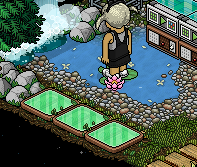
Double click/use your Colour Tiles until they change to green.
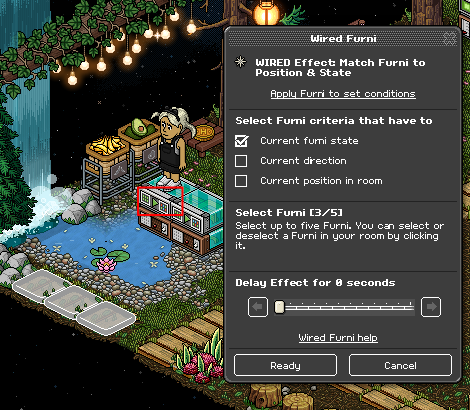
Wire your Match Furni to Position & State Effect shown below. Select your green tiles and also Current furni state.
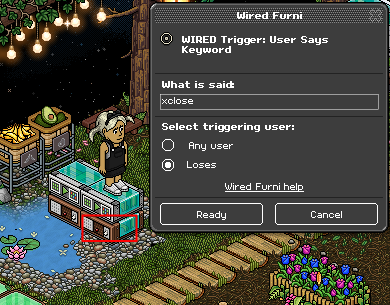
Wire your second Keyword Trigger, set up a keyword you will use to close the gates. I am using xclose for mine. Make sure you set the keyword to yourself unless you're adding Group wired.
Double click/use your Colour Tiles until they change to red.
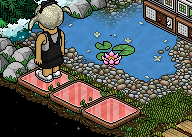
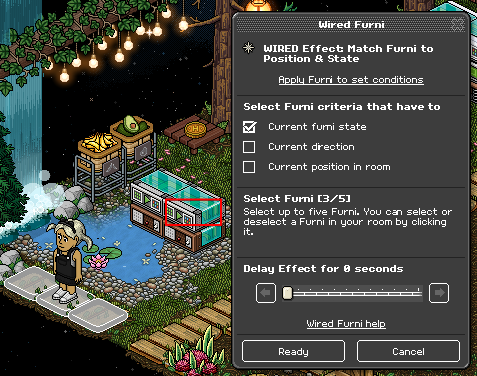
Wire your second Match Furni to Position & State Effect shown below. Select your red tiles and also Current furni state.
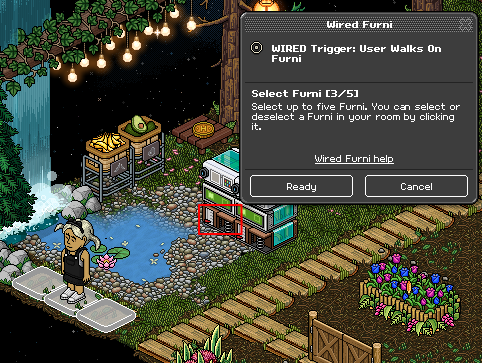
Moving on to the next two stacks, wire your first User Walks On Trigger and select your Colour Tiles.
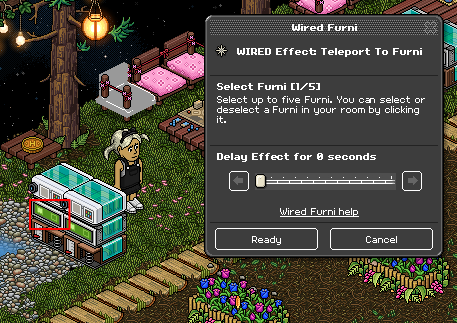
Wire your Teleport to Furni Effect shown below and select a seat in the lobby area. This is where players will teleport to when the tiles are closed/red. I have picked one of my Tatami Chairs.
Wire your Furni States and Positions Match Condition and select your Colour Tiles. Ensure you also click Current furni state.
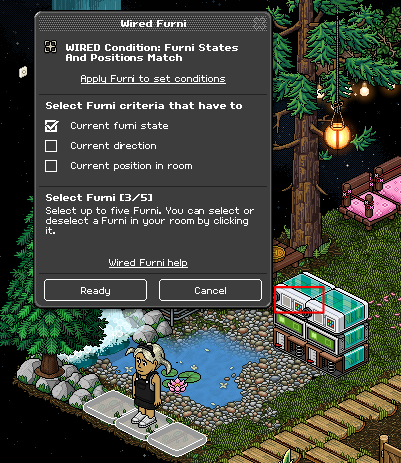
Double click/use your Colour Tiles until they are back to green.

Wire your second User Walks On Trigger and select your Colour Tiles again.
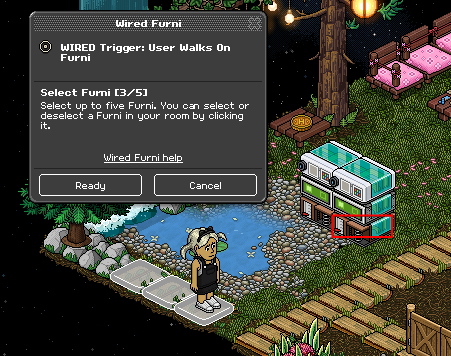
Wire your Teleport to Furni Effect and select a seat in-game, I have selected a Good Side Stool. This is where players will teleport to when the tiles are open/green.
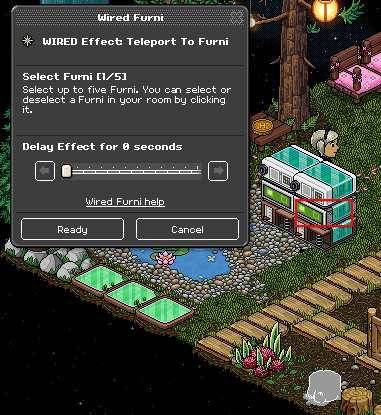
Wire your Furni States and Positions Match Condition and select your Colour Tiles once more, ensuring they are green.
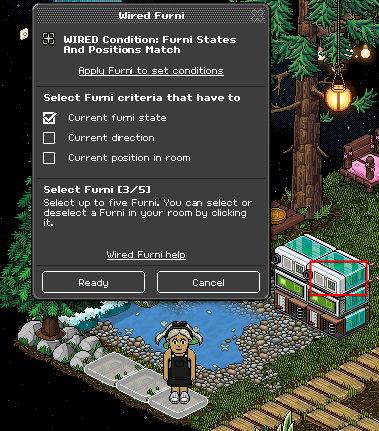
All done! There you have it, your Colour Tiles Gate should work like mine shown below.

What you'll need
- 2x Wired Trigger: User Says Keyword
- 2x Wired Trigger: User Walks on Furni
- 2x Wired Effect: Teleport to Furni
- 2x Wired Effect: Match Furni to Position & State
- 2x Wired Condition: Furni States and Positions Match
- Colour tiles
- Seat in-game
- Seat in Lobby
Basic Layout
Drop your tiles in a suitable area in your game room where players will be able to access them easily.Step 1
Let's start with two stacks. Drop both User Says Keyword Triggers and both Match Furni to Position & State Effects on top of them. Wire your first Keyword Trigger, set up a keyword that you will use to open your gates. I am using xopen for mine. Make sure you set the keyword to yourself unless you're adding Group wired.
Step 2
Double click/use your Colour Tiles until they change to green.
Wire your Match Furni to Position & State Effect shown below. Select your green tiles and also Current furni state.
Step 3
Wire your second Keyword Trigger, set up a keyword you will use to close the gates. I am using xclose for mine. Make sure you set the keyword to yourself unless you're adding Group wired.
Step 4
Double click/use your Colour Tiles until they change to red.
Wire your second Match Furni to Position & State Effect shown below. Select your red tiles and also Current furni state.
Step 5
Moving on to the next two stacks, wire your first User Walks On Trigger and select your Colour Tiles.
Step 6
Wire your Teleport to Furni Effect shown below and select a seat in the lobby area. This is where players will teleport to when the tiles are closed/red. I have picked one of my Tatami Chairs.
Step 7
Wire your Furni States and Positions Match Condition and select your Colour Tiles. Ensure you also click Current furni state.
Step 8
Double click/use your Colour Tiles until they are back to green.
Wire your second User Walks On Trigger and select your Colour Tiles again.
Step 9
Wire your Teleport to Furni Effect and select a seat in-game, I have selected a Good Side Stool. This is where players will teleport to when the tiles are open/green.
Step 10
Wire your Furni States and Positions Match Condition and select your Colour Tiles once more, ensuring they are green.
Colour Tiles Gate
All done! There you have it, your Colour Tiles Gate should work like mine shown below.
Eevee7 years ago