Hotel Hideaway
by  Kate · 7 years ago

Grab your pieces of Habbo memorabilia from the Habbo and Hotel Hideaway crossover!
You’ll need to have both a Habbo account and a Hotel Hideaway account to link. Follow the steps in this article to make an account.
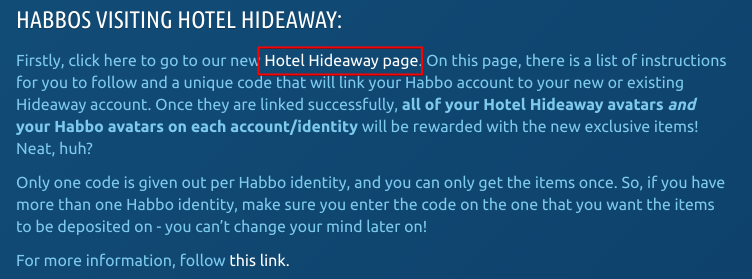
Once you have made your account, follow the link highlighted here or click here to receive your unique referral code (found at the bottom of the page)
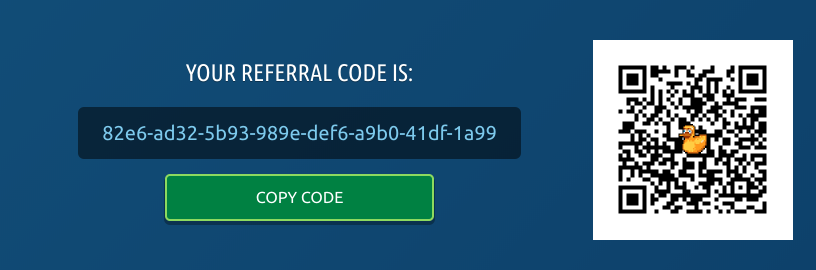
Copy or make a note of the code you’ve been given. Alternatively, keep this page open so you can use the QR Code (the fuzzy picture with a duck on it)
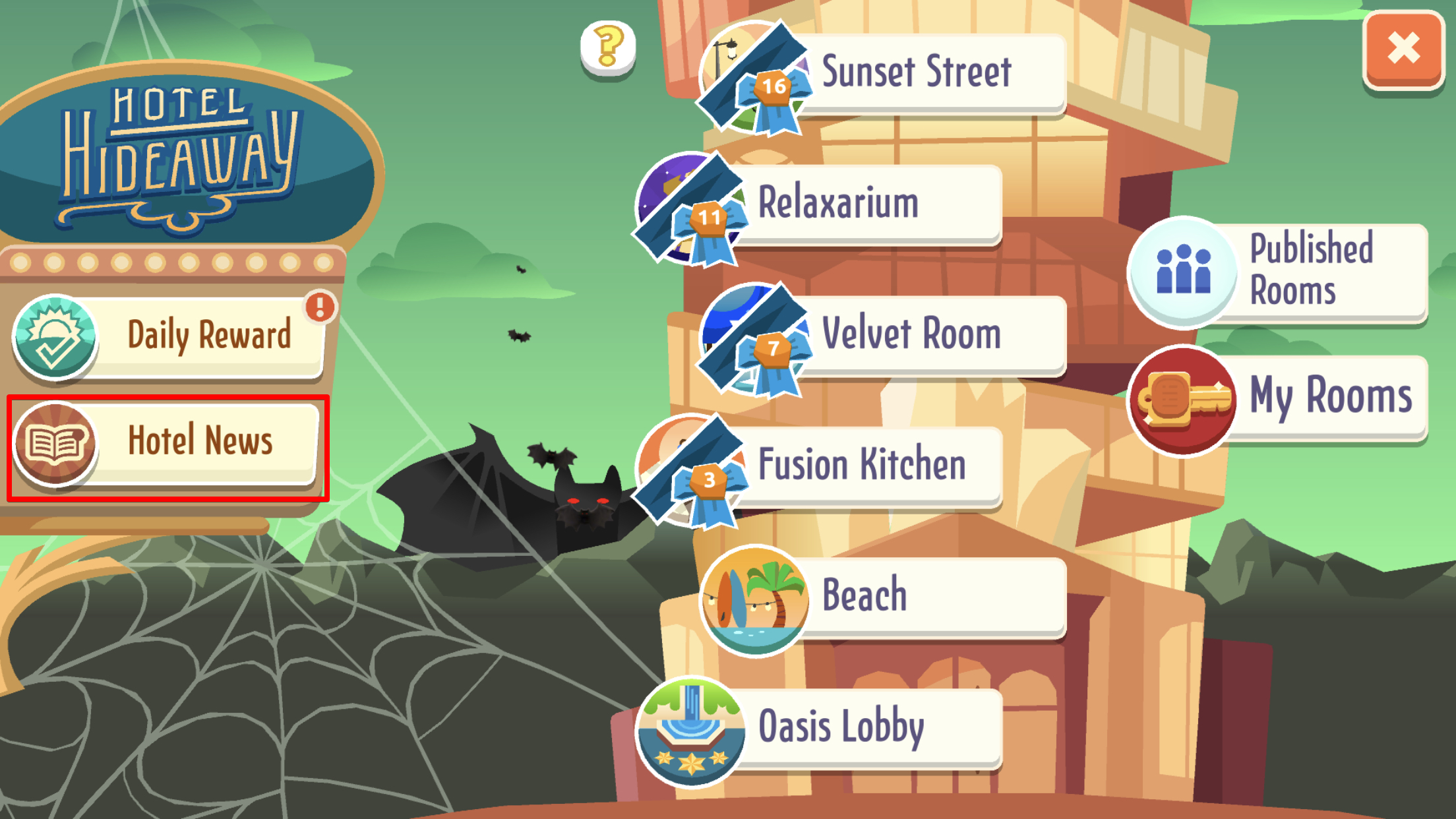
Head over to the Hotel Hideaway app and login/create an account if you’re new (follow the prompts). Once logged in a screen like below will appear, click Hotel News, then Redeem exclusive items.

Enter your referral code you noted down from step 3 and Claim Reward. Alternatively, click the QR Code button with the magnifying glass on it and take a photo of the QR Code from step 3. Once claimed, you will get a success window pop-up.


Inside your Habbo inventory, you’ll have a gift like the one shown below. Open it to receive your Hotel Hideaway items! Your exclusive Hotel Hideaway hat and t-shirt will also be on your Hideaway account, found by clicking the hanger/clothes button.


Step 1
You’ll need to have both a Habbo account and a Hotel Hideaway account to link. Follow the steps in this article to make an account.
Step 2
Once you have made your account, follow the link highlighted here or click here to receive your unique referral code (found at the bottom of the page)
Step 3
Copy or make a note of the code you’ve been given. Alternatively, keep this page open so you can use the QR Code (the fuzzy picture with a duck on it)
Step 4
Head over to the Hotel Hideaway app and login/create an account if you’re new (follow the prompts). Once logged in a screen like below will appear, click Hotel News, then Redeem exclusive items.
Step 5
Enter your referral code you noted down from step 3 and Claim Reward. Alternatively, click the QR Code button with the magnifying glass on it and take a photo of the QR Code from step 3. Once claimed, you will get a success window pop-up.
Step 6
Inside your Habbo inventory, you’ll have a gift like the one shown below. Open it to receive your Hotel Hideaway items! Your exclusive Hotel Hideaway hat and t-shirt will also be on your Hideaway account, found by clicking the hanger/clothes button.
Eevee7 years ago