
What a quicker and more efficient way to teleport users? Look below and follow the steps on how to achieve this! Easy to learn and only requires a few furni/two stacks of wired!
Wired Trigger: User Walks on Furni
Wired Effect: Match Furni to Position & State
Wired Effect: Send Signal
Wired Add-on: Carry Users
Wired Add-on: Movement Physics
Stack two
Wired Trigger: Receive Signal
Wired Effect: Match Furni to Position & State
Wired Add-on: Movement Physics
Furni
x1 Wired Antenna
x1 Walkable furni
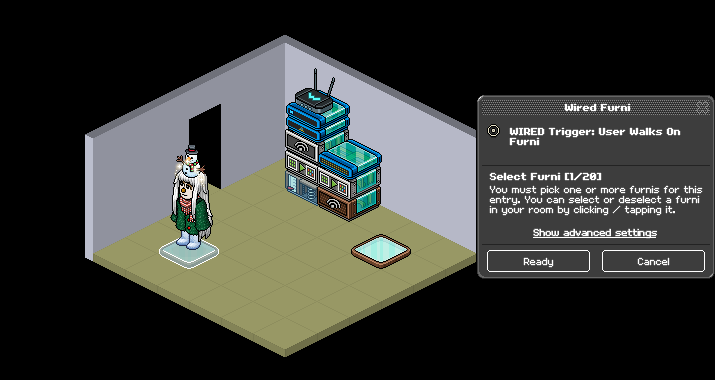
Users the Wired Trigger: User walks on furni, select the furni you want users to walk on to teleport to the target furni.
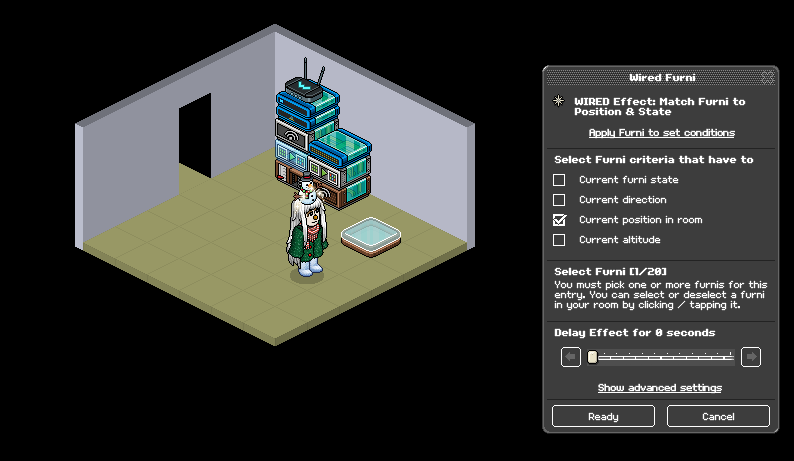
Using the furni you chose from step one,move it where you want the user to be teleported to. Then you use the Wired Effect: Match Furni to Position & State, click that furni and tick "Current position in room"
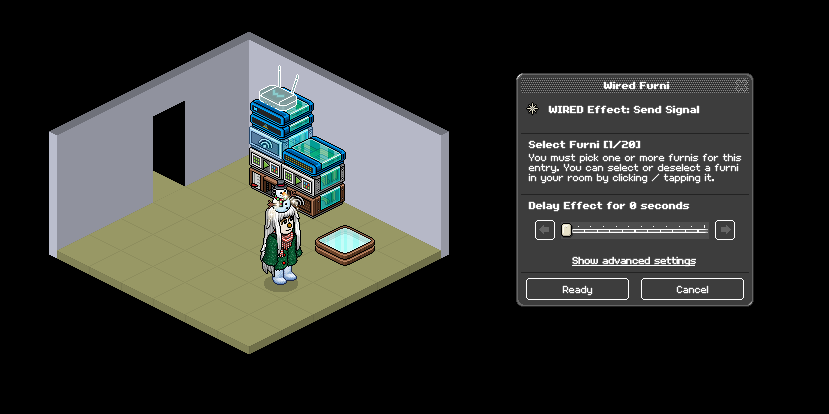
Use the "Wired Effect: Send Signal" wired and select the wired antenna.
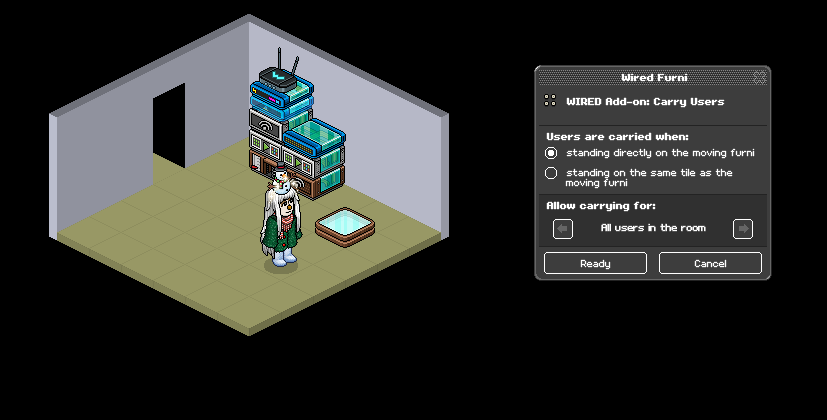
Make sure your Wired Add-on: Carry Users is set to the follow setting: "Standing directly on the moving furni"
Make sure your Wired Add-on: Movement Settings is set to the following settings:
Keep furni Altitude
Move through furniture
Move through Users
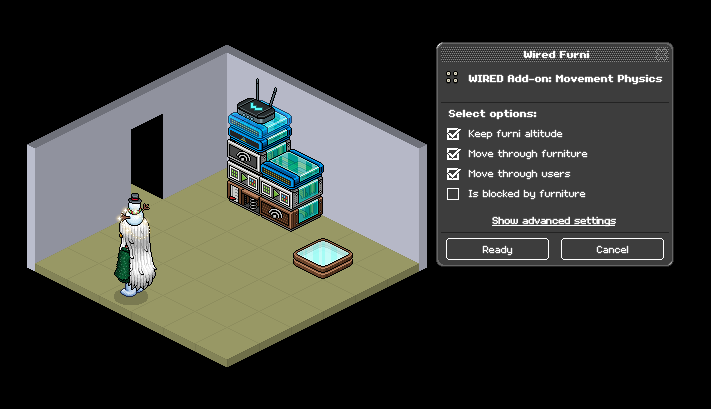
Stack two! Set your Wired Trigger: Receive Signal to your wired antenna
Using your original furni from step one, place it back in its original spot and set your Wired Effect: State and Match to "Current Position in room"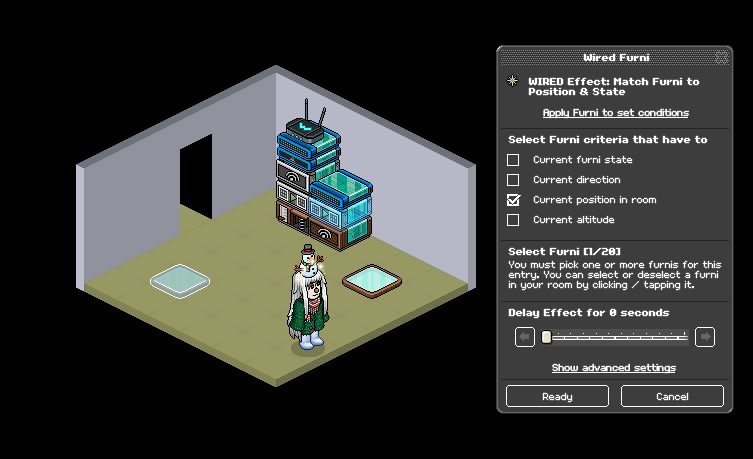
Repeat step five with your second Wired Add-On: Movement Physics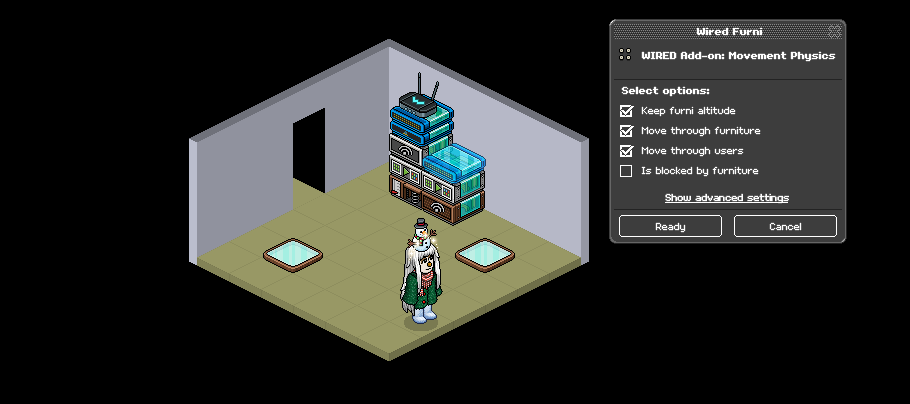
What you will need
Stack one Wired Trigger: User Walks on Furni
Wired Effect: Match Furni to Position & State
Wired Effect: Send Signal
Wired Add-on: Carry Users
Wired Add-on: Movement Physics
Stack two
Wired Trigger: Receive Signal
Wired Effect: Match Furni to Position & State
Wired Add-on: Movement Physics
Furni
x1 Wired Antenna
x1 Walkable furni
Step one
Users the Wired Trigger: User walks on furni, select the furni you want users to walk on to teleport to the target furni.
Step two
Using the furni you chose from step one,move it where you want the user to be teleported to. Then you use the Wired Effect: Match Furni to Position & State, click that furni and tick "Current position in room"
Step three
Use the "Wired Effect: Send Signal" wired and select the wired antenna.
Step four
Make sure your Wired Add-on: Carry Users is set to the follow setting: "Standing directly on the moving furni"
Step five
Make sure your Wired Add-on: Movement Settings is set to the following settings:
Keep furni Altitude
Move through furniture
Move through Users
Step six
Stack two! Set your Wired Trigger: Receive Signal to your wired antenna
Step Seven
Using your original furni from step one, place it back in its original spot and set your Wired Effect: State and Match to "Current Position in room"
Step Eight
Repeat step five with your second Wired Add-On: Movement Physics
 Rotating 2 years ago
 kitten 2 years ago
 Kate 2 years ago