
Read the guide below for a tutorial on how to wire Danger Attack [Updated with new wired]
Wired Stack one
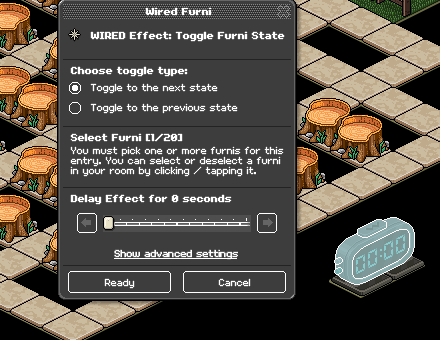
Wired Effect: Toggle Furni State
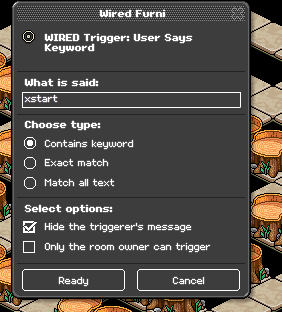
WIRED Trigger: User says keyword
Wired Stack two
WIRED Trigger: Game starts
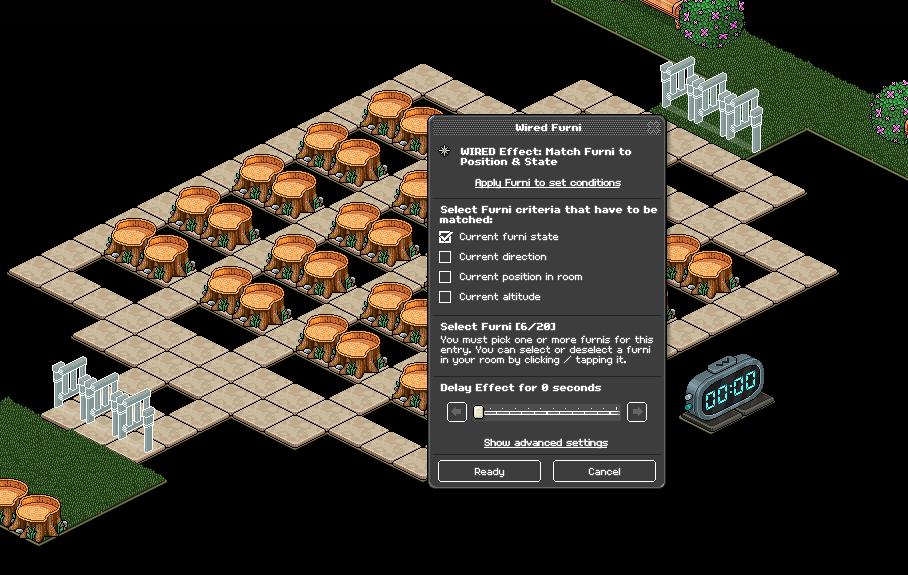
WIRED Effect: Match Furni to Position & State
Wired Stack three
WIRED Selector: Furni in Area
WIRED Selector: Furni by type
WIRED Filter: Filter to x furni
WIRED Effect: Match Furni to Position & State
WIRED Trigger: User says keyword
WIRED add-on: Movement Physics
Wired Stack four
WIRED Selector: Furni by Type
WIRED Effect: Match Furni to Position & State
WIRED Trigger: User says keyword
WIRED add-on: Movement physics
Wired stack five
WIRED Effect: Move furni towards nearest user
WIRED Trigger: Repeat Effect
WIRED Selector: Furni by type
Wired Stack six
WIRED Trigger: User Stuff collision
WIRED Effect: Move user to furni
WIRED add-on: Movement physics
WIRED add-on: Execution limit
Wired Stack seven
WIRED Trigger: Counter reaches set time
WIRED Effect: Control counter
WIRED Stack eight
WIRED Trigger: Game Ends
WIRED effect: Execute Furni stacks
WIRED Effect: Match Furni to position & State
Wired Stack nine
WIRED Trigger: User walks on Furni
WIRED Effect: Teleport to Furni
WIRED add-on: Execution limit
Furni
Gates
Objects to kick users
Chairs
Exit Tiles
Freeze tiles
Timer
Tiles for the game area
Set your WIRED Effect: Toggle to Furni to your timer
Set your WIRED Trigger: User says Keyword to the keyword you'd like to use to start the game.
Place your WIRED Trigger: Game starts, no adjustments are needed. Then set your WIRED Effect: Match Furni to Position & State to your gates in-game and tick "Match current state" making sure that the gates are in an OPEN state.
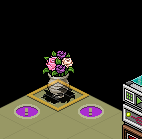
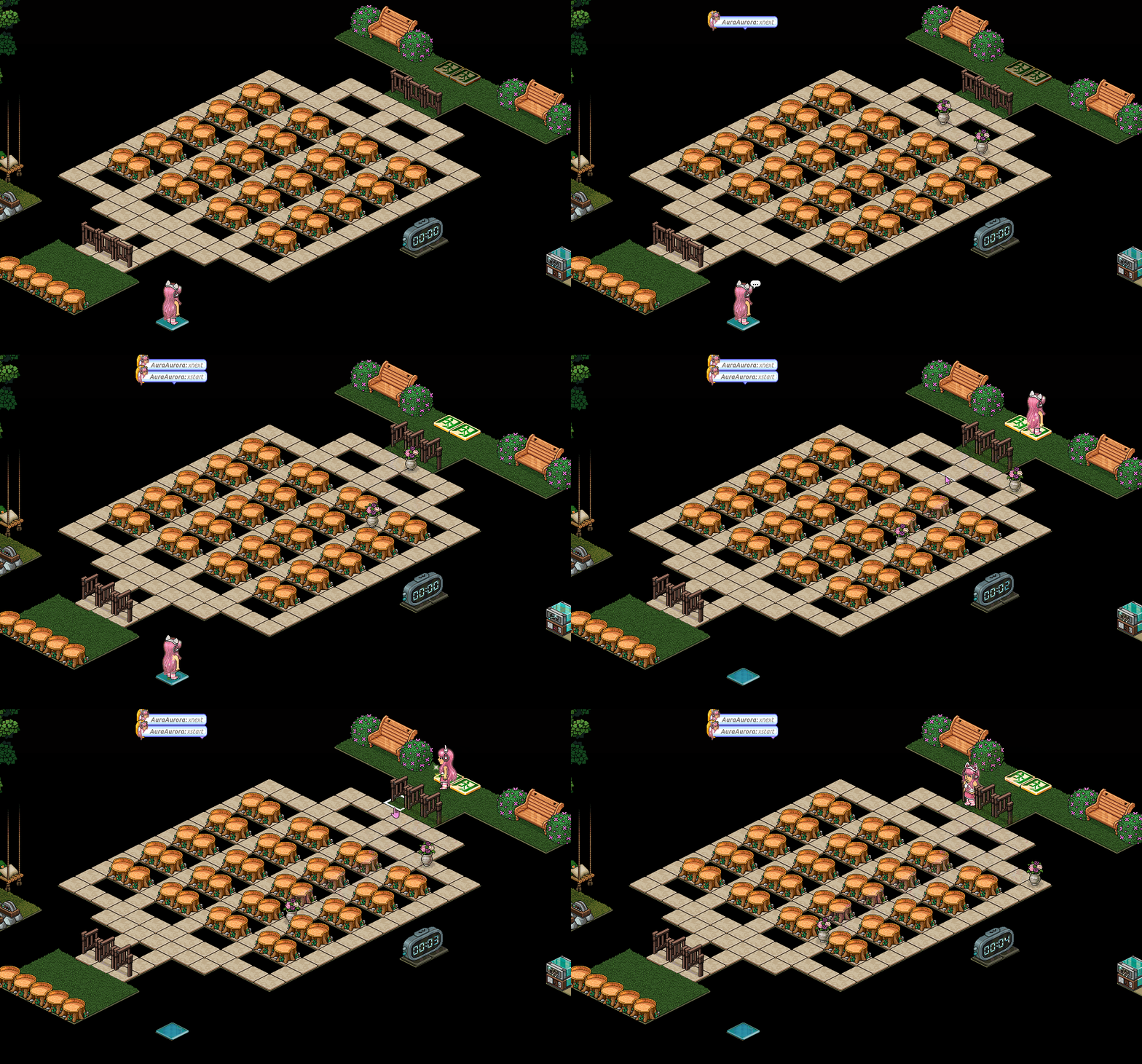
Using a stack tile, place however many kickers you'd like to use in total in a single square. For example, if you want to use 16 star flowers in total, place 16 star flowers in that area. Block this 1x1 area off by using any furni that isn't stackable.
Example:
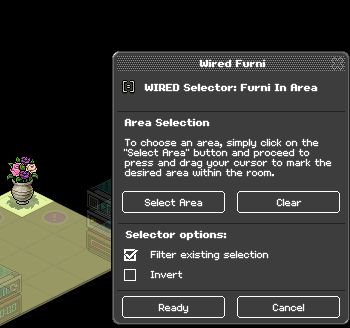
Set your WIRED Selector: Furni in Area to the tile you've just placed your kickers in. Tick off "Filter existing selection"
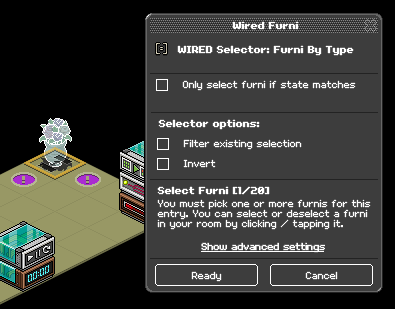
Set your WIRED Selector: Furni by Type to one of your kickers. This will wire all of them.
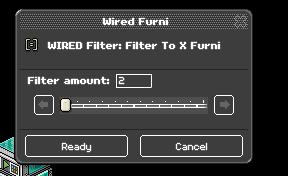
Set your WIRED Filter: Filter to X furni to however many kickers you'd like to add each round. For example, if you want to add two flowers every level increase, select 2.
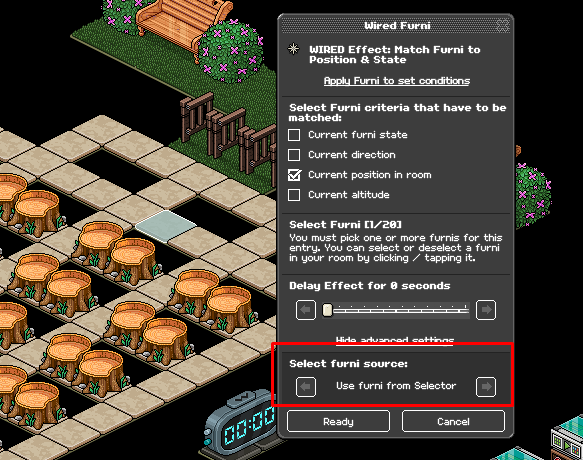
Set your WIRED Effect: Match Furni to Position & State to the tile you'd like your kickers to spawn. Make sure under advanced settings, you set your wired to "Use furni from selector"
Set your WIRED Trigger: User Says keyword to a keyword you'd like to use every time you add flowers/increase a level.
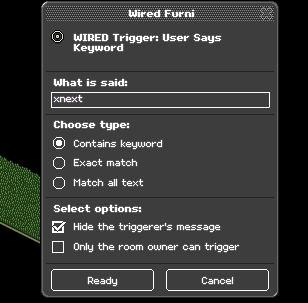
This stack is to reset your kickers if needed.
Set your WIRED Selector: Furni by Type to one of your kickers. This will wire all of them.
Note: if you have any of the same furni you aren't using as kickers you will need to select all of your kickers and tick off "Filter existing selection"
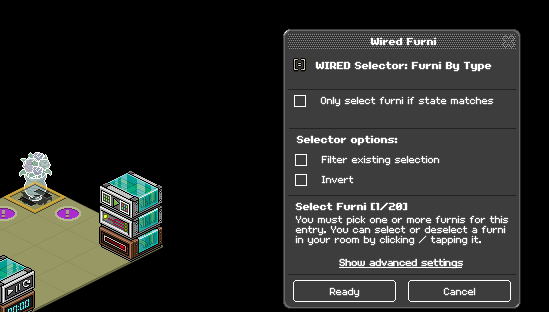
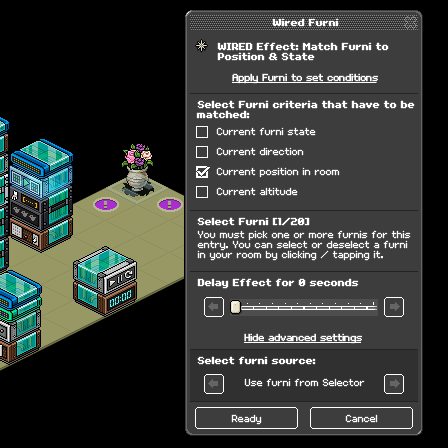
Set your WIRED Effect: Match furni to Position & State to your stack tile that your kickers start from, and tick off "Current position in room." Make sure under advanced settings that "Use Furni from Selector" is set.
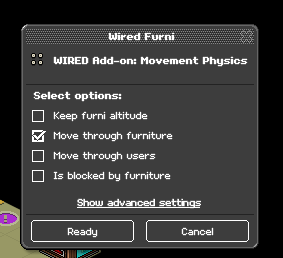
Set your WIRED Add-on: Movement Physics to "Move through furniture"
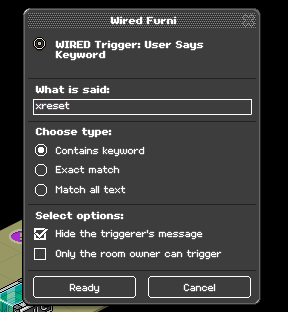
Set your WIRED Trigger: User says keyword to a keyword you'd like to use to reset your game.
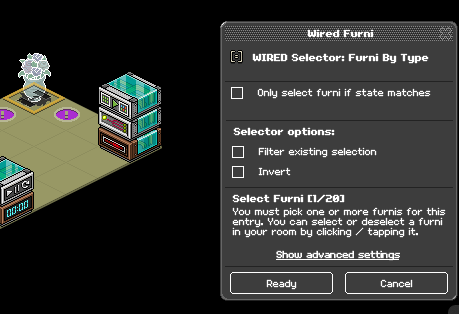
Set your WIRED Selector: Furni by Type to one of your kickers. This will wire all of them.
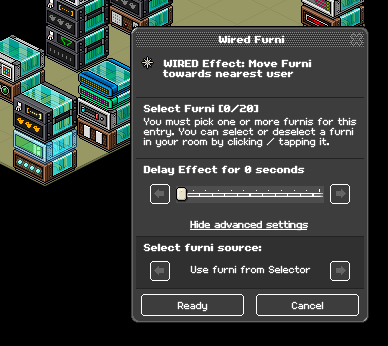
Without selecting any furni, set your WIRED Effect: Move furni towards nearest user to "Use furni from selector" under advanced settings.
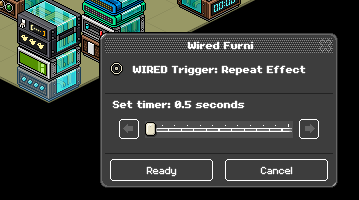
Place your WIRED Trigger: Repeat effect down, by default it will be at 0.5 seconds.
Note: If any of the furni in your room match your kickers, it will be easier to set your WIRED Effect: Move furni towards nearest user to all of your kickers without using any advanced settings. Furni by type selector wouldn't be needed in that case. This is just a faster way to wire it otherwise.
Place your WIRED Trigger: User stuff collision, no adjustment is needed. Then place your WIRED Effect: Move user to furni down, no adjustments will be needed in the settings but make sure you select the area that you want users to teleport out to when they lose.
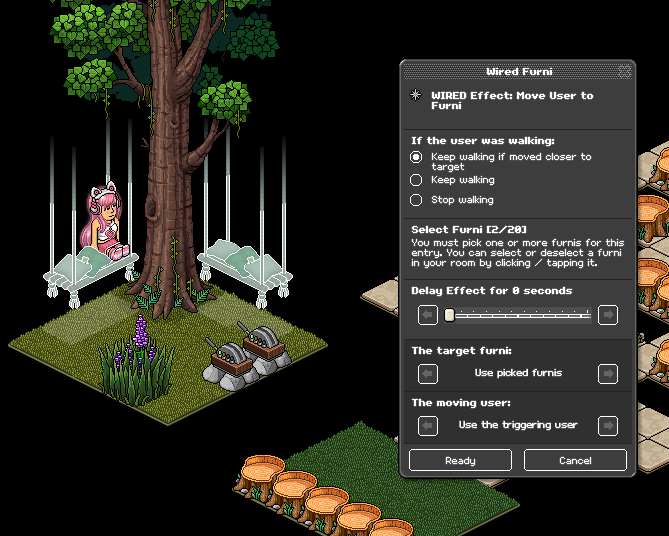
Place your WIRED Add-on: Execution limit, this will make it so multiple users can teleport at once without any glitching. No adjustments are needed as by default it is set to 100.
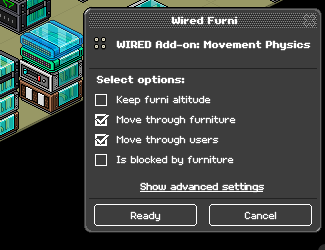
Set your WIRED add-on: Movement physics by ticking "Move through furniture" and "Move through users"
If you don't use this wired, then users won't be able to teleport if anyone else is on the furniture.
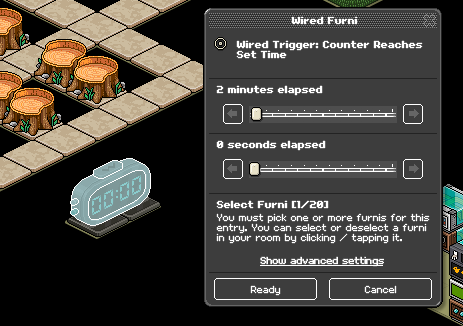
Set your WIRED Trigger: Counter Reaches set time to however long you'd like your game to last. Below is an example for two minutes, then select your timer.
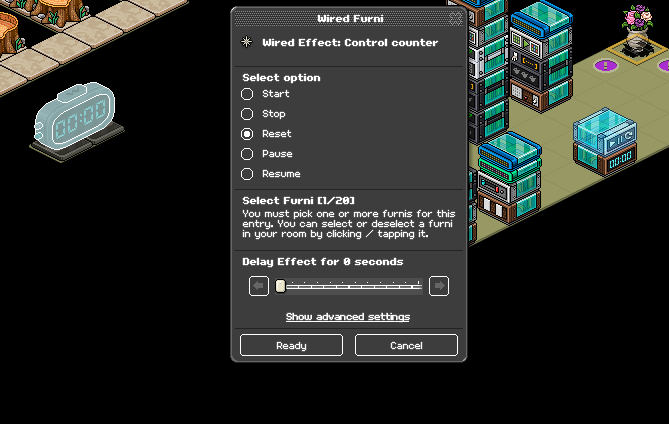
Set your WIRED Effect: Control Counter to your timer and select "Reset" as an option.
Place your WIRED Trigger: Game Ends down, no adjustments will be needed.
Set your WIRED Effect: Execute wired stacks to any of the wired from stack three. This will select the whole stack.
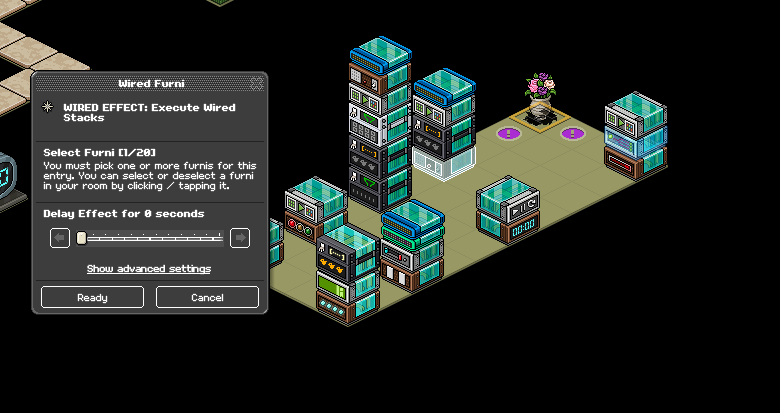
Set your WIRED Effect: Match Furni to Position & State to the gates in your game. Make sure they are in a CLOSED state and tick off "Current furni state"
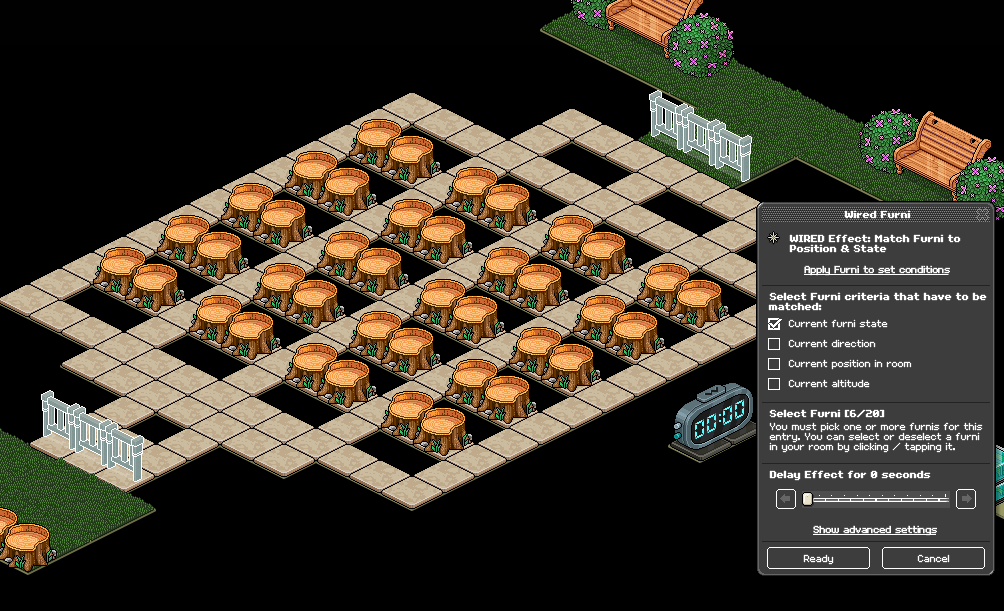
Set your WIRED Trigger: User walks on Furni to the furni you want users to walk on when they pass the level.
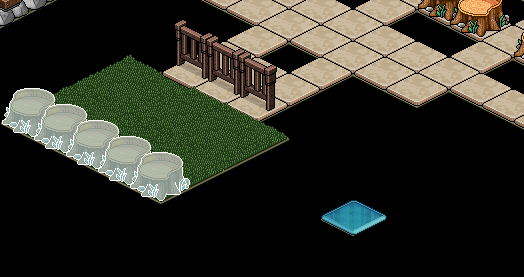
Set your WIRED Effect: Teleport to Furni to where you want users to teleport to afterward. Make sure freeze tiles are underneath all tiles in that area.
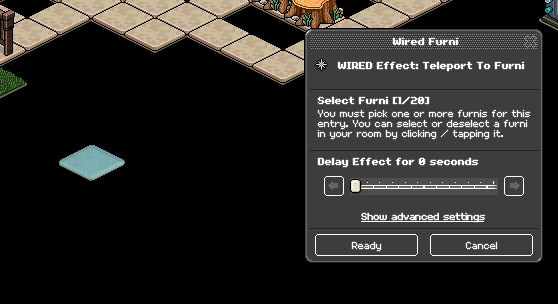
Place a WIRED Add-on: Execution limit, no adjustments are needed. This is recommended but not required for this stage.
Below is an example of how you'd start your game. Exit tiles are required so users can spawn back into the starting area when you begin rounds. Type the code to bring in your kickers, then the code to start the timer. Users in your winning area will teleport immediately.
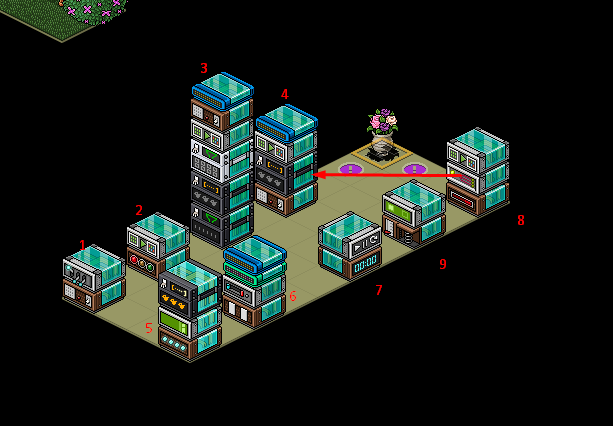
Wired Stacks for reference
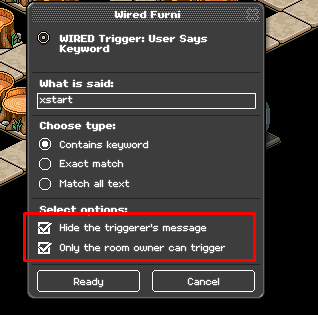
Note: If multiple people host in your room and you're using a group room, it is recommended that for every stack that has a keyword on it you add a WIRED Condition: Group Member. Otherwise, make sure your keywords are set so that only the room owner can use them.
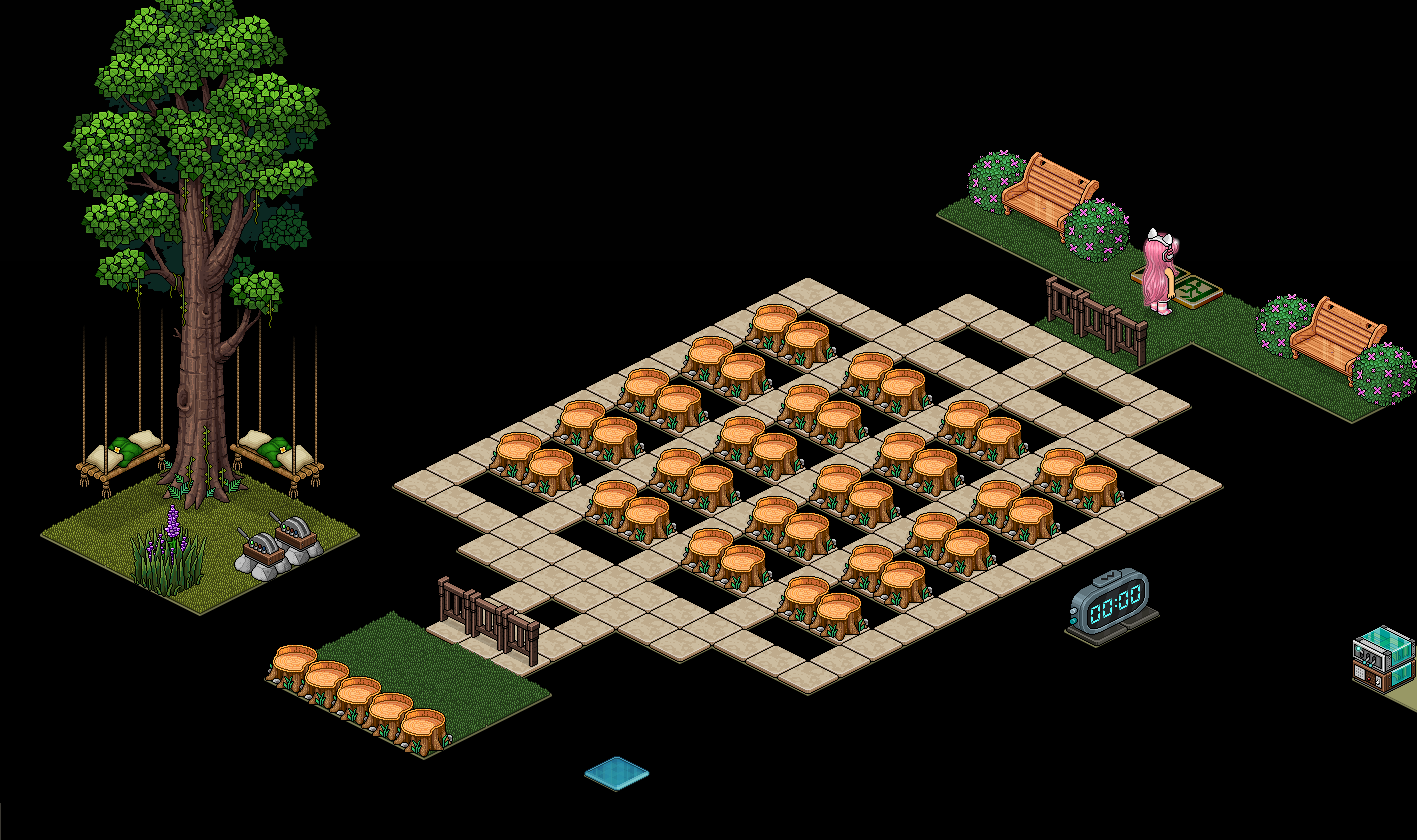
Layout example
Wired Stack one
Wired Effect: Toggle Furni State
WIRED Trigger: User says keyword
Wired Stack two
WIRED Trigger: Game starts
WIRED Effect: Match Furni to Position & State
Wired Stack three
WIRED Selector: Furni in Area
WIRED Selector: Furni by type
WIRED Filter: Filter to x furni
WIRED Effect: Match Furni to Position & State
WIRED Trigger: User says keyword
WIRED add-on: Movement Physics
Wired Stack four
WIRED Selector: Furni by Type
WIRED Effect: Match Furni to Position & State
WIRED Trigger: User says keyword
WIRED add-on: Movement physics
Wired stack five
WIRED Effect: Move furni towards nearest user
WIRED Trigger: Repeat Effect
WIRED Selector: Furni by type
Wired Stack six
WIRED Trigger: User Stuff collision
WIRED Effect: Move user to furni
WIRED add-on: Movement physics
WIRED add-on: Execution limit
Wired Stack seven
WIRED Trigger: Counter reaches set time
WIRED Effect: Control counter
WIRED Stack eight
WIRED Trigger: Game Ends
WIRED effect: Execute Furni stacks
WIRED Effect: Match Furni to position & State
Wired Stack nine
WIRED Trigger: User walks on Furni
WIRED Effect: Teleport to Furni
WIRED add-on: Execution limit
Furni
Gates
Objects to kick users
Chairs
Exit Tiles
Freeze tiles
Timer
Tiles for the game area
Step 1 - Stack one
Set your WIRED Effect: Toggle to Furni to your timer
Step 2 - Stack one
Set your WIRED Trigger: User says Keyword to the keyword you'd like to use to start the game.
Step 1 - Stack two
Place your WIRED Trigger: Game starts, no adjustments are needed. Then set your WIRED Effect: Match Furni to Position & State to your gates in-game and tick "Match current state" making sure that the gates are in an OPEN state.
Step 1 - Stack three
Using a stack tile, place however many kickers you'd like to use in total in a single square. For example, if you want to use 16 star flowers in total, place 16 star flowers in that area. Block this 1x1 area off by using any furni that isn't stackable.
Example:
Step 2 - Stack three
Set your WIRED Selector: Furni in Area to the tile you've just placed your kickers in. Tick off "Filter existing selection"
Step 3 - Stack three
Set your WIRED Selector: Furni by Type to one of your kickers. This will wire all of them.
Step 4 - Stack three
Set your WIRED Filter: Filter to X furni to however many kickers you'd like to add each round. For example, if you want to add two flowers every level increase, select 2.
Step 5 - Stack three
Set your WIRED Effect: Match Furni to Position & State to the tile you'd like your kickers to spawn. Make sure under advanced settings, you set your wired to "Use furni from selector"
Step 6 - Stack three
Set your WIRED Trigger: User Says keyword to a keyword you'd like to use every time you add flowers/increase a level.
Step 1 - Stack four
This stack is to reset your kickers if needed.
Set your WIRED Selector: Furni by Type to one of your kickers. This will wire all of them.
Note: if you have any of the same furni you aren't using as kickers you will need to select all of your kickers and tick off "Filter existing selection"
Step 2 - Stack four
Set your WIRED Effect: Match furni to Position & State to your stack tile that your kickers start from, and tick off "Current position in room." Make sure under advanced settings that "Use Furni from Selector" is set.
Step 3 - Stack four
Set your WIRED Add-on: Movement Physics to "Move through furniture"
Step 4 - Stack four
Set your WIRED Trigger: User says keyword to a keyword you'd like to use to reset your game.
Step 1 - Stack five
Set your WIRED Selector: Furni by Type to one of your kickers. This will wire all of them.
Step 2 - Stack five
Without selecting any furni, set your WIRED Effect: Move furni towards nearest user to "Use furni from selector" under advanced settings.
Step 3 - Stack five
Place your WIRED Trigger: Repeat effect down, by default it will be at 0.5 seconds.
Note: If any of the furni in your room match your kickers, it will be easier to set your WIRED Effect: Move furni towards nearest user to all of your kickers without using any advanced settings. Furni by type selector wouldn't be needed in that case. This is just a faster way to wire it otherwise.
Step 1 - Stack six
Place your WIRED Trigger: User stuff collision, no adjustment is needed. Then place your WIRED Effect: Move user to furni down, no adjustments will be needed in the settings but make sure you select the area that you want users to teleport out to when they lose.
Step 2 - Stack six
Place your WIRED Add-on: Execution limit, this will make it so multiple users can teleport at once without any glitching. No adjustments are needed as by default it is set to 100.
Step 3 - Stack Six
Set your WIRED add-on: Movement physics by ticking "Move through furniture" and "Move through users"
If you don't use this wired, then users won't be able to teleport if anyone else is on the furniture.
Step 1 - Stack seven
Set your WIRED Trigger: Counter Reaches set time to however long you'd like your game to last. Below is an example for two minutes, then select your timer.
Step 2 - Stack seven
Set your WIRED Effect: Control Counter to your timer and select "Reset" as an option.
Step 1 - Stack eight
Place your WIRED Trigger: Game Ends down, no adjustments will be needed.
Step 2 - Stack eight
Set your WIRED Effect: Execute wired stacks to any of the wired from stack three. This will select the whole stack.
Step 3 - Stack eight
Set your WIRED Effect: Match Furni to Position & State to the gates in your game. Make sure they are in a CLOSED state and tick off "Current furni state"
Step 1 - Stack nine
Set your WIRED Trigger: User walks on Furni to the furni you want users to walk on when they pass the level.
Step 2 - Stack nine
Set your WIRED Effect: Teleport to Furni to where you want users to teleport to afterward. Make sure freeze tiles are underneath all tiles in that area.
Step 3 - Stack nine
Place a WIRED Add-on: Execution limit, no adjustments are needed. This is recommended but not required for this stage.
Below is an example of how you'd start your game. Exit tiles are required so users can spawn back into the starting area when you begin rounds. Type the code to bring in your kickers, then the code to start the timer. Users in your winning area will teleport immediately.
Wired Stacks for reference
Note: If multiple people host in your room and you're using a group room, it is recommended that for every stack that has a keyword on it you add a WIRED Condition: Group Member. Otherwise, make sure your keywords are set so that only the room owner can use them.
Layout example
 Dani 2 years ago