
Follow this guide below if you're struggling with how to wire an automatic step on it. Up to date with current wired!
Stack one
WIRED Trigger: User walks on furni
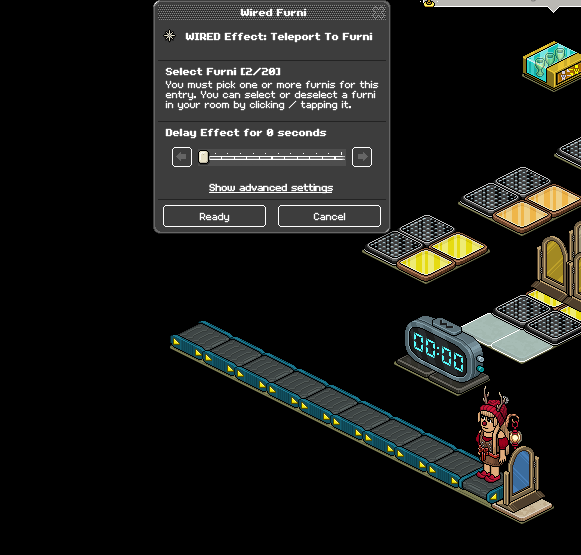
WIRED Effect: Teleport to Furni
WIRED Effect: Toggle furni state
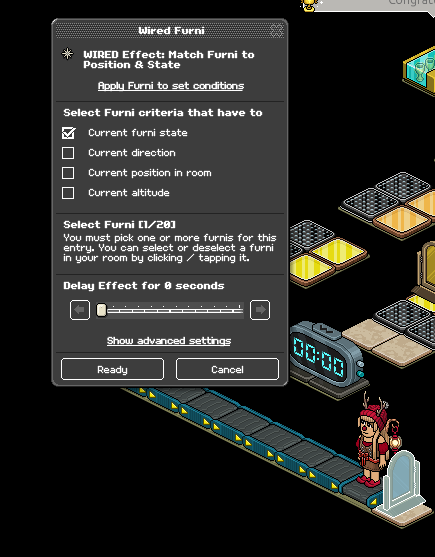
WIRED Effect: Match furni to position and state
Stack Two (You need six of these)
WIRED Trigger: User walks on Furni
WIRED Effect: Toggle Furni state
Stack Three
Wired Trigger: Counter Reaches Set Time
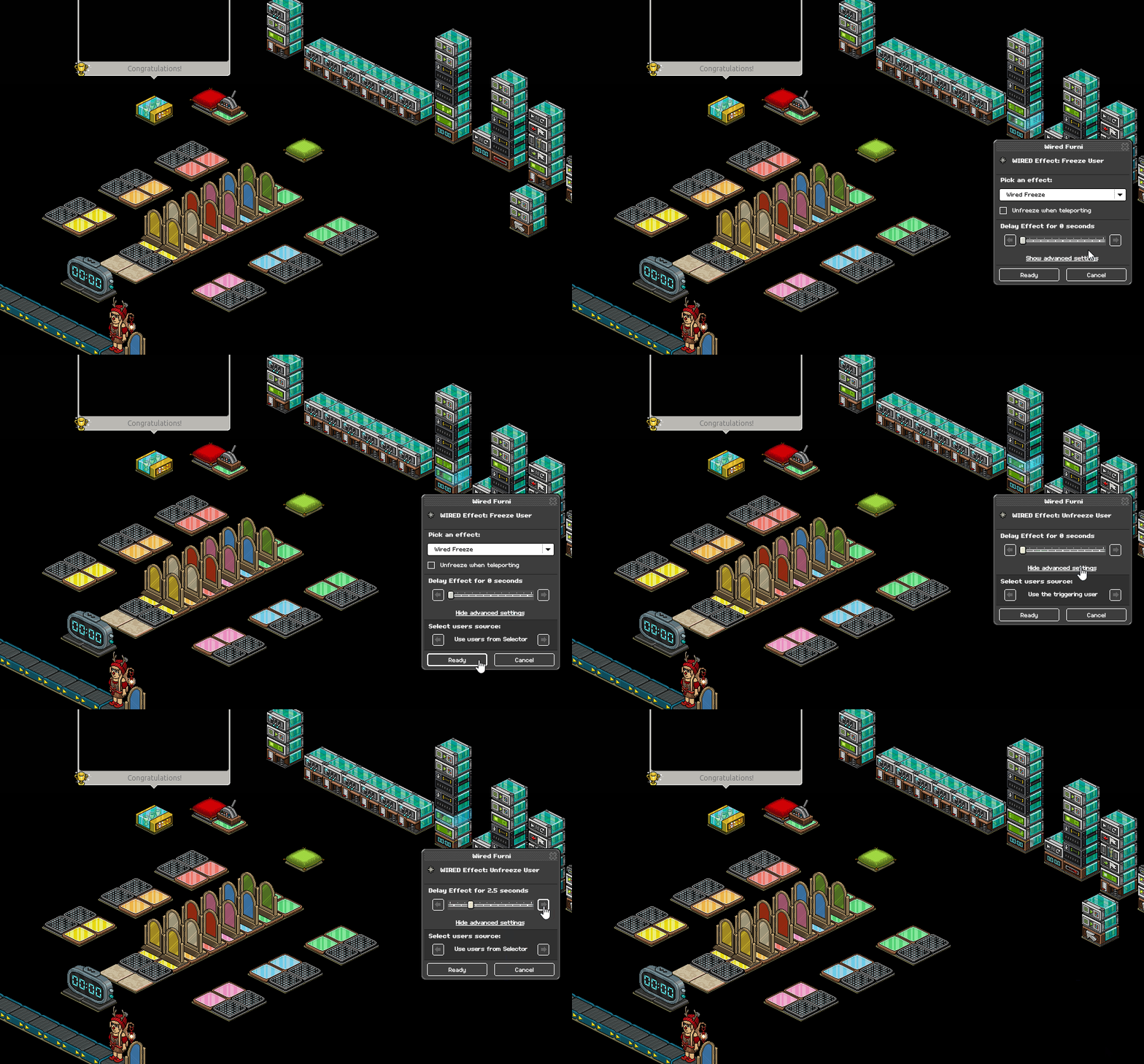
WIRED Effect: Freeze User
WIRED Effect: Unfreeze User
WIRED Selector: Users in Area [Amount depends on your setup)
WIRED Effect: Match Furni to position and state [x2]
Stack Four
Wired Trigger: Counter Reaches Set time
Wired Effect: Control Counter
Stack Five
WIRED Trigger: Game Ends
WIRED Selector: Users in Area (How many depends on your layout)
WIRED Effect: Teleport To Furni
Wired Effect: Match Furni to Position & State x2
Stack Six
WIRED Trigger: User Walks On Furni
WIRED Effect: Teleport to Furni
WIRED Effect: Join team
WIRED Effect: Give Points
WIRED Effect: Leave Team
Wired Effect: Control Counter
Stack Seven
WIRED Trigger: Furni is Used
WIRED Effect: Execute Furni Stacks (Amount varies depending on what you want for switch odds)
WIRED Add-on: Random Effect
Add-ons of stack 7
WIRED Effect: Teleport to Furni (Just this one wired in the "stack")
-------------------------------------------------------------------------------------------
WIRED Effect: Teleport to Furni
WIRED Effect: Control Counter
Stack Eight
WIRED Trigger: Furni is used
WIRED Effect: Match Furni to position & State [x2]
Furni
Color Tiles
Floor Switch/Any usable furni
Random Banzai Teleporter [15]
Gates [2 for each color, 12 altogether]
x1 Most wins leaderboard
x1 Wired Game Counter
Winning chair/tile
(Image of an example wired set up is at the bottom)
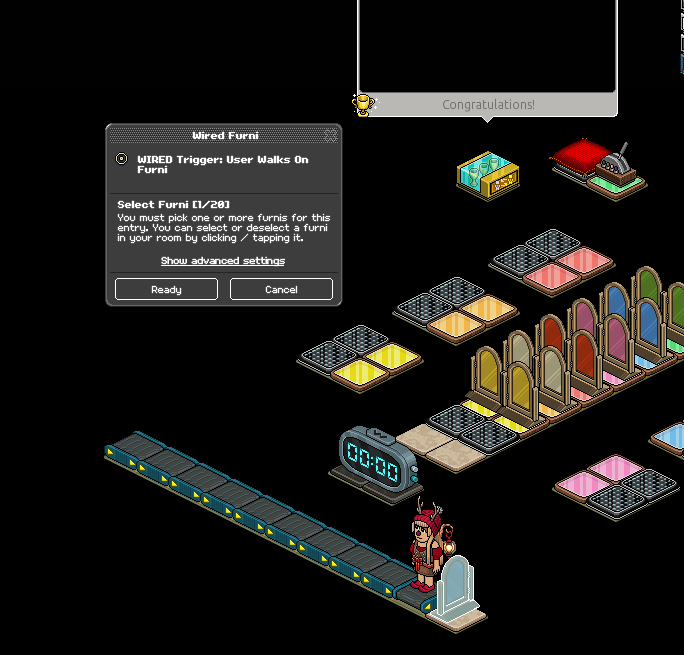
Set your WIRED Trigger: User walks on Furni to your gate
Set your WIRED Effect: Match Furni to Position & State to "Current Furni state" making sure the gate is closed when set
Set your WIRED Effect: Teleport to Furni to the starting tiles in the game
Set your WIRED Effect: Toggle Furni state to your game counter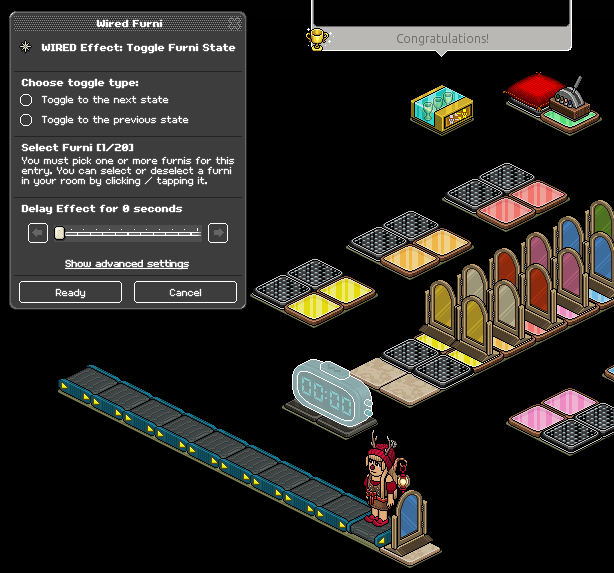
Set the WIRED Effect: User Walks on Furni to the color tiles that are adjacent to banzais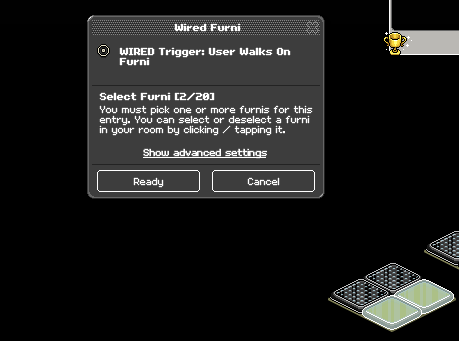
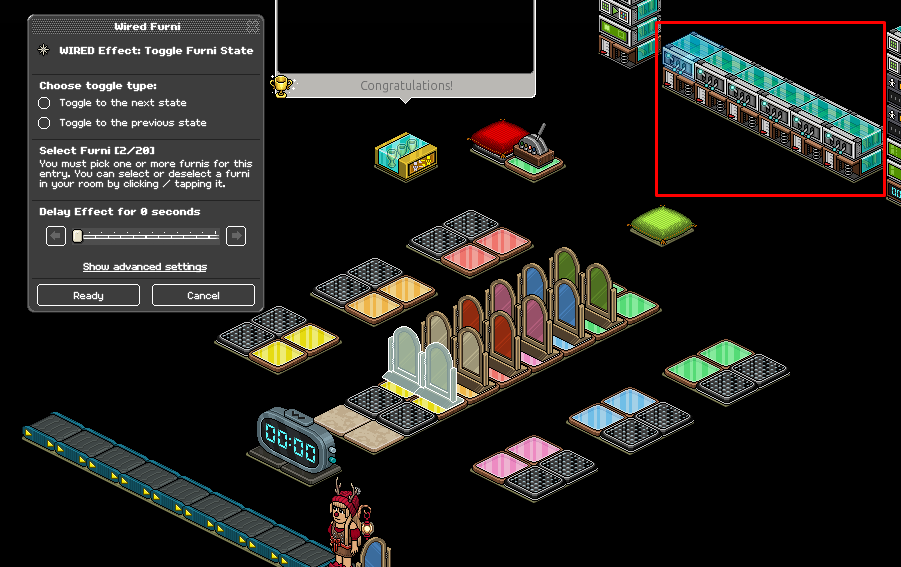
Set your WIRED Effect: Toggle Furni State to the gates that match the color tiles in the previous step
Repeat step 5/this for all six different color tiles and matching gates.
Set your Wired Trigger: Counter Reaches Set Time to 58 seconds, selecting your game counter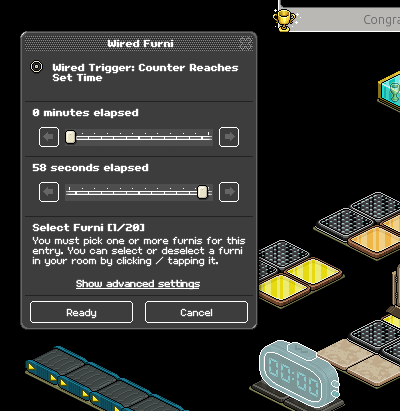
Using your WIRED Selector: Users in Area, highlight your game area. You may need to use multiple selectors to ensure the whole area is covered, depending on your layout
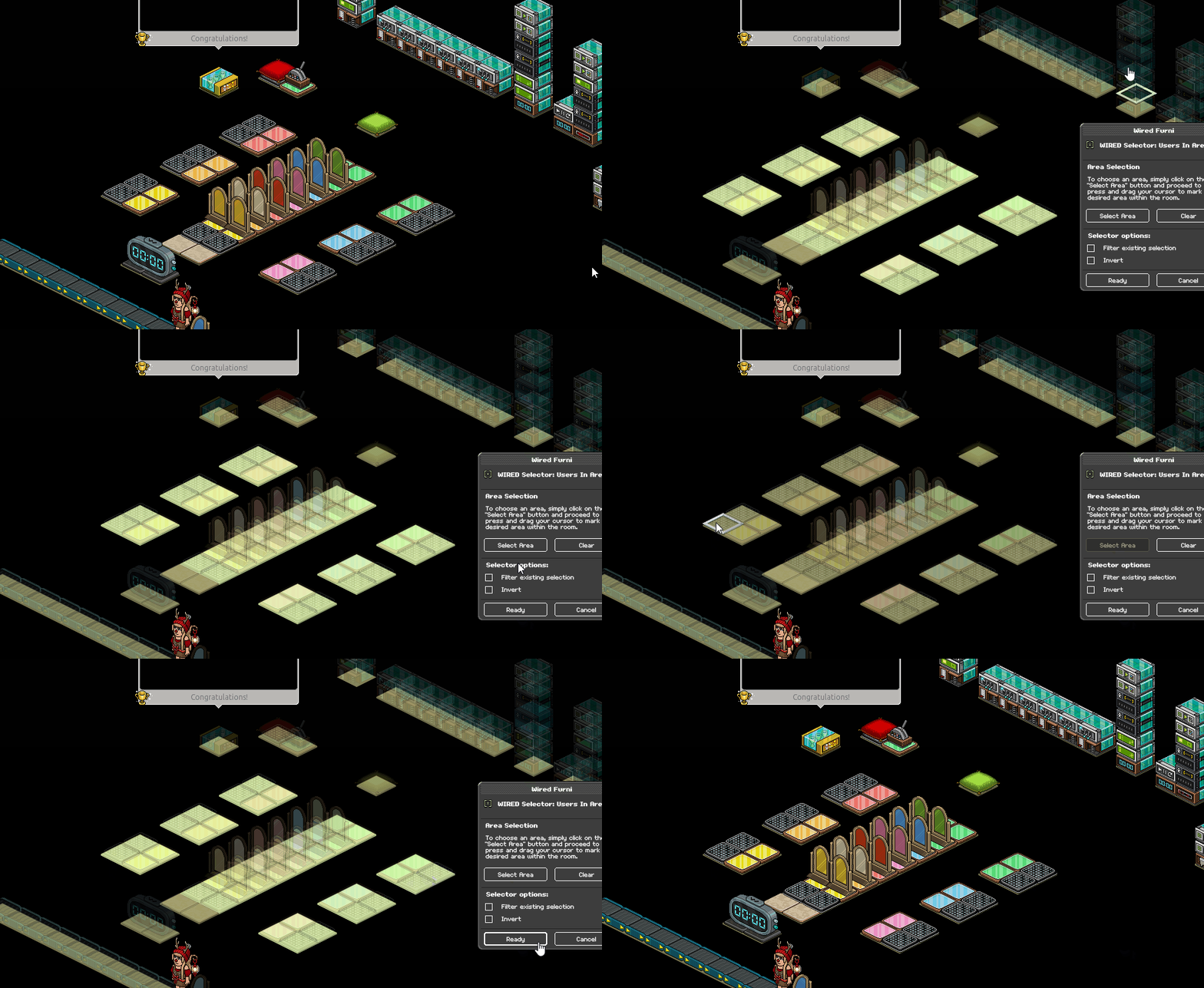
Set your Wired Effect: Freeze User on the setting "Users from selector" under advanced settings and do the same with your Wired Effect: Unfreeze User with a 4-second delay
Set your floor switch/item you use off to the side (if applicable) and click "Current position in room" with your first WIRED Effect: Match Furni to Position & State - Disregard this step and the next if you choose not to use a switch in your game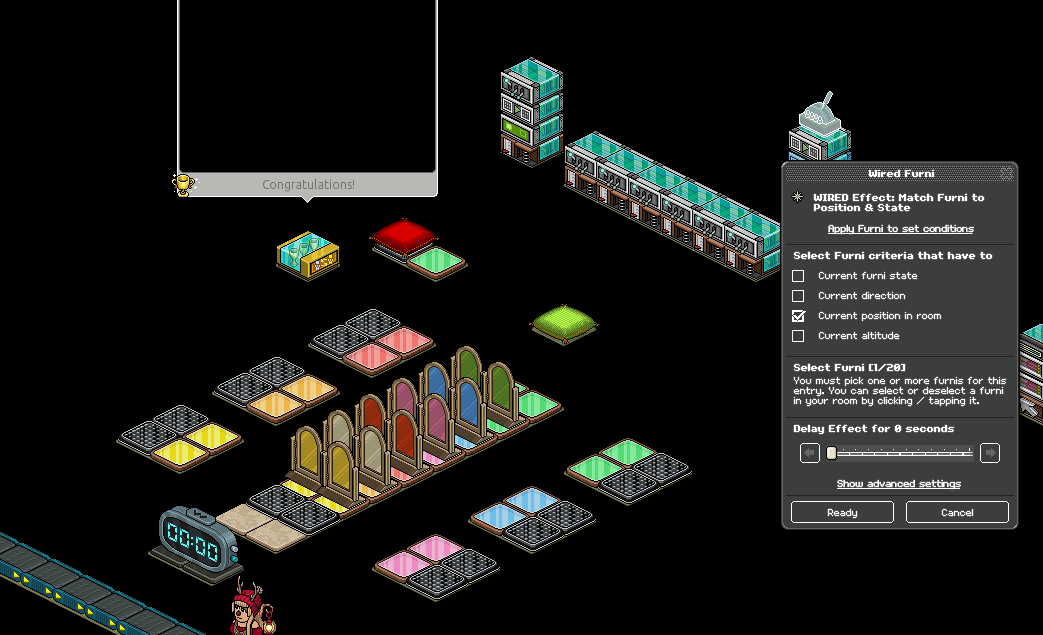
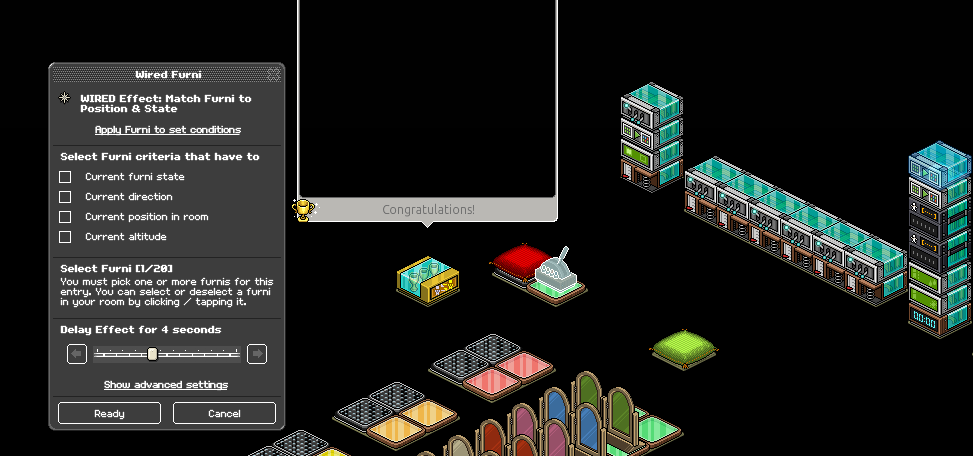
Using your second Wired Effect: Match Furni to Position & State, place the switch back to its original position with a four-second delay, select "Current Position in Room"
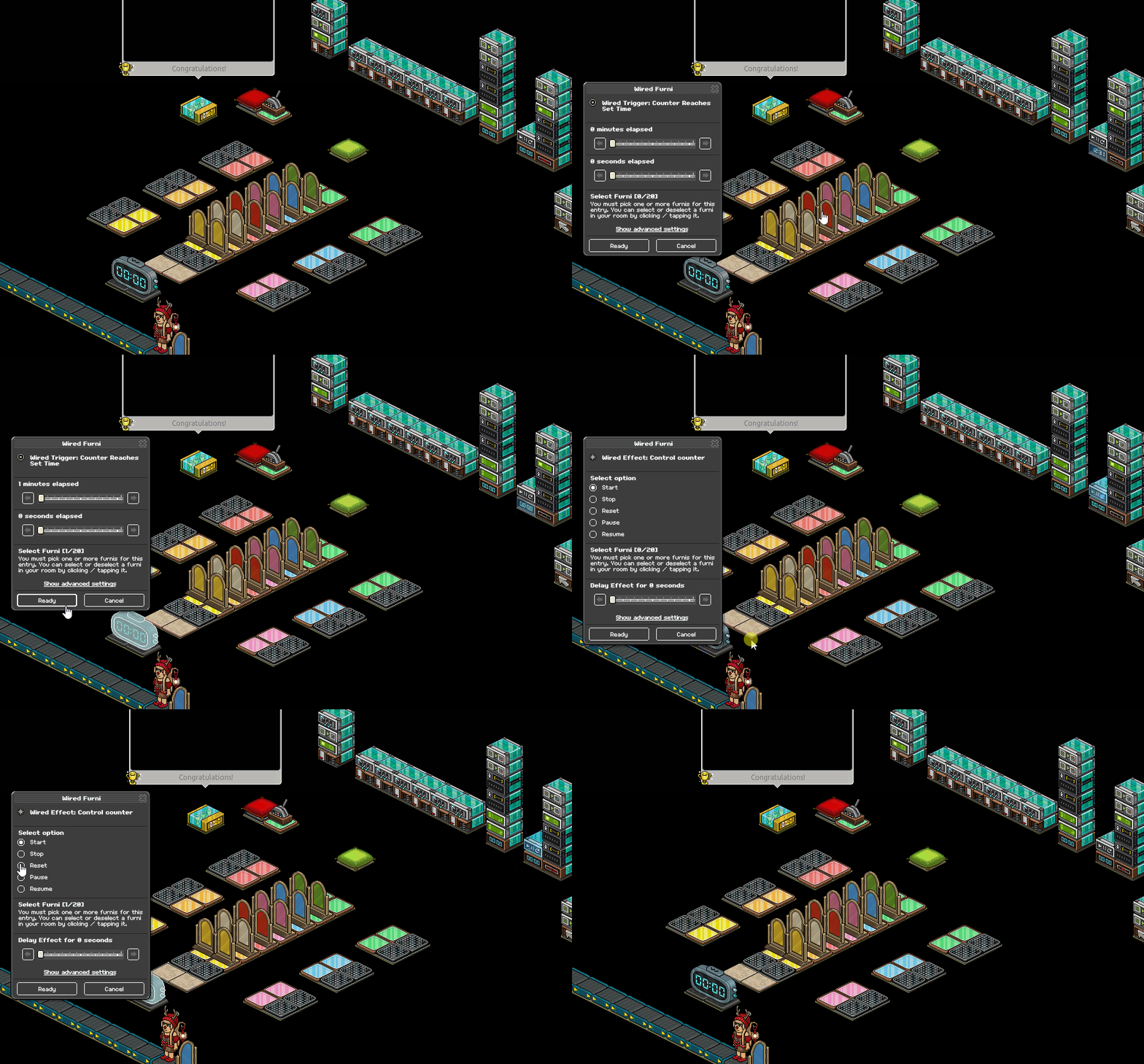
(a) Set your Wired Trigger: Counter Reaches Set time to 1 minute, making sure to select the timer
(b) Set your Wired Effect: Control Counter to "Reset", making sure to select the timer
Reference step 8, set your Wired Selector: Users in Area wireds to your game area, using however many you need to cover the area. [Including switch area].
Set your Wired Effect: Teleport to Furni to "Users from selector" under advanced settings and set it to wherever you wish users to teleport once they lose
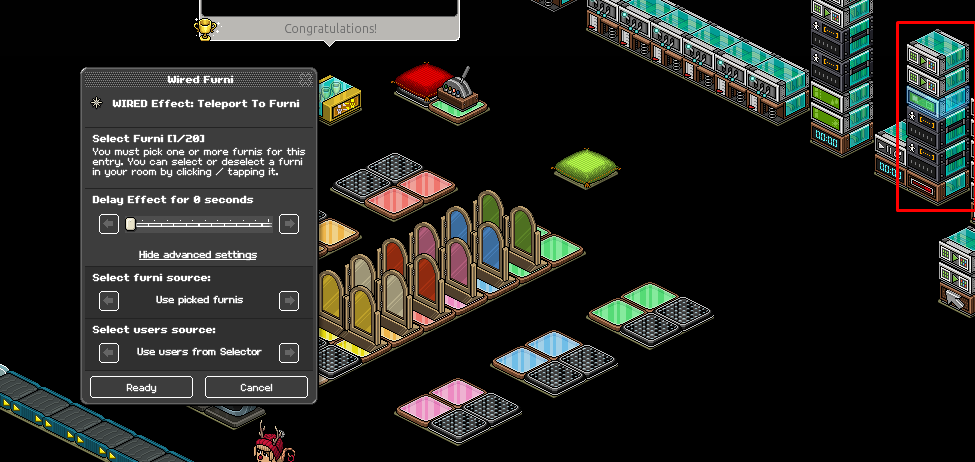
Set all gates in the game area to a shut state with a two-second delay using your Wired Effect: Match Furni to Position & state. Make sure you select "Current furni state" while doing this.
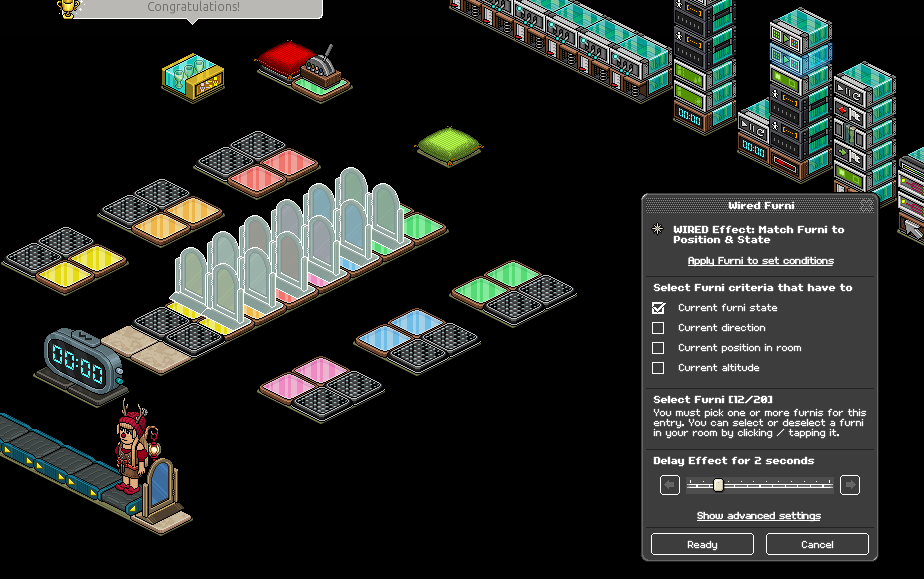
Using your second Match Furni to Position & State, set the gate users use to enter the gate to an OPEN state with a four-second delay
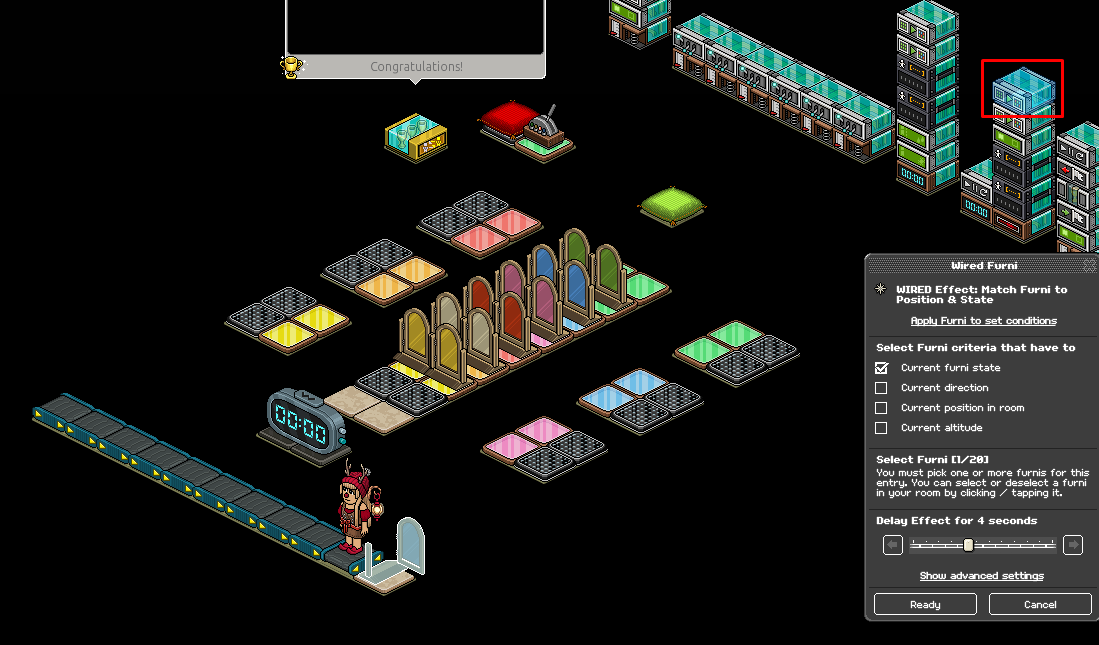
Set your WIRED Trigger: User Walks on Furni to the winning tiles in your game area
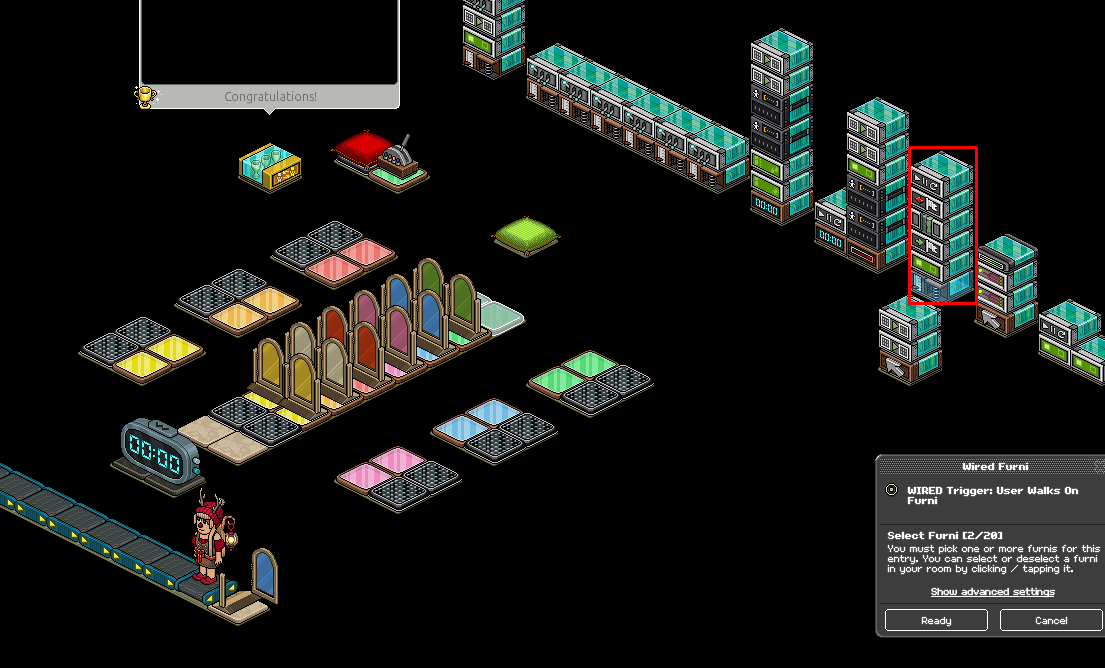
(a) Set your WIRED Effect: Teleport to Furni to the area/seat you want users to teleport to when they win
(b) Set your WIRED Effect: Give Points to have a 0.5-second delay
(c) Set your WIRED Effect: Leave team to have a 1-second delay
(d) Set your WIRED Effect: Control Counter to also have a 1-second delay
If you wish to implement a scoreboard in your game, use a Most Wins leaderboard!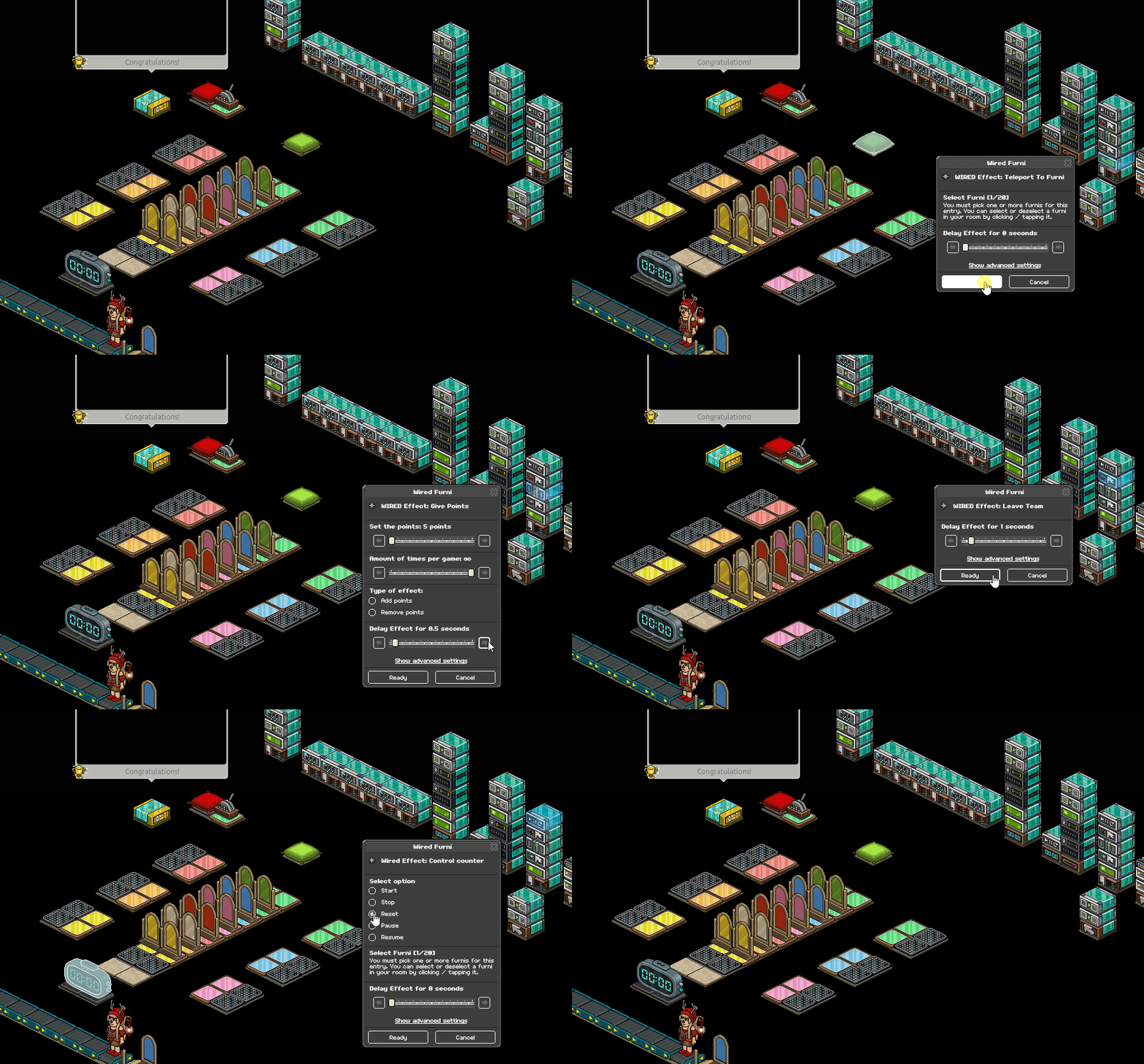
This is the final step if you do not wish to implement a switch into your game! Continue for a tutorial on how to wire a switch that will reset the game when a user lands outside of the game when flicking
Set your Wired Trigger: Furni is Used to your switch
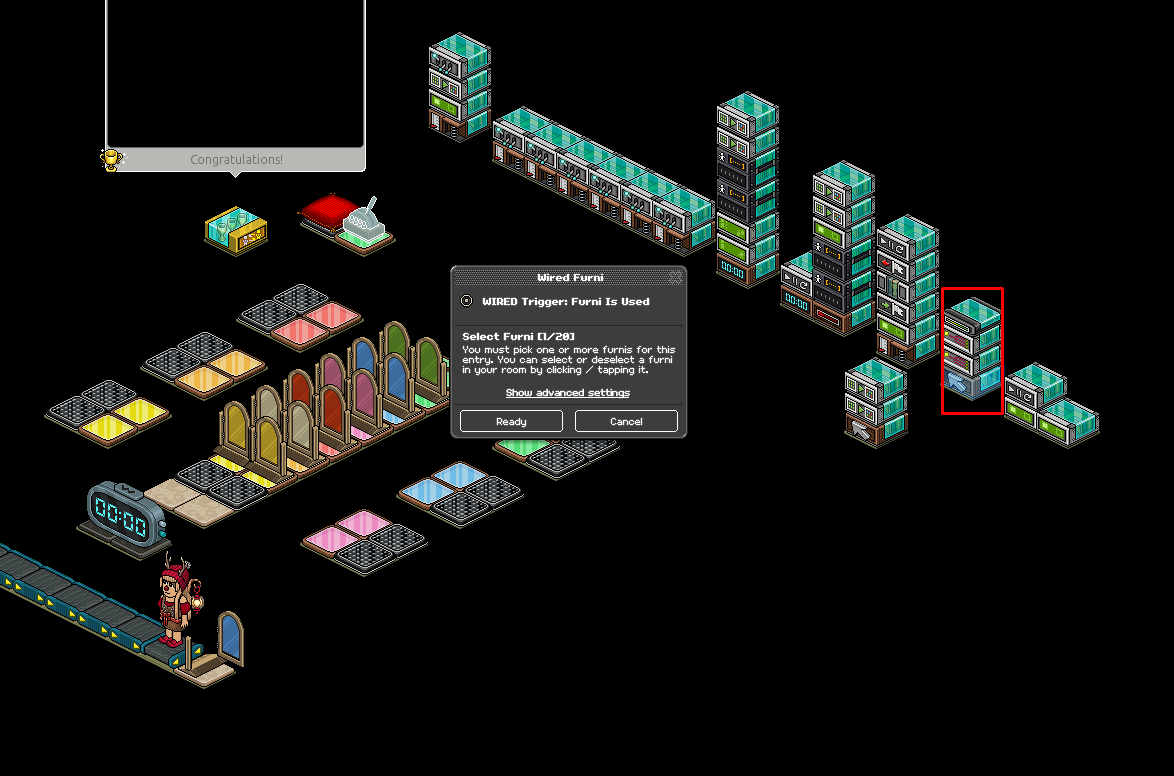
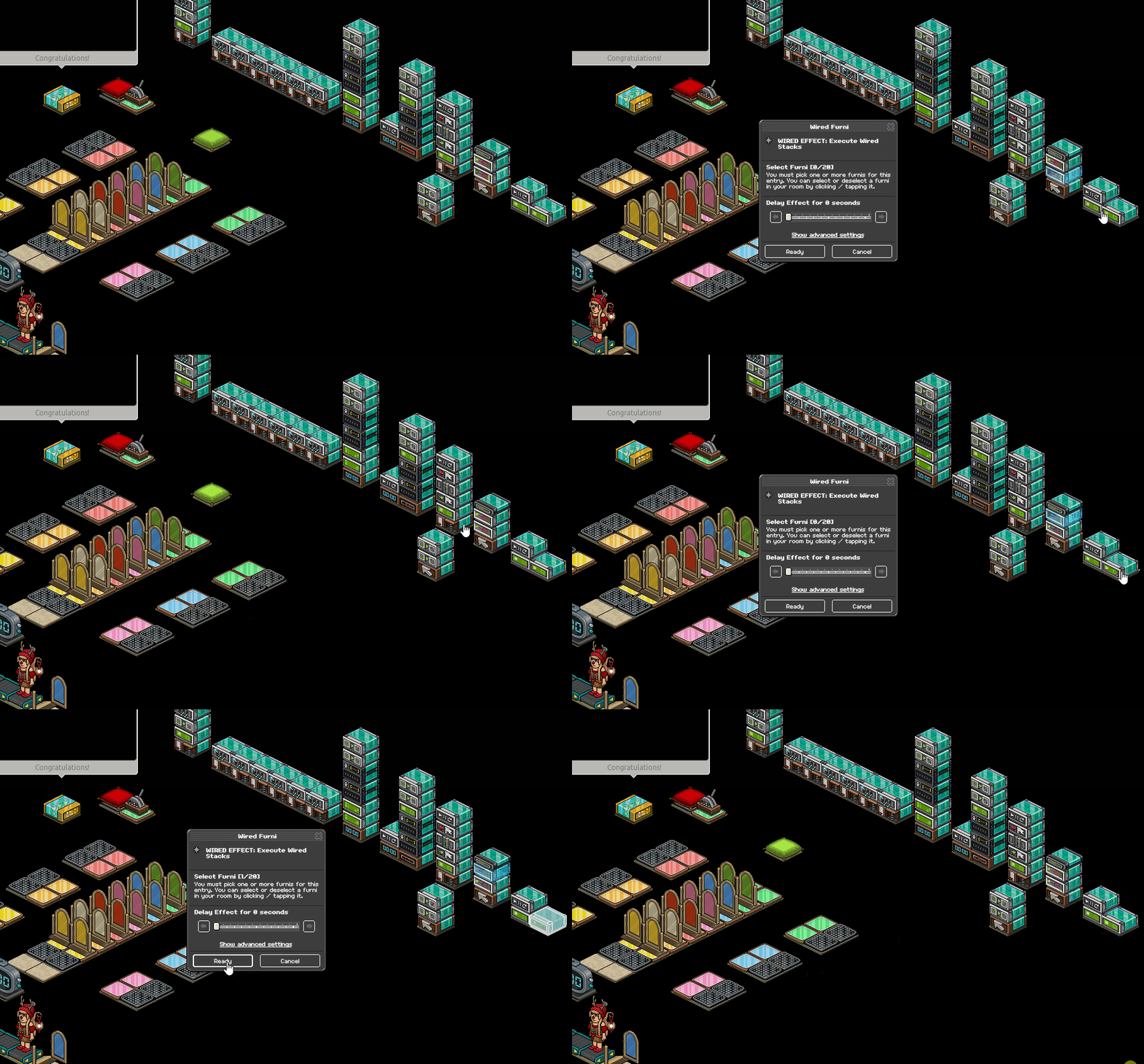
(a) Set your first WIRED Effect: Execute Wired Stack to a singular WIRED Effect: Teleport to Furni [This will tele them back into the game]
(b) Set another WIRED Effect: Execute Wired Stack to a stack with a WIRED Effect: Teleport to Furni AND a Wired Effect: Control Counter [This teles them OUT of the game]
(c) Add a Wired Add-on: Random Effect: NO Adjustment will be needed
This example is one of a switch with 50/50 odds. If you want lower odds, you can add multiple Wired Effect: Execute Wired Stacks that are set to the Wired Effect: Teleport To Furni from step 19a
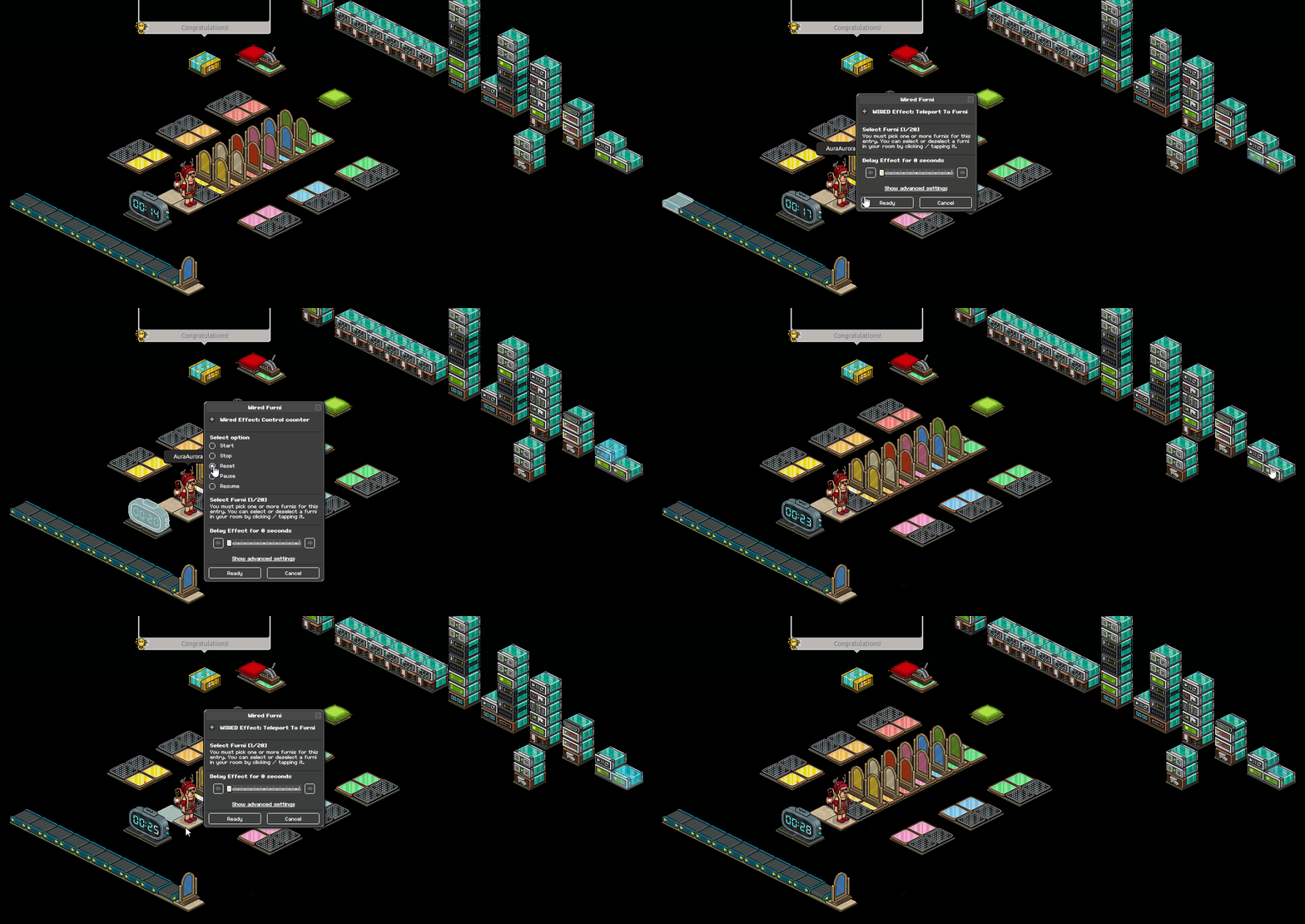
(a) Set the Wired Effect: Teleport to Furni with your control counter wired to where you want users to tele outside of the game when they lose, then set the Wired Effect: Control Counter to "Reset"
(b) Set your lone Wired Effect: Teleport to furni to your beginning tiles in your game area.
(a) Set your WIRED Trigger: Furni is used to your switch
(b) Set your first Wired Effect: Match Furni to Position & State to the switch, place it on a square where it cannot be flicked by the player. Tick "Current position in room" with no delay.
(c) Set your second Wired Effect: Match Furni to Position & State back to its original position, ticking "Current position in room" with a 2-second delay.
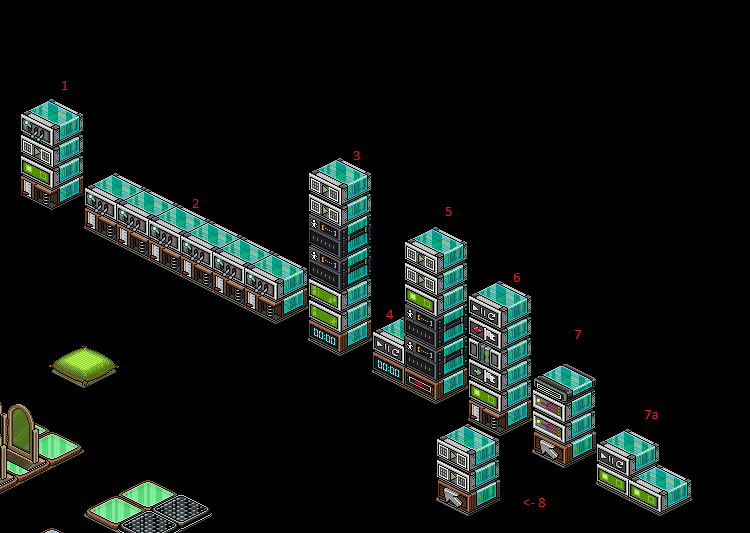
Use this photo below to reference wired stacks:
What you will need
Stack one
WIRED Trigger: User walks on furni
WIRED Effect: Teleport to Furni
WIRED Effect: Toggle furni state
WIRED Effect: Match furni to position and state
Stack Two (You need six of these)
WIRED Trigger: User walks on Furni
WIRED Effect: Toggle Furni state
Stack Three
Wired Trigger: Counter Reaches Set Time
WIRED Effect: Freeze User
WIRED Effect: Unfreeze User
WIRED Selector: Users in Area [Amount depends on your setup)
WIRED Effect: Match Furni to position and state [x2]
Stack Four
Wired Trigger: Counter Reaches Set time
Wired Effect: Control Counter
Stack Five
WIRED Trigger: Game Ends
WIRED Selector: Users in Area (How many depends on your layout)
WIRED Effect: Teleport To Furni
Wired Effect: Match Furni to Position & State x2
Stack Six
WIRED Trigger: User Walks On Furni
WIRED Effect: Teleport to Furni
WIRED Effect: Join team
WIRED Effect: Give Points
WIRED Effect: Leave Team
Wired Effect: Control Counter
Stack Seven
WIRED Trigger: Furni is Used
WIRED Effect: Execute Furni Stacks (Amount varies depending on what you want for switch odds)
WIRED Add-on: Random Effect
Add-ons of stack 7
WIRED Effect: Teleport to Furni (Just this one wired in the "stack")
-------------------------------------------------------------------------------------------
WIRED Effect: Teleport to Furni
WIRED Effect: Control Counter
Stack Eight
WIRED Trigger: Furni is used
WIRED Effect: Match Furni to position & State [x2]
Furni
Color Tiles
Floor Switch/Any usable furni
Random Banzai Teleporter [15]
Gates [2 for each color, 12 altogether]
x1 Most wins leaderboard
x1 Wired Game Counter
Winning chair/tile
(Image of an example wired set up is at the bottom)
Step One - Stack one
Set your WIRED Trigger: User walks on Furni to your gate
Step Two - Stack one
Set your WIRED Effect: Match Furni to Position & State to "Current Furni state" making sure the gate is closed when set
Step three - Stack one
Set your WIRED Effect: Teleport to Furni to the starting tiles in the game
Step four - Stack one
Set your WIRED Effect: Toggle Furni state to your game counter
Step Five - Stack Two
Set the WIRED Effect: User Walks on Furni to the color tiles that are adjacent to banzais
Step Six - Stack Two
Set your WIRED Effect: Toggle Furni State to the gates that match the color tiles in the previous step
Repeat step 5/this for all six different color tiles and matching gates.
Step Seven - Stack Three (Easy anti-glitch mechanism)
Set your Wired Trigger: Counter Reaches Set Time to 58 seconds, selecting your game counter
Step Eight - Stack Three
Using your WIRED Selector: Users in Area, highlight your game area. You may need to use multiple selectors to ensure the whole area is covered, depending on your layout
Step Nine - Stack three
Set your Wired Effect: Freeze User on the setting "Users from selector" under advanced settings and do the same with your Wired Effect: Unfreeze User with a 4-second delay
Step Ten - Stack Three
Set your floor switch/item you use off to the side (if applicable) and click "Current position in room" with your first WIRED Effect: Match Furni to Position & State - Disregard this step and the next if you choose not to use a switch in your game
Step Eleven - Stack Three
Using your second Wired Effect: Match Furni to Position & State, place the switch back to its original position with a four-second delay, select "Current Position in Room"
Step Twelve - Stack Four (Setting the timer for your game)
(a) Set your Wired Trigger: Counter Reaches Set time to 1 minute, making sure to select the timer
(b) Set your Wired Effect: Control Counter to "Reset", making sure to select the timer
Step Thirteen - Stack Five
Reference step 8, set your Wired Selector: Users in Area wireds to your game area, using however many you need to cover the area. [Including switch area].
Set your Wired Effect: Teleport to Furni to "Users from selector" under advanced settings and set it to wherever you wish users to teleport once they lose
Step fourteen - Stack Five
Set all gates in the game area to a shut state with a two-second delay using your Wired Effect: Match Furni to Position & state. Make sure you select "Current furni state" while doing this.
Step Fifteen - Stack Five
Using your second Match Furni to Position & State, set the gate users use to enter the gate to an OPEN state with a four-second delay
Step Sixteen - Stack Six [Leaderboard wired]
Set your WIRED Trigger: User Walks on Furni to the winning tiles in your game area
Step Seventeen - Stack Six
(a) Set your WIRED Effect: Teleport to Furni to the area/seat you want users to teleport to when they win
(b) Set your WIRED Effect: Give Points to have a 0.5-second delay
(c) Set your WIRED Effect: Leave team to have a 1-second delay
(d) Set your WIRED Effect: Control Counter to also have a 1-second delay
If you wish to implement a scoreboard in your game, use a Most Wins leaderboard!
This is the final step if you do not wish to implement a switch into your game! Continue for a tutorial on how to wire a switch that will reset the game when a user lands outside of the game when flicking
Step Eighteen - Stack Seven
Set your Wired Trigger: Furni is Used to your switch
Step Nineteen - Stack Seven
(a) Set your first WIRED Effect: Execute Wired Stack to a singular WIRED Effect: Teleport to Furni [This will tele them back into the game]
(b) Set another WIRED Effect: Execute Wired Stack to a stack with a WIRED Effect: Teleport to Furni AND a Wired Effect: Control Counter [This teles them OUT of the game]
(c) Add a Wired Add-on: Random Effect: NO Adjustment will be needed
This example is one of a switch with 50/50 odds. If you want lower odds, you can add multiple Wired Effect: Execute Wired Stacks that are set to the Wired Effect: Teleport To Furni from step 19a
Step Twenty - Stack Seven (a)
(a) Set the Wired Effect: Teleport to Furni with your control counter wired to where you want users to tele outside of the game when they lose, then set the Wired Effect: Control Counter to "Reset"
(b) Set your lone Wired Effect: Teleport to furni to your beginning tiles in your game area.
Step Twenty-One - Stack 8 (Anti-cheat for the switch)
(a) Set your WIRED Trigger: Furni is used to your switch
(b) Set your first Wired Effect: Match Furni to Position & State to the switch, place it on a square where it cannot be flicked by the player. Tick "Current position in room" with no delay.
(c) Set your second Wired Effect: Match Furni to Position & State back to its original position, ticking "Current position in room" with a 2-second delay.
Use this photo below to reference wired stacks:
 Kate 2 years ago
 Rotating 2 years ago