
Read the tutorial below if you've ever wondered how you can wire flooring without using multiple user walks on furni
Wired
WIRED Trigger: User Walks on Furni
WIRED Selector: Furni by type
WIRED Effect: Teleport to Furni
WIRED Add-on: Execution Limit (Recommended)
WIRED Selector: Furni in area (If needed)
Furni
Any walkable tiles/flooring
Any furni for users to teleport to
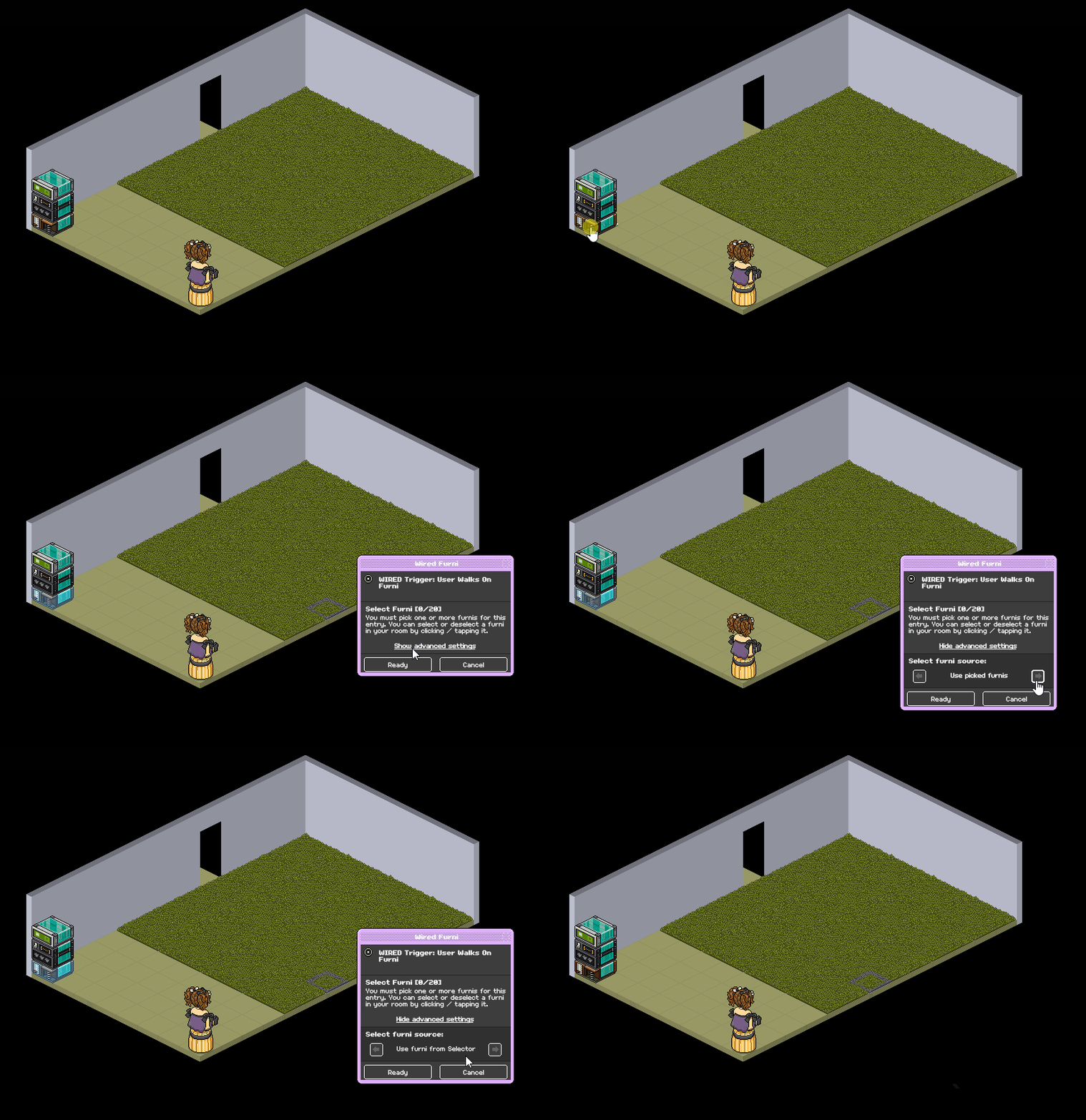
Set your user walks on furni wired to "Furni from selector" under advanced settings, you don't need to select anything
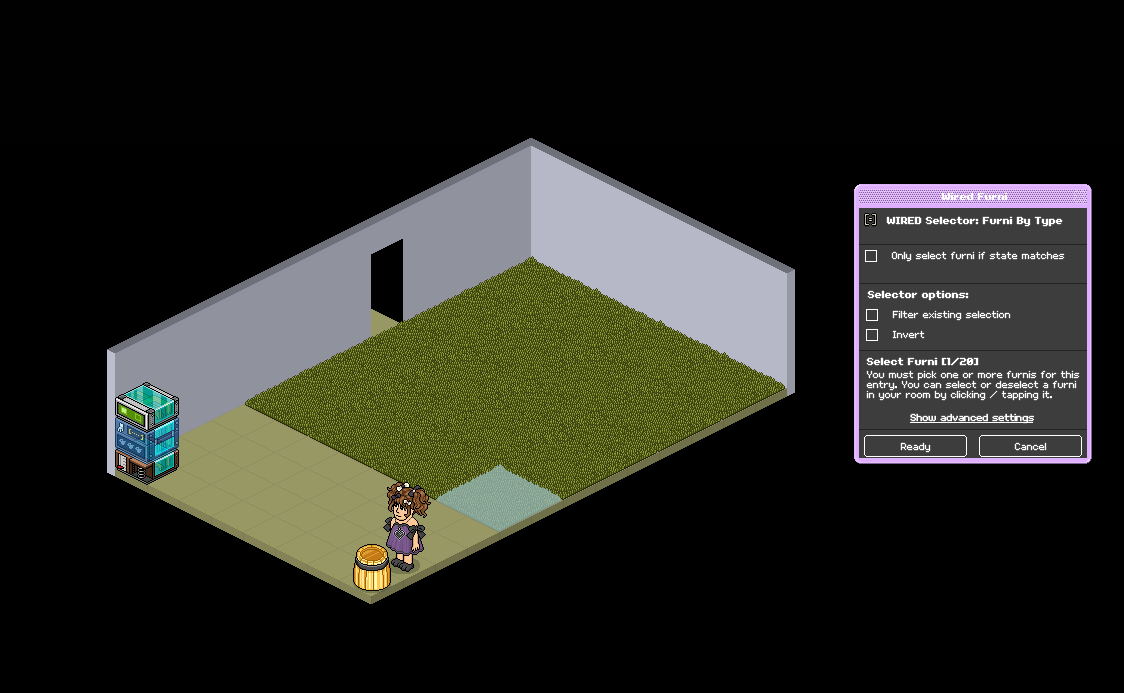
Set your WIRED Selector: Furni by type to just one of the floorings in your area. If you're using multiple types, select one of each.
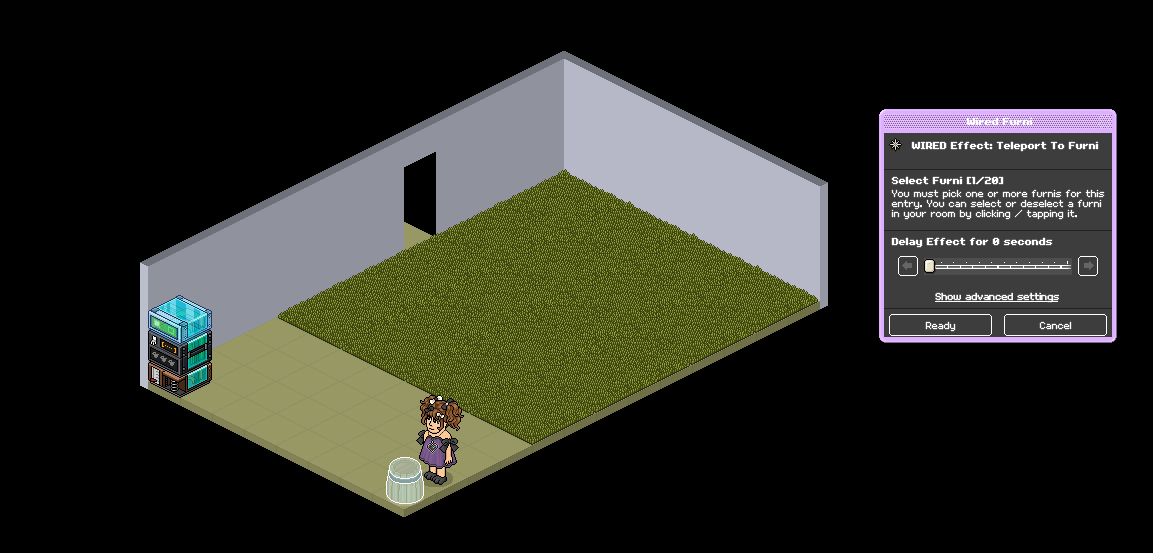
Set your WIRED Effect: Teleport to Furni to where you want users to teleport to
Add a WIRED Add-on: Execution limit. This will allow multiple users to teleport at once and stop glitching, no adjustments are needed. Continue to step five if you want to know how you can limit this to specific areas in the room
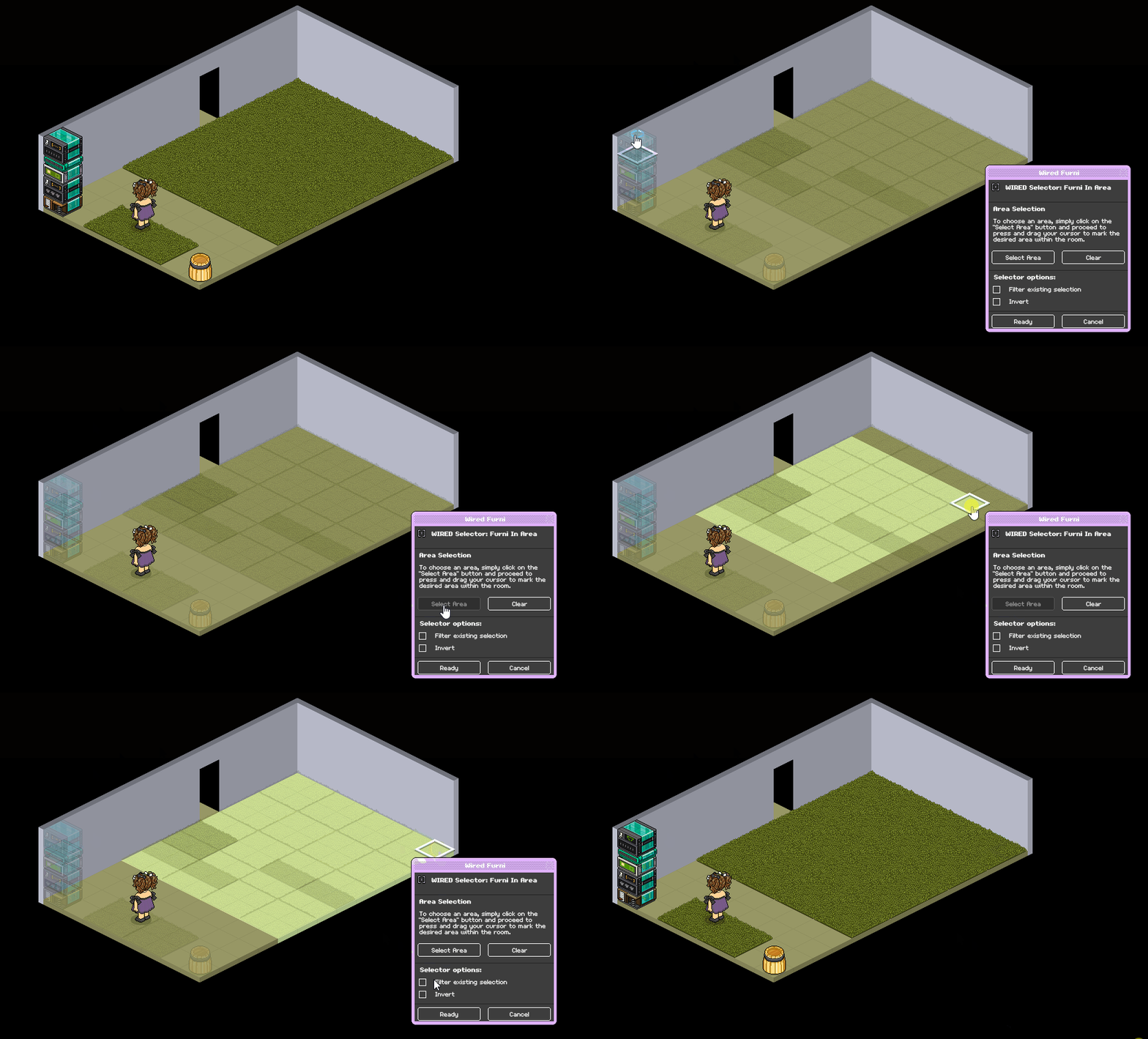
Set your WIRED Selector: Furni in Area to the area where your flooring is. [Use gif below to see how to do so] and then tick "Filter existing selection)
(Only needed if you place more of the same flooring in areas you don't want users to tele if they walk on it)
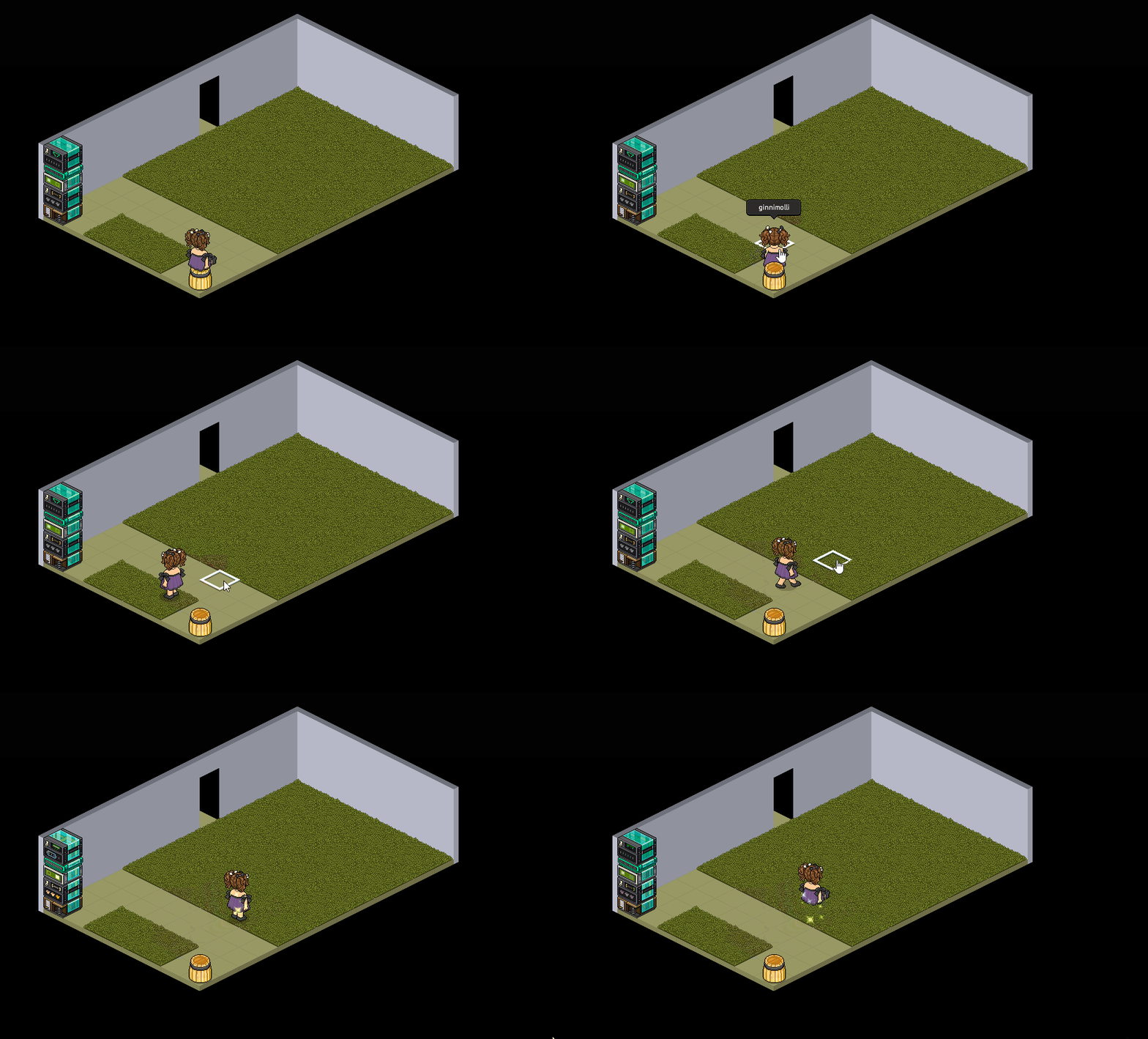
Example
What you will need
Wired
WIRED Trigger: User Walks on Furni
WIRED Selector: Furni by type
WIRED Effect: Teleport to Furni
WIRED Add-on: Execution Limit (Recommended)
WIRED Selector: Furni in area (If needed)
Furni
Any walkable tiles/flooring
Any furni for users to teleport to
Step One
Set your user walks on furni wired to "Furni from selector" under advanced settings, you don't need to select anything
Step Two
Set your WIRED Selector: Furni by type to just one of the floorings in your area. If you're using multiple types, select one of each.
Step Three
Set your WIRED Effect: Teleport to Furni to where you want users to teleport to
Step Four (Recommended)
Add a WIRED Add-on: Execution limit. This will allow multiple users to teleport at once and stop glitching, no adjustments are needed. Continue to step five if you want to know how you can limit this to specific areas in the room
Step Five (If needed)
Set your WIRED Selector: Furni in Area to the area where your flooring is. [Use gif below to see how to do so] and then tick "Filter existing selection)
(Only needed if you place more of the same flooring in areas you don't want users to tele if they walk on it)
Example
 Kate 2 years ago
 Rainbow 2 years ago
 Rotating 2 years ago