
Ever wondered how to actively count players in a specific area? Read the guide below for how to do so ♥
Wired stack one
WIRED Selector: Users in Area (How many depends on the area you want selected)
WIRED Effect: Send Signal
WIRED Effect: Match Furni to position & State
WIRED Trigger: Repeat Effect
Wired stack two:
WIRED Trigger: Receive Signal
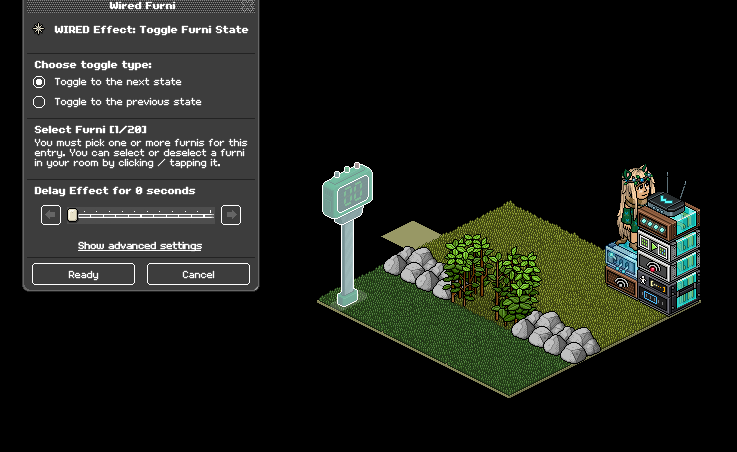
WIRED Effect: Toggle Furni State
Furni
Any football scoreboard or hockey scoreboard
Any wired antenna
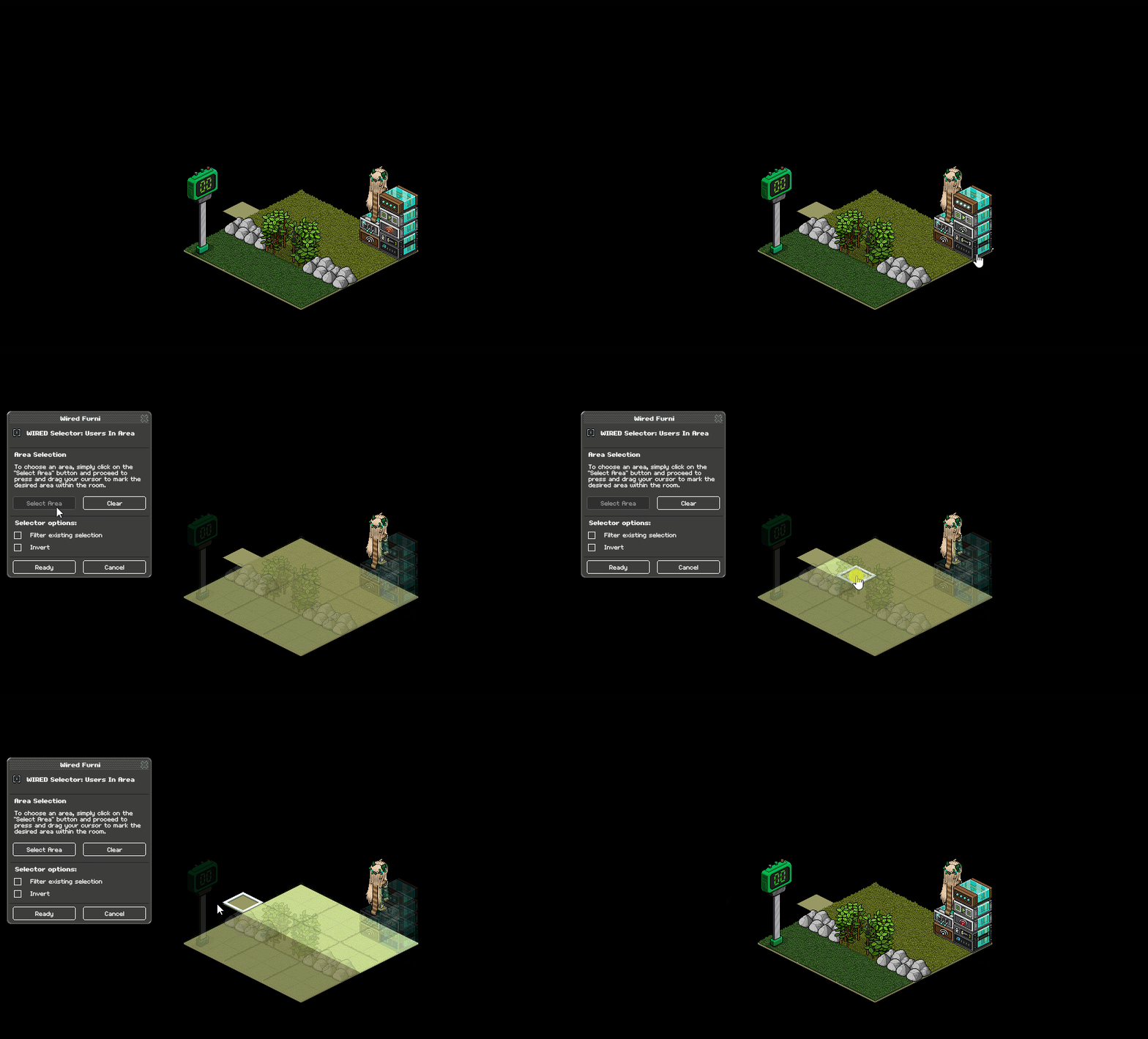
Using your WIRED Selector: Users in Area highlight the area you want players to be counted in
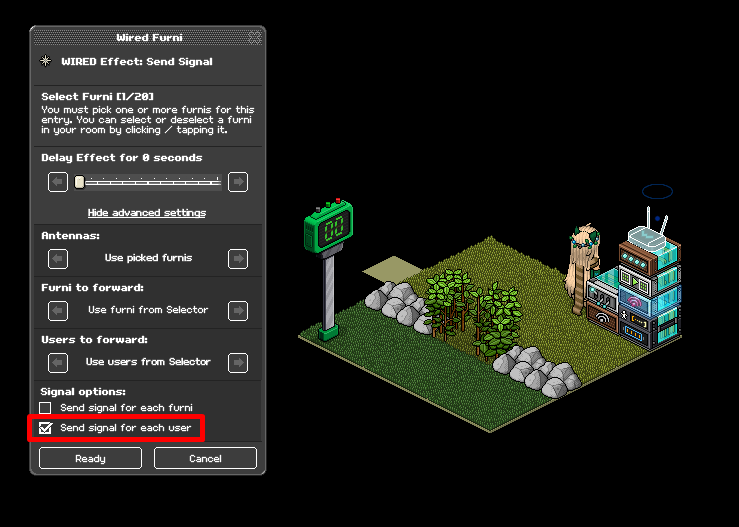
Using your WIRED Effect: Send Signal select your wired antenna and then under advanced settings and signal options, make sure you check the box that says "Send signal for each user"
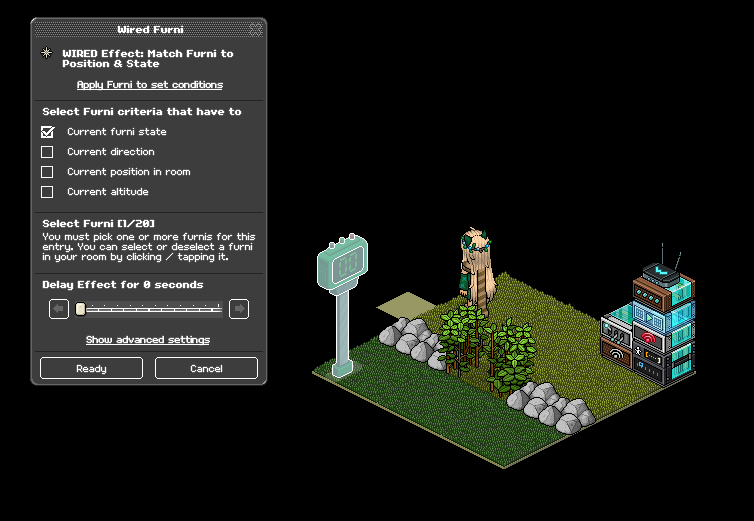
Using your WIRED Effect: Match Furni to position & state, click your scoreboard, and select "Select furni state" making sure your scoreboard is set to zero
(After this you can place your repeat effect, you can leave it as is at the default 0.5-second setting)
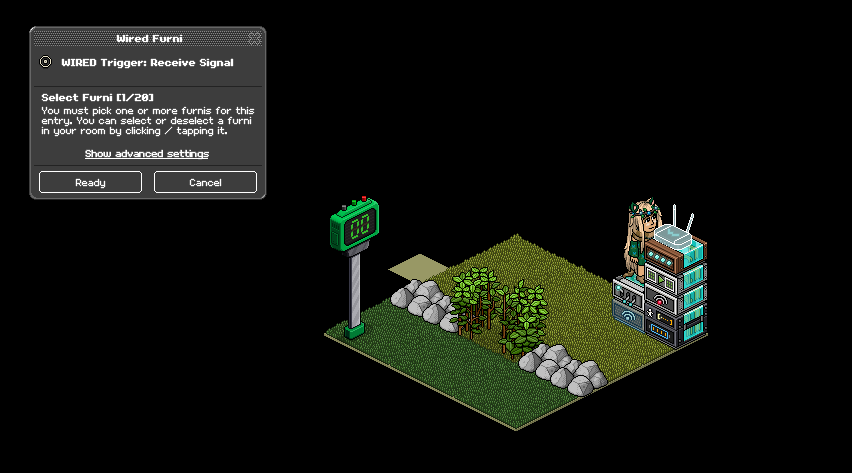
Set your WIRED Trigger: Receive signal to your antenna
Set your WIRED Effect: Toggle furni state to your scoreboard
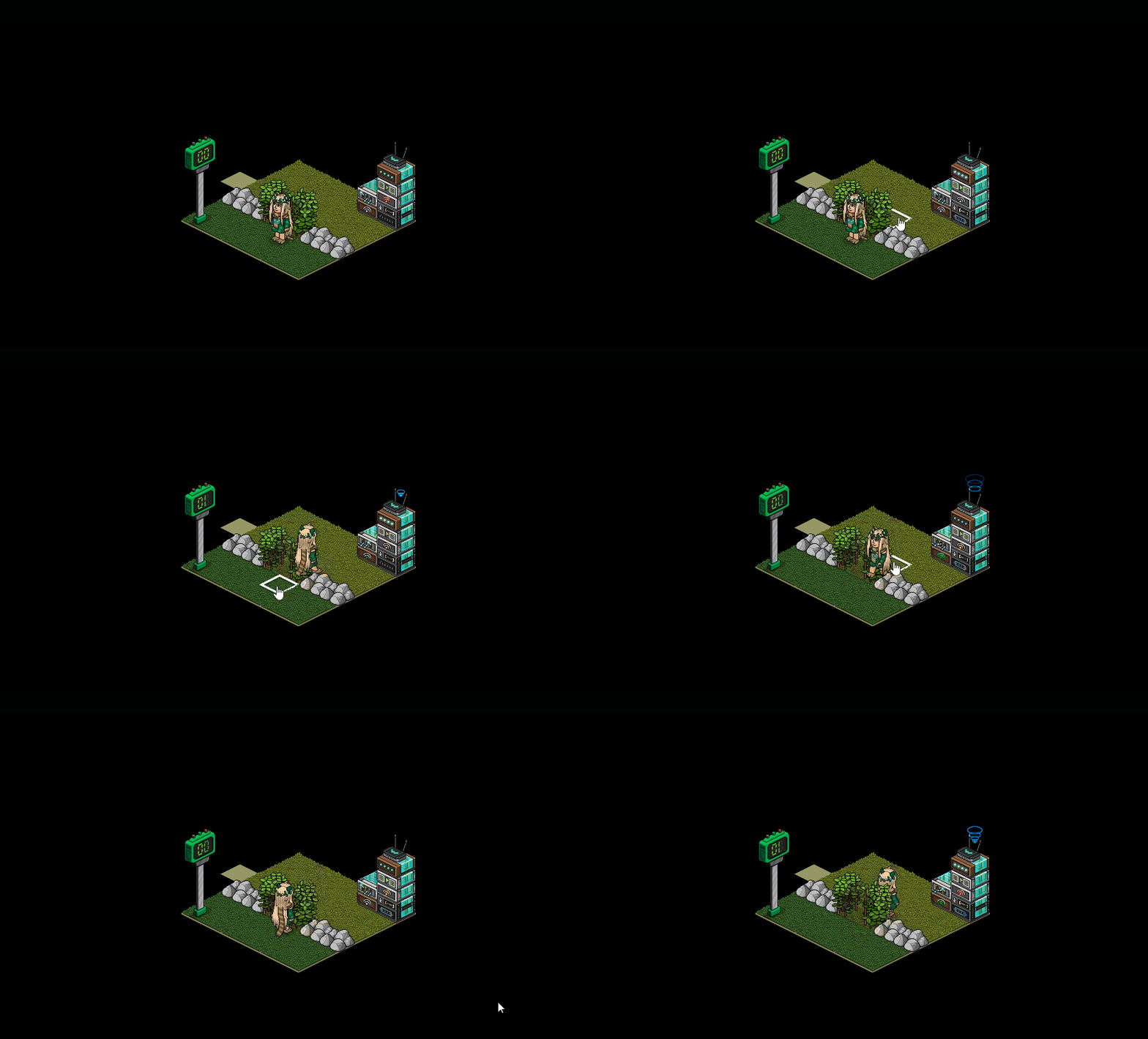
Example:
Wired stack one
WIRED Selector: Users in Area (How many depends on the area you want selected)
WIRED Effect: Send Signal
WIRED Effect: Match Furni to position & State
WIRED Trigger: Repeat Effect
Wired stack two:
WIRED Trigger: Receive Signal
WIRED Effect: Toggle Furni State
Furni
Any football scoreboard or hockey scoreboard
Any wired antenna
Step One - Stack one
Using your WIRED Selector: Users in Area highlight the area you want players to be counted in
Step Two - Stack one
Using your WIRED Effect: Send Signal select your wired antenna and then under advanced settings and signal options, make sure you check the box that says "Send signal for each user"
Step Three - Stack one
Using your WIRED Effect: Match Furni to position & state, click your scoreboard, and select "Select furni state" making sure your scoreboard is set to zero
(After this you can place your repeat effect, you can leave it as is at the default 0.5-second setting)
Step Four - Stack two
Set your WIRED Trigger: Receive signal to your antenna
Step Five - Stack two
Set your WIRED Effect: Toggle furni state to your scoreboard
Example:
 Nexus 2 years ago
 Rainbow 2 years ago
 Rotating 2 years ago
 Kate 2 years ago