
This is a tutorial for how to clear your game areas quickly.
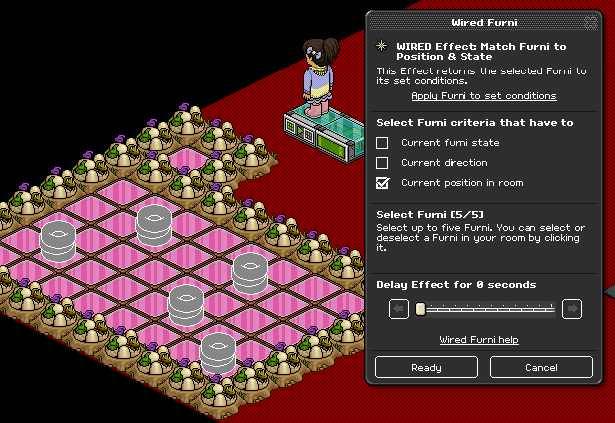
Place your objects on your game area and spread them out, then attach the WIRED Effect: Move Furni Towards Nearest User to them. Also attach them to one of the WIRED Effect: Match Furni to Position & State wired boxes and make sure that Current position in room box is ticked.
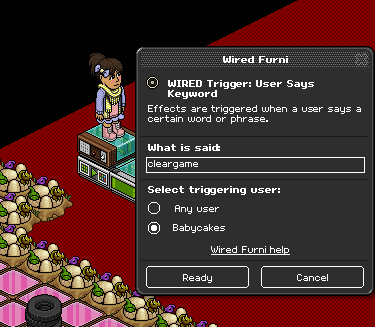
Place a WIRED Trigger: User Says Keyword on top of the WIRED Effect: Match Furni to Position & State box and give yourself a keyword that you will remember. Make sure that you select for only you to be able to say the keyword to stop other people from trolling your game.
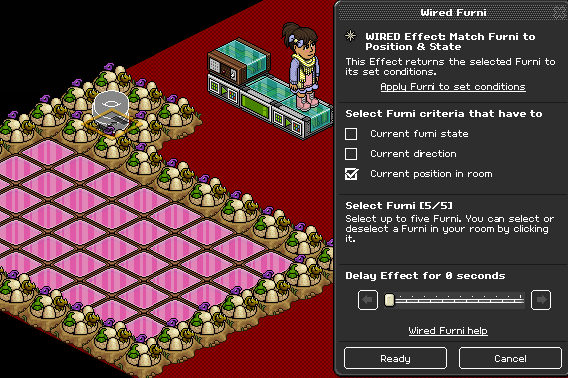
Make a blocked off area and put a stack tile in the middle and place all your objects on the stack tile (you may want to do this one at a time as you need to attach the second WIRED Effect: Match Furni to Position & State to these – making sure that current position in room is ticked)
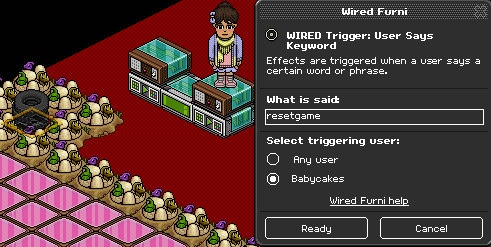
Place the other WIRED Trigger: User Says Keyword on top of second WIRED Effect: Match Furni to Position & State and set a keyword that you will remember (and make sure it is set to only you).
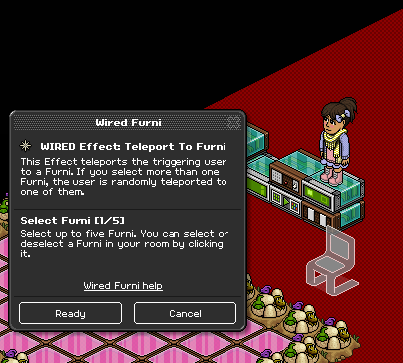
Stack your WIRED Trigger: User Stuff Collision and your WIRED Trigger: Teleport to Furni on top of each other. Set the teleport to furni to outside the game area.
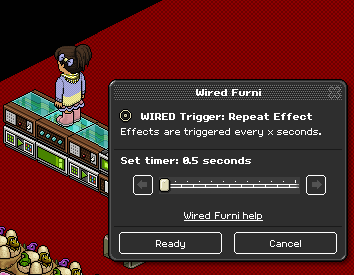
Place your WIRED Trigger: Repeat Effect on top of the WIRED Effect: Move Furni Towards Nearest User and set the time to 0.5 seconds.
You will need:
- 2x WIRED Trigger: User Says Keyword (You can use other triggers for this such as by using a switch and furni state has changed wired)
- 1x WIRED Effect: Move Furni Towards Nearest User (You can use more for more objects, but for the purpose of this tutorial I am using 1)
- 1x WIRED Trigger: User Stuff Collision
- 1x WIRED Effect: Teleport to Furni
- 1x WIRED Trigger: Repeat Effect
- 2x WIRED Effect: Match Furni to Position & State
- 5x Object (You can use more objects depending on the size of your game area)
- 1x Stack Magic Tile (1x1 size)
Step 1
Place your objects on your game area and spread them out, then attach the WIRED Effect: Move Furni Towards Nearest User to them. Also attach them to one of the WIRED Effect: Match Furni to Position & State wired boxes and make sure that Current position in room box is ticked.
Step 2
Place a WIRED Trigger: User Says Keyword on top of the WIRED Effect: Match Furni to Position & State box and give yourself a keyword that you will remember. Make sure that you select for only you to be able to say the keyword to stop other people from trolling your game.
Step 3
Make a blocked off area and put a stack tile in the middle and place all your objects on the stack tile (you may want to do this one at a time as you need to attach the second WIRED Effect: Match Furni to Position & State to these – making sure that current position in room is ticked)
Step 4
Place the other WIRED Trigger: User Says Keyword on top of second WIRED Effect: Match Furni to Position & State and set a keyword that you will remember (and make sure it is set to only you).
Step 5
Stack your WIRED Trigger: User Stuff Collision and your WIRED Trigger: Teleport to Furni on top of each other. Set the teleport to furni to outside the game area.
Step 6
Place your WIRED Trigger: Repeat Effect on top of the WIRED Effect: Move Furni Towards Nearest User and set the time to 0.5 seconds.
Eevee7 years ago