
In this article, you will learn how to use a keyword to reset furniture back to a certain setup. This can be particularly handy for hosting events!
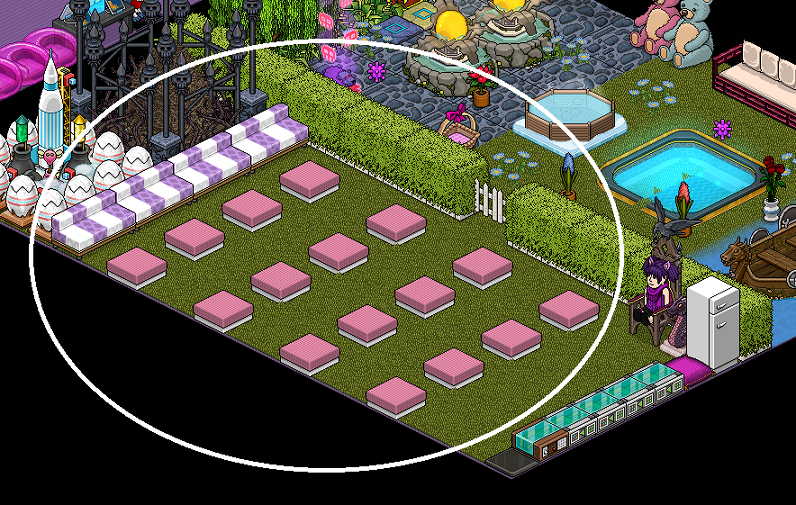
Set the furni in the position that you want them to be when you reset them.
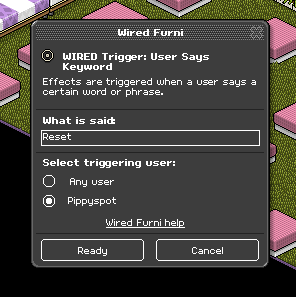
Double click the Wired Trigger: User Says Keyword and select a word to use as your keyword. If you don't want other people to be able to use it, make sure to select your name in the box.
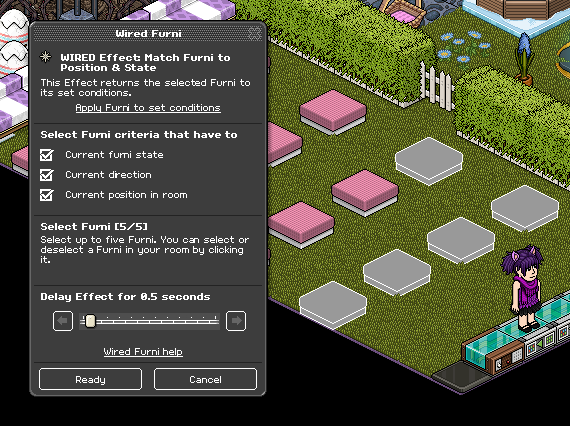
Double click the Wired Effect: Match Furni to Position & State, make sure all boxes are ticked and set delay to 0.5 seconds. Select the furni you want to be reset. Each wired of this type accommodates for 5 furni. In my room I have 16 pink module seats and 4 group sofas, so overall I have 20 seats, which means 4 wired for it. Put the first wired on the first 5 furni, second wired on the second 5 furni, etc.
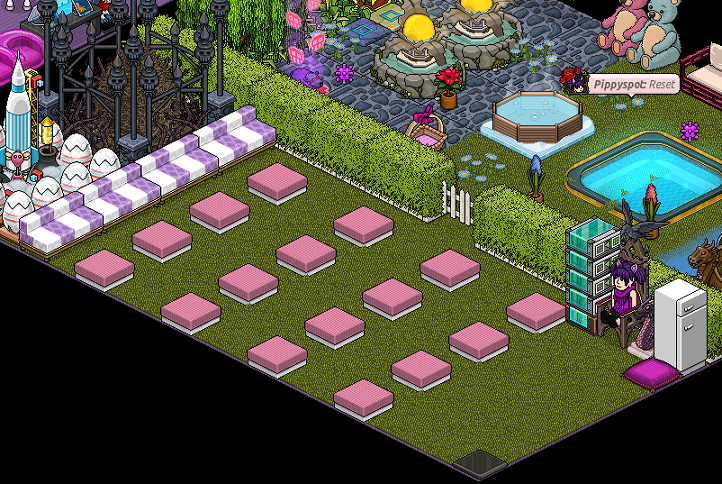
Once you have done this for all the furni you want to reset, stack the wired boxes on top of each other and it should be working.
You will need:
- 1x Wired Trigger: User Says Keyword
- 1x Wired Effect: Match Furni to Position & State (If you have more than 5 furni you want to reset, you will need more than one of these)
Step 1
Set the furni in the position that you want them to be when you reset them.
Step 2
Double click the Wired Trigger: User Says Keyword and select a word to use as your keyword. If you don't want other people to be able to use it, make sure to select your name in the box.
Step 3
Double click the Wired Effect: Match Furni to Position & State, make sure all boxes are ticked and set delay to 0.5 seconds. Select the furni you want to be reset. Each wired of this type accommodates for 5 furni. In my room I have 16 pink module seats and 4 group sofas, so overall I have 20 seats, which means 4 wired for it. Put the first wired on the first 5 furni, second wired on the second 5 furni, etc.
Step 4
Once you have done this for all the furni you want to reset, stack the wired boxes on top of each other and it should be working.
Eevee7 years ago