
In this tutorial, I’ll show you an updated way to wire collision furni to exit people out of your game or room!
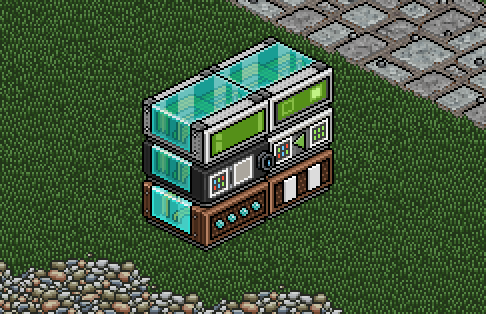
Stack your wired like shown below.
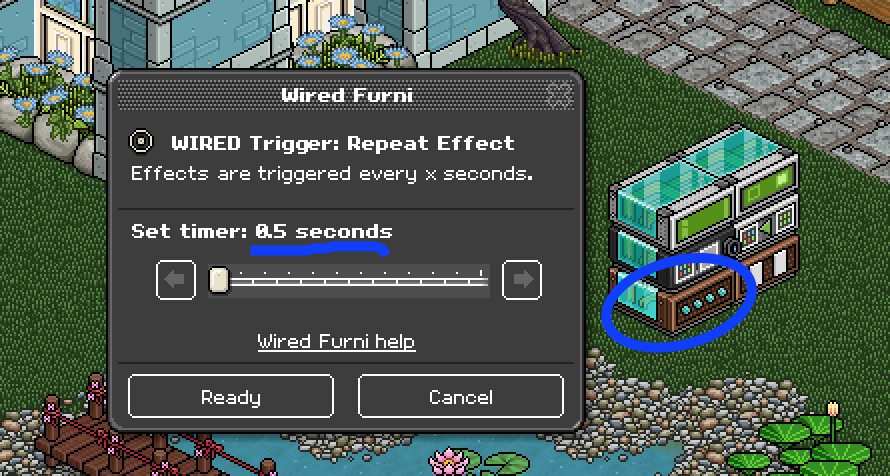
Click on the Repeat Effect wired and set to 0.5 seconds.
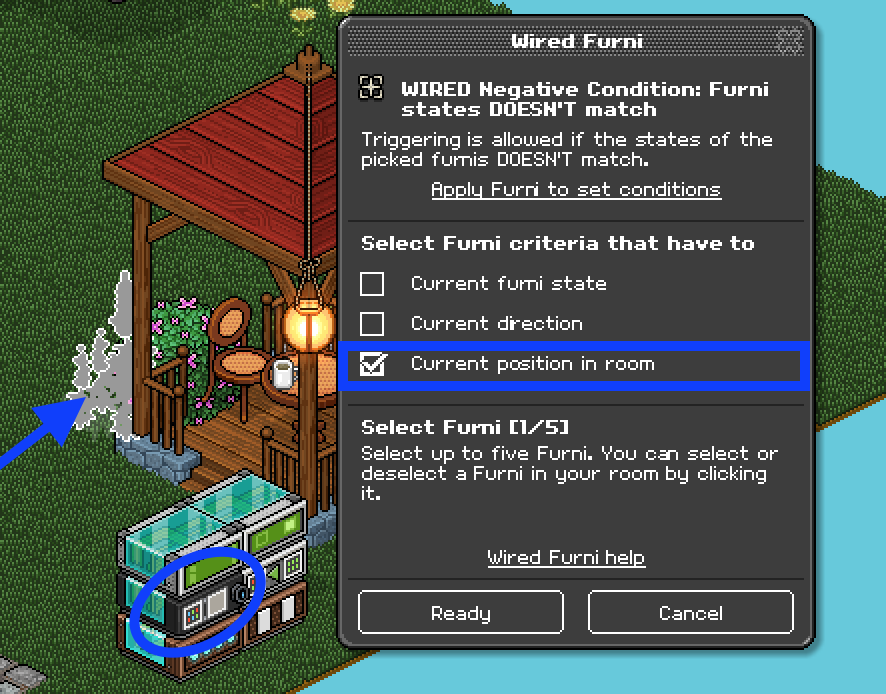
Click on the Furni states DOESN’T match wired and select current position in room, then click the furni you wish to use as your kick furni.
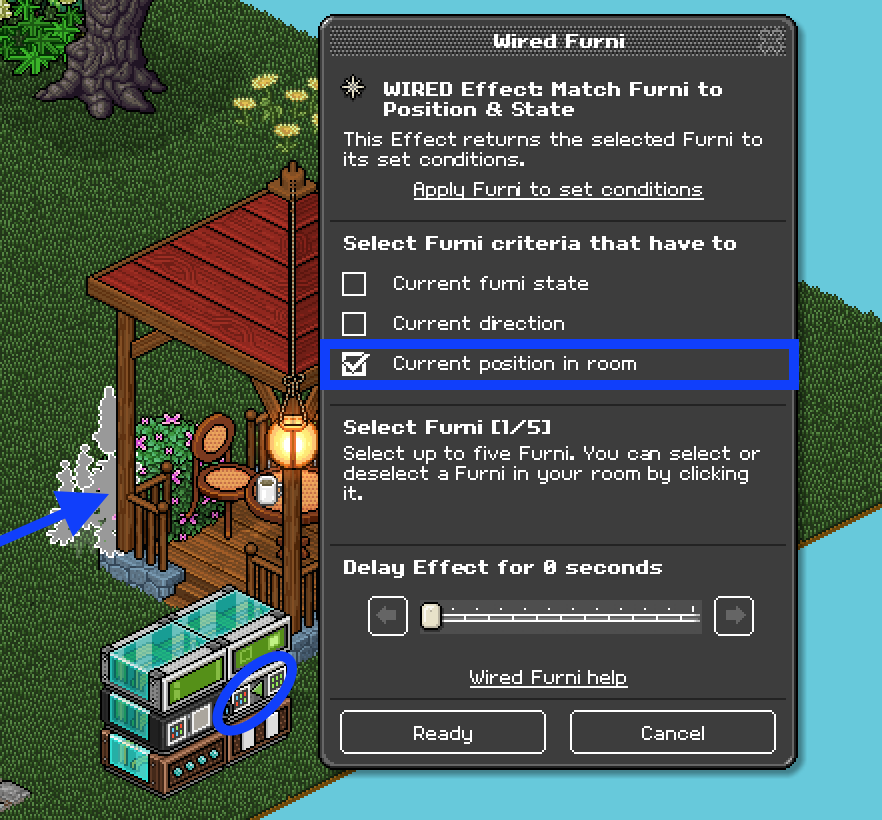
Repeat step 3 with the Match Furni to Position & State wired.
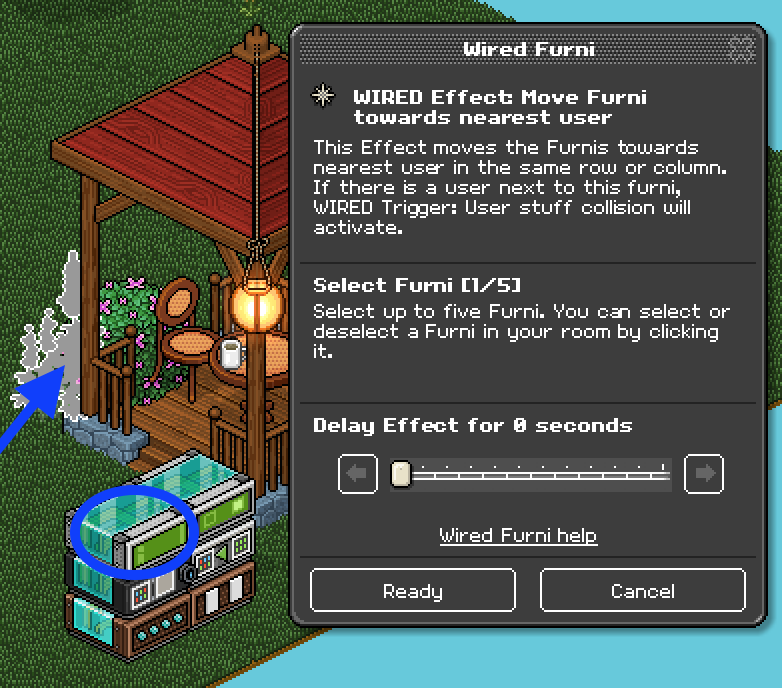
Click the Move Furni towards nearest user wired and select the collision furni.
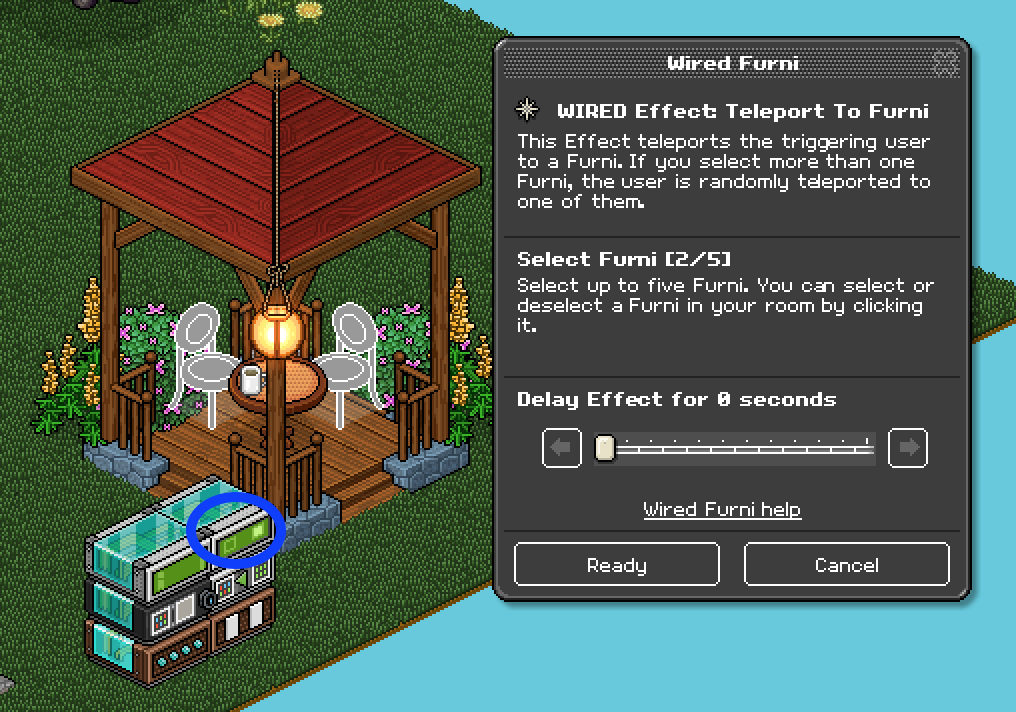
Click the Teleport to furni wired and select the furni you want your users to be teleported to.
There you have it, you have a kick furni! To use, place the furni beside the person you wish to remove. Hope you enjoyed this updated tutorial so you no longer have to trap your collision furni!
What you’ll need
- 1X Wired Trigger: Repeat Effect
- 1X Wired Trigger: User Stuff Collision
- 1X Wired Negative Condition: Furni states DOESN’T match
- 1X Wired Effect: Match Furni to Position & State
- 1X Wired Effect: Move Furni to nearest user
- 1X Wired Effect: Teleport To Furni
- 1X Furni to act as the collision item
- 1X Or more chairs to be teleported to
Step 1
Stack your wired like shown below.
Step 2
Click on the Repeat Effect wired and set to 0.5 seconds.
Step 3
Click on the Furni states DOESN’T match wired and select current position in room, then click the furni you wish to use as your kick furni.
Step 4
Repeat step 3 with the Match Furni to Position & State wired.
Step 5
Click the Move Furni towards nearest user wired and select the collision furni.
Step 6
Click the Teleport to furni wired and select the furni you want your users to be teleported to.
Step 7
There you have it, you have a kick furni! To use, place the furni beside the person you wish to remove. Hope you enjoyed this updated tutorial so you no longer have to trap your collision furni!
Eevee7 years ago