
In this article, you will learn how to setup automated fireworks.
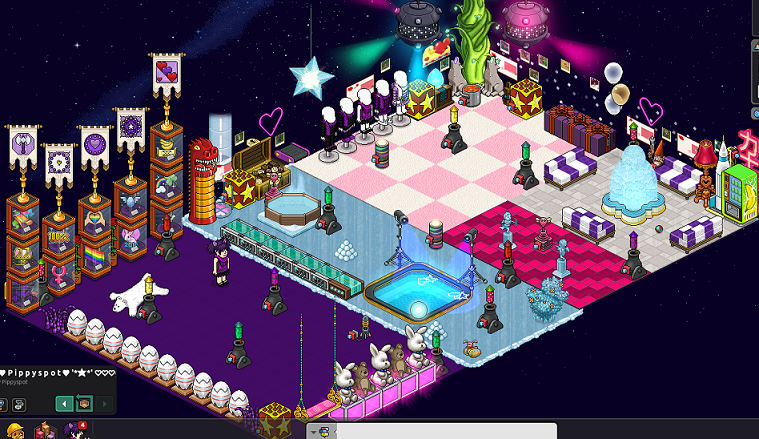
Place all the fireworks the room that you want to use.
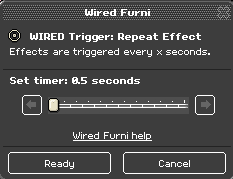
Double click the Wired Trigger: Repeat Effect and set the delay to 0.5 seconds.
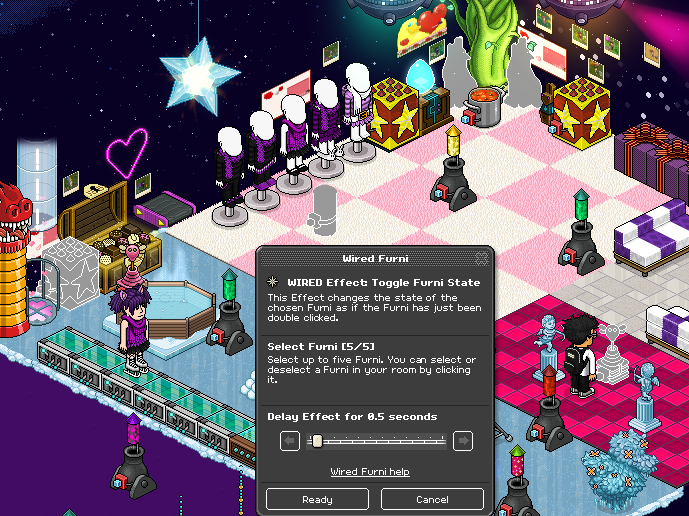
Double click the Wired Effect: Toggle Furni State and set the delay to 0.5 seconds. Select all of the fireworks you want to use. One wired box accommodates for 5 furni. In this room I have 27 fireworks, so I need 6 boxes.
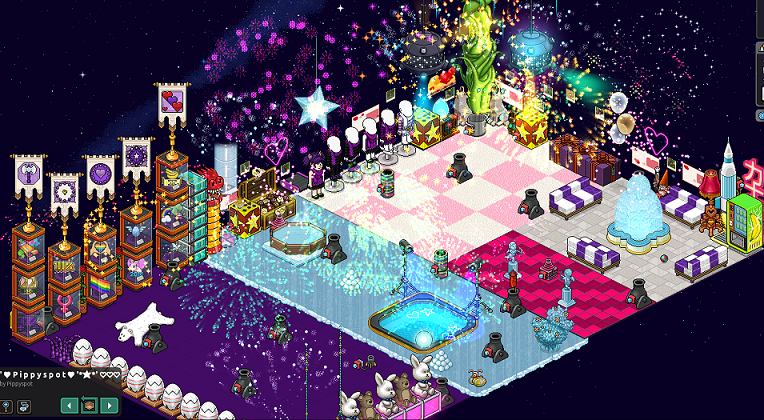
Stack the Wired Effect: Toggle Furni State wireds on top of the Wired Trigger: Repeat Effect and it should work!
You will need:
- 1x Wired Trigger: Repeat Effect
- 1x Wired Effect: Toggle Furni State (If you have more than 5 fireworks, you will need more than 1 of these)
- Fireworks
Step 1
Place all the fireworks the room that you want to use.
Step 2
Double click the Wired Trigger: Repeat Effect and set the delay to 0.5 seconds.
Step 3
Double click the Wired Effect: Toggle Furni State and set the delay to 0.5 seconds. Select all of the fireworks you want to use. One wired box accommodates for 5 furni. In this room I have 27 fireworks, so I need 6 boxes.
Step 4
Stack the Wired Effect: Toggle Furni State wireds on top of the Wired Trigger: Repeat Effect and it should work!
Eevee7 years ago