
In this article you will learn how to set up wired for automatic sliding doors!
Double click the Wired Trigger: User Walks On Furni and select the two tiles shown in the image.
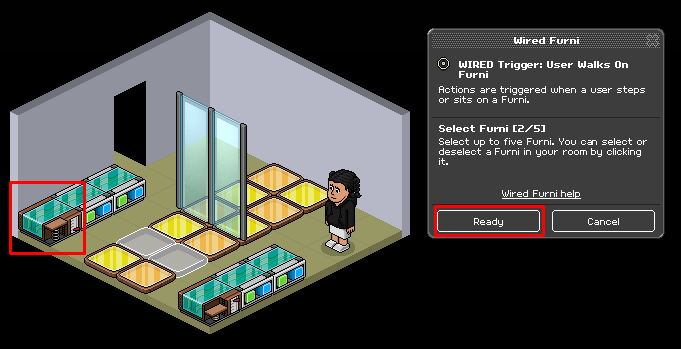
Double click the Wired Effect: Move and Rotate Furni. Choose ONE of the glass dividers and click what direction you want it to go in.
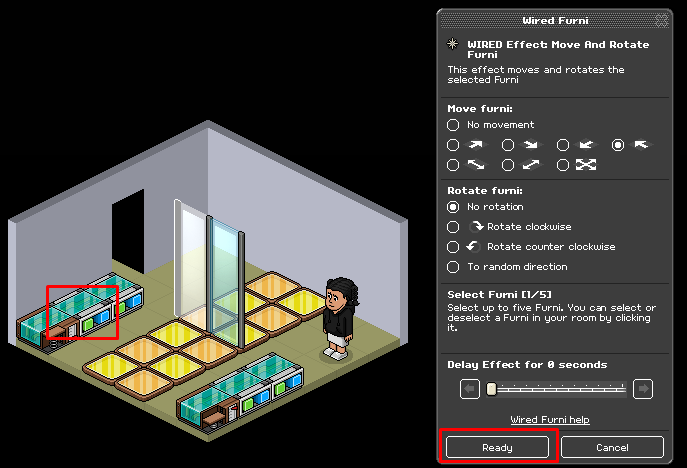
Double click the Wired Effect: Move and Rotate Furni. Choose the second glass divider and click the opposite direction from what you chose in step 2.
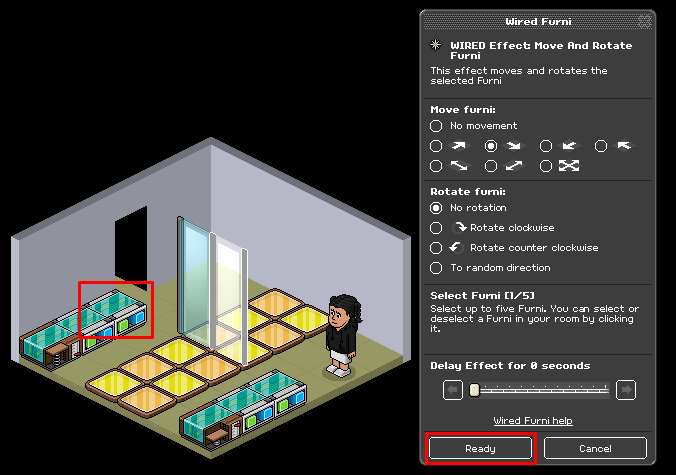
Stack the wired as shown below.
Double click the Wired Trigger: User Walks Off Furni and select the two tiles shown in the image.
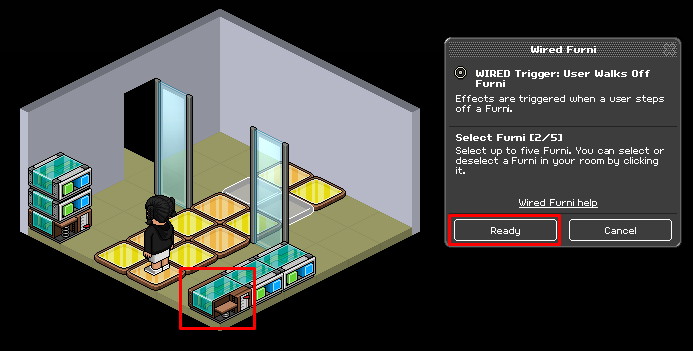
Do the same with the Wired Effect: Move and Rotate Furni as you did in step 3 and 2 but select the opposite direction.
Now stack the wired as shown in the image below.

You will need:
- 4x Wired Effect: Move and Rotate Furni
- 1x Wired Trigger: User Walks Off Furni
- 1x Wired Trigger: User Walks On Furni
- Glass Dividers
- Floors/Tiles (1 space flooring will work best)
Step 1
Double click the Wired Trigger: User Walks On Furni and select the two tiles shown in the image.
Step 2
Double click the Wired Effect: Move and Rotate Furni. Choose ONE of the glass dividers and click what direction you want it to go in.
Step 3
Double click the Wired Effect: Move and Rotate Furni. Choose the second glass divider and click the opposite direction from what you chose in step 2.
Step 4
Stack the wired as shown below.
Step 5
Double click the Wired Trigger: User Walks Off Furni and select the two tiles shown in the image.
Step 6
Do the same with the Wired Effect: Move and Rotate Furni as you did in step 3 and 2 but select the opposite direction.
Step 7
Now stack the wired as shown in the image below.
Eevee7 years ago