
A tutorial to show you how to build the fun game on Habbo we call Danger Zone!
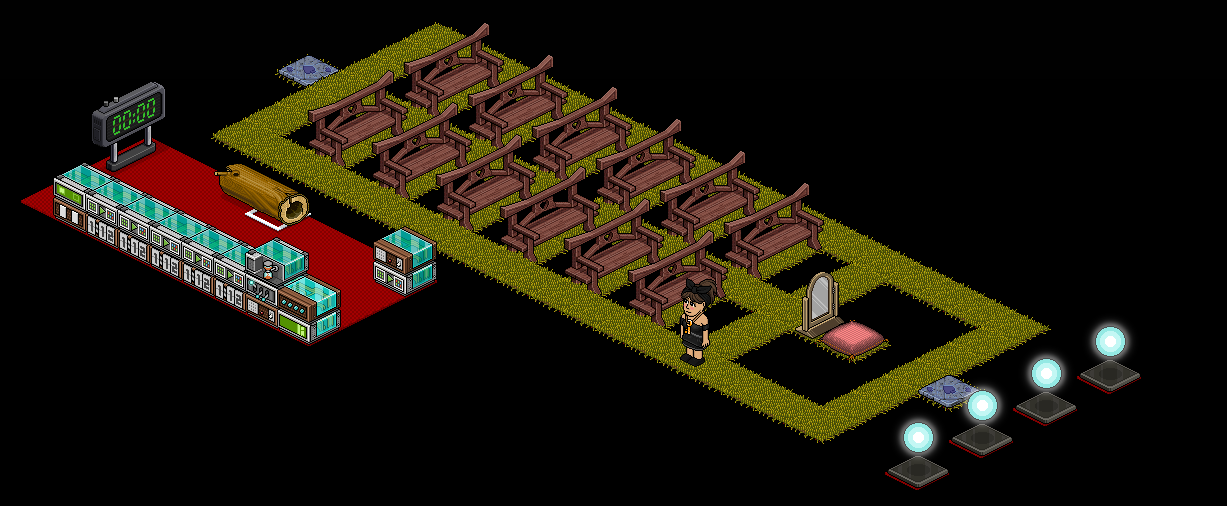
This is how the room should be laid out, you can have as many seats as you want and as many rows as you want, however there should be a gap behind and in front of each chair (either taken out with builders club or blocked off with an item!). You will also need 4 separate spaces for your attack item, they should not be touching or the balls will be able to move around once one is taken out.
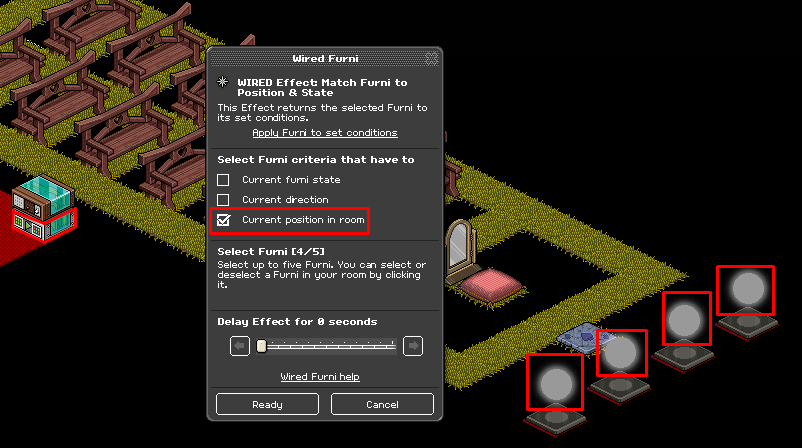
Firstly take one WIRED Effect: Match Furni to Position & State and attach it to all four glowballs in the space they will be kept while they are not in use and select current position in room.
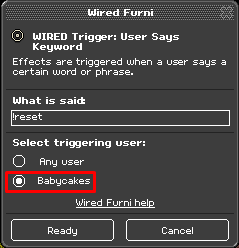
Then place a WIRED Trigger: User Says Keyword on top of this and set a keyword. This stack is used to reset the balls once the game has ended (after timer has stopped) so use a keyword that you will assosiciate with this. Make sure the keyword WIRED is only set to you or you could have trolls guessing your keyword!
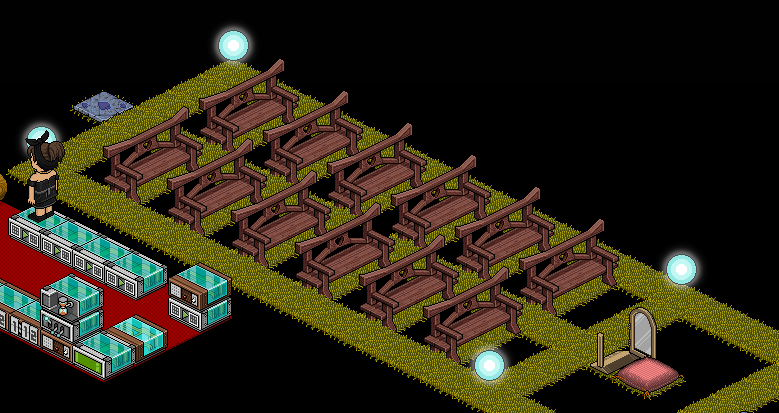
Place four more WIRED Effect: Match Furni to Position & State and place your four attack items in your desired starting area – I’m doing one in each corner! Then attach one ball to each match WIRED.
Then place a WIRED Trigger: At Set Time on top of each match WIRED. Set these to periodical times throughout the game (depending on how long you are making your game – for mine which is 2 minutes long, I am settings mine to 5 seconds, 30 seconds, 60 seconds and 90 seconds.
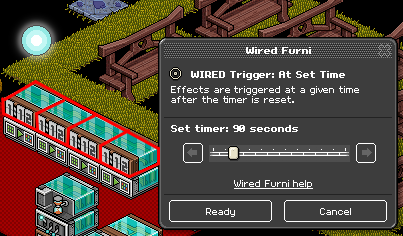
To determine your winner, you will need the gate to open once the timer is up! You will need one WIRED Effect: Match furni to position & state and one WIRED Trigger: At Set Time for this. Depending on how long your game is, you need to work out how long this is in seconds – for my 2 minute game this is 120 seconds. I’m setting the At Set Time WIRED to 120 seconds and the Match WIRED to the open gate, selecting Current furni state. You should stack both these on top of each other.
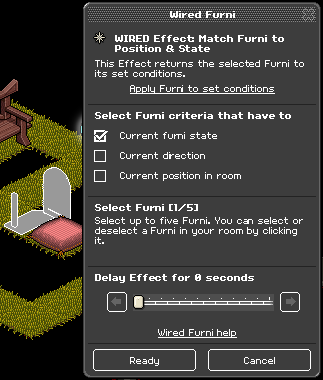
In order to make the attack items move you will need to attach one WIRED Effect: Move Furni Towards Nearest User to all of the glowballs and then place a WIRED Trigger: Repeat Effect on top. Make sure the Repeat Effect is set to 0.5 seconds.
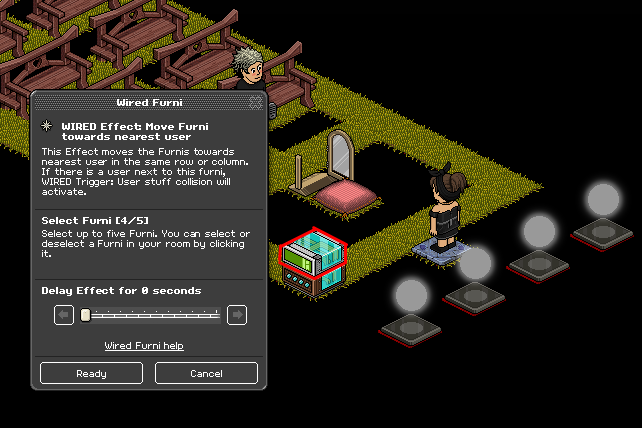
In order to start off your game you will need one WIRED Trigger: User Says Keyword and set it to something you will remember. Make sure to set it so that only you can trigger it.
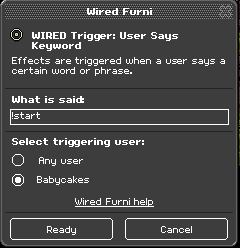
Now place a WIRED Effect: Toggle Furni State on top of the keyword and attach it to the counter.
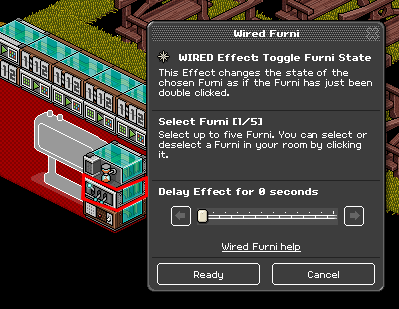
Then place a WIRED Effect: Timer Reset on top of the stack
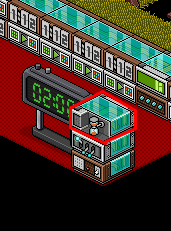
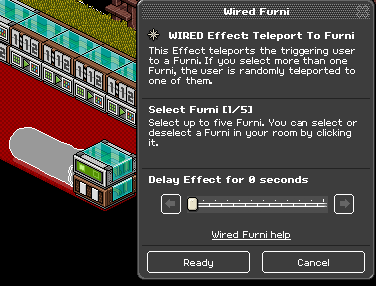
This is the section to remove people from the game! First you will need a WIRED Trigger: User Stuff Collision and then stack on top of this a WIRED Effect: Teleport to Furni. Attach the teleport to furni to a chair in your waiting area. Then stack these 2 WIRED on top of each other!
When the room is completely reloaded – the game thinks the 'timer’ has started and so you may often come into the room with the game already in motion. In order to stop this, find a two state item (such as a lamp or a laptop – I’m using a lamp).
You will also need:
2x WIRED Effect: Match Furni to Position & State
5x WIRED Condition: Furni States And Positions Match
The first effect should match the lamp ON while the other effect should match it OFF making sure to select current furni state each time.
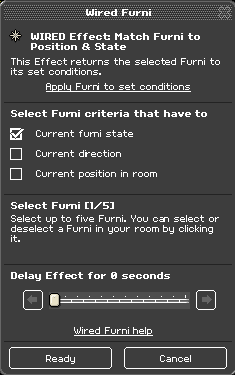
The effect which turns the lamp on should go on your stack which starts the game (step 5) and the effect that turns the lamp off should go on top of your reset stack (step 1).Now place each of the conditions on top of your At Set Time WIRED stacks like so:
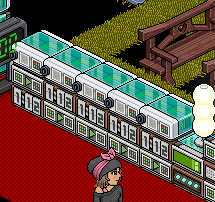
You should then select the lamp switched on selecting current furni state on each one. This means that the lamp is only switched on when you say the keyword – and so each At Set Time stack only works when the lamp is on.
This should complete the game! If you have any trouble with this – please don’t hesitate to come find me on Habbo and I may be able to help you out!
You will need:
- 2x WIRED Trigger: User Says Keyword
- 6x WIRED Effect: Match Furni to Position & State
- 1x WIRED Effect: Teleport to Furni
- 5x WIRED Trigger: At Set Time
- 1x WIRED Effect: Timer Reset
- 1x WIRED Effect: Toggle Furni State
- 1x WIRED Trigger: Repeat Effect
- 1x WIRED Effect: Move Furni Towards Nearest User
- 1x WIRED Trigger: User Stuff collision
- 4x Attack item (used glowballs here)
- 1x Counter
Room Layout
This is how the room should be laid out, you can have as many seats as you want and as many rows as you want, however there should be a gap behind and in front of each chair (either taken out with builders club or blocked off with an item!). You will also need 4 separate spaces for your attack item, they should not be touching or the balls will be able to move around once one is taken out.
Step 1
Firstly take one WIRED Effect: Match Furni to Position & State and attach it to all four glowballs in the space they will be kept while they are not in use and select current position in room.
Then place a WIRED Trigger: User Says Keyword on top of this and set a keyword. This stack is used to reset the balls once the game has ended (after timer has stopped) so use a keyword that you will assosiciate with this. Make sure the keyword WIRED is only set to you or you could have trolls guessing your keyword!
Step 2
Place four more WIRED Effect: Match Furni to Position & State and place your four attack items in your desired starting area – I’m doing one in each corner! Then attach one ball to each match WIRED.
Then place a WIRED Trigger: At Set Time on top of each match WIRED. Set these to periodical times throughout the game (depending on how long you are making your game – for mine which is 2 minutes long, I am settings mine to 5 seconds, 30 seconds, 60 seconds and 90 seconds.
Step 3
To determine your winner, you will need the gate to open once the timer is up! You will need one WIRED Effect: Match furni to position & state and one WIRED Trigger: At Set Time for this. Depending on how long your game is, you need to work out how long this is in seconds – for my 2 minute game this is 120 seconds. I’m setting the At Set Time WIRED to 120 seconds and the Match WIRED to the open gate, selecting Current furni state. You should stack both these on top of each other.
Step 4
In order to make the attack items move you will need to attach one WIRED Effect: Move Furni Towards Nearest User to all of the glowballs and then place a WIRED Trigger: Repeat Effect on top. Make sure the Repeat Effect is set to 0.5 seconds.
Step 5
In order to start off your game you will need one WIRED Trigger: User Says Keyword and set it to something you will remember. Make sure to set it so that only you can trigger it.
Now place a WIRED Effect: Toggle Furni State on top of the keyword and attach it to the counter.
Then place a WIRED Effect: Timer Reset on top of the stack
Step 6
This is the section to remove people from the game! First you will need a WIRED Trigger: User Stuff Collision and then stack on top of this a WIRED Effect: Teleport to Furni. Attach the teleport to furni to a chair in your waiting area. Then stack these 2 WIRED on top of each other!
To avoid glitch
When the room is completely reloaded – the game thinks the 'timer’ has started and so you may often come into the room with the game already in motion. In order to stop this, find a two state item (such as a lamp or a laptop – I’m using a lamp).
You will also need:
2x WIRED Effect: Match Furni to Position & State
5x WIRED Condition: Furni States And Positions Match
The first effect should match the lamp ON while the other effect should match it OFF making sure to select current furni state each time.
The effect which turns the lamp on should go on your stack which starts the game (step 5) and the effect that turns the lamp off should go on top of your reset stack (step 1).Now place each of the conditions on top of your At Set Time WIRED stacks like so:
You should then select the lamp switched on selecting current furni state on each one. This means that the lamp is only switched on when you say the keyword – and so each At Set Time stack only works when the lamp is on.
This should complete the game! If you have any trouble with this – please don’t hesitate to come find me on Habbo and I may be able to help you out!
Eevee7 years ago