
This tutorial will show you how to make the game melting carpets using all wired components.
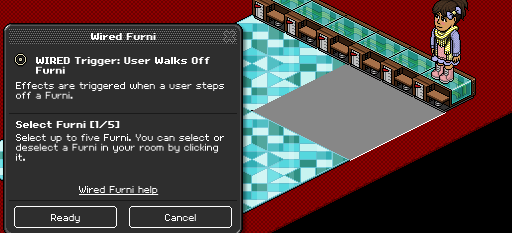
Place 6 of your mats like the image below and set each of your WIRED Trigger: User Walks Off Furni to each separate mat
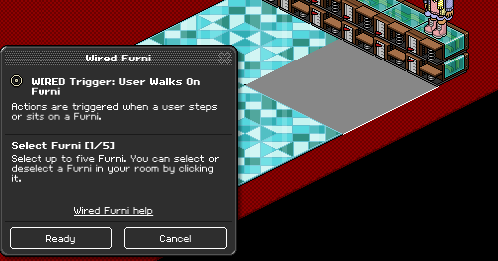
Now set the WIRED Trigger: User Walks On Furni to each seperate mat, and stack each wired box on top of the walk off wired boxes that correspond to the same mat.
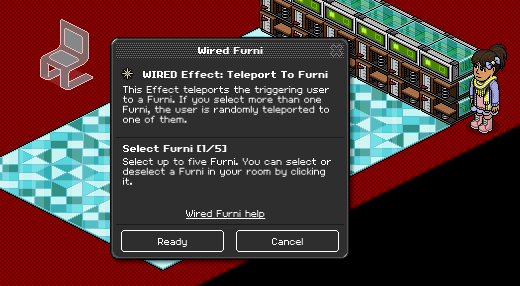
Now stack a WIRED Effect: Teleport to Furni on top of these and set it to an area out of the game area.
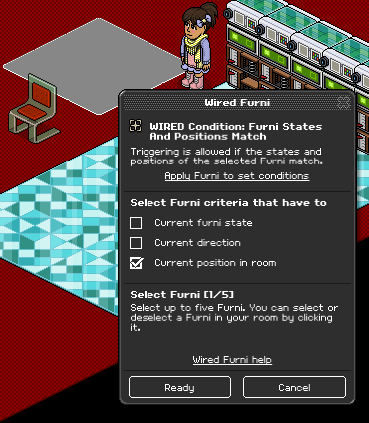
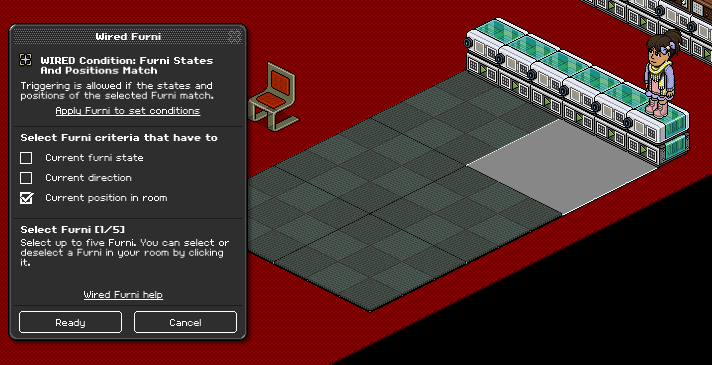
Now place your other 3x3 mats (for this I’m using executive mats) in a pile out of the way and attach a WIRED Condition: Furni States and Positions Match to each one making sure that Current position in room box is ticked. The place each condition box on top of the stacks you have already made.
Place your second layer of mats on top of the first layer so it completely covers them up. Make sure that the mat you selected on the condition goes over the one you selected on the walk on/walk off wired. This is how it should look so far:
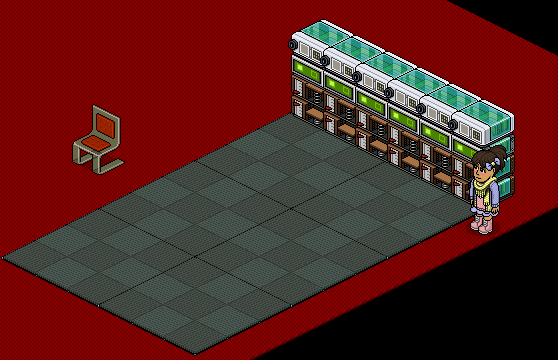
Lay out 6 WIRED Effect: Match Furni to Position & State and attach each one to each mat and make sure Current position in room is ticked.
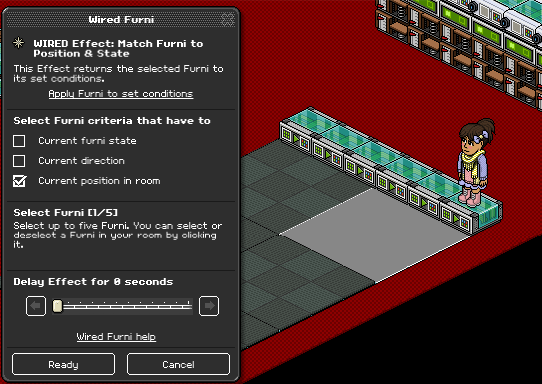
Move each mat (one at a time usually works best) back to the area you set out for your mats earlier and attach a WIRED Condition: Furni positions and states match to each one, and put these wired boxes on top of the match ones you already have layed out. Make sure that each condition is attached to the same mat as the effect below it.
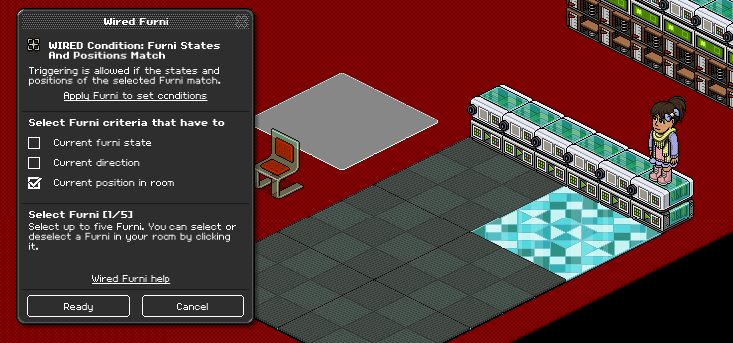
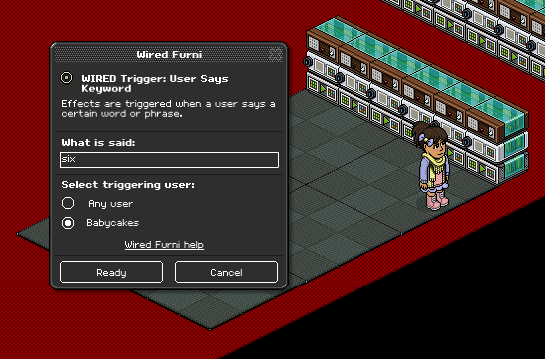
Now add a WIRED Trigger: User Says Keyword wired box to each stack and number each mat 1-6. Make sure the keyword wired is set to only you so that no one can troll your event.
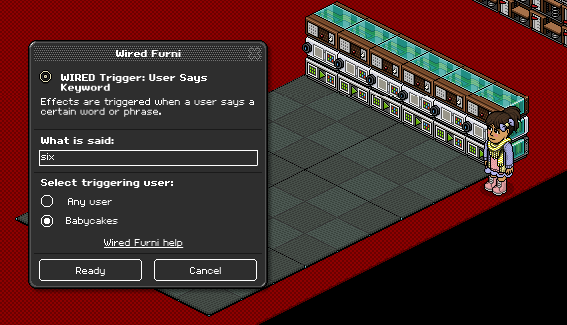
Lay out 6 more WIRED Effect: Match Furni to Position & State and move each mat (one at a time again is better for this) to the area you set out before and set each mat to a seperate match wired and make sure that current position in room is ticked. NOTE: this area has to be the same space every time or this will not work.
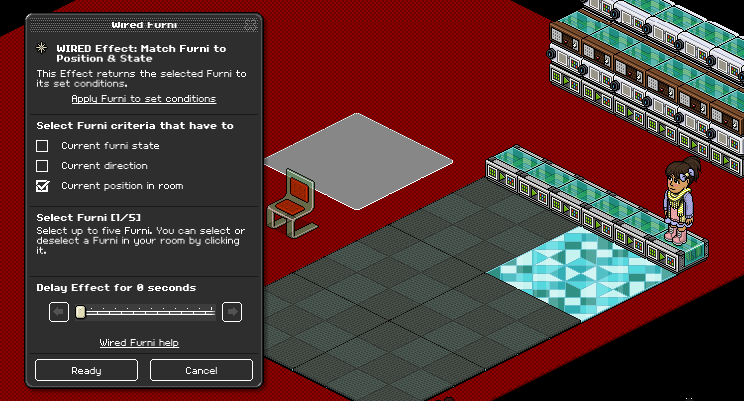
Now set 6 WIRED Condition: Furni Matches Position & State to each mat (2nd layer when they are on top of the other mats (1st layer) making sure that current position in room is ticked.
Now add a WIRED Trigger: User Says Keyword on top of each stack, numbering the mats 1-6 again, making sure you label each mat the same number as you did before, making sure each keyword is set so only you can say it so no one trolls your game.
You Will Need:
- 12x WIRED Effect: Match Furni to Position & State
- 18x WIRED Condition: Furni States And Positions Match
- 12x WIRED Trigger: User Says Keyword
- 6x WIRED Trigger: User Walks Off Furni
- 6x WIRED Trigger: User Walks On Furni
- 6x WIRED Effect: Teleport to Furni
- 6x 3x3 mat (examples – executive carpet, large polished floor)
- 6x Different 3x3 mat
Place 6 of your mats like the image below and set each of your WIRED Trigger: User Walks Off Furni to each separate mat
Step 2
Now set the WIRED Trigger: User Walks On Furni to each seperate mat, and stack each wired box on top of the walk off wired boxes that correspond to the same mat.
Step 3
Now stack a WIRED Effect: Teleport to Furni on top of these and set it to an area out of the game area.
Step 4
Now place your other 3x3 mats (for this I’m using executive mats) in a pile out of the way and attach a WIRED Condition: Furni States and Positions Match to each one making sure that Current position in room box is ticked. The place each condition box on top of the stacks you have already made.
Step 5
Place your second layer of mats on top of the first layer so it completely covers them up. Make sure that the mat you selected on the condition goes over the one you selected on the walk on/walk off wired. This is how it should look so far:
Step 6
Lay out 6 WIRED Effect: Match Furni to Position & State and attach each one to each mat and make sure Current position in room is ticked.
Step 7
Move each mat (one at a time usually works best) back to the area you set out for your mats earlier and attach a WIRED Condition: Furni positions and states match to each one, and put these wired boxes on top of the match ones you already have layed out. Make sure that each condition is attached to the same mat as the effect below it.
Step 8
Now add a WIRED Trigger: User Says Keyword wired box to each stack and number each mat 1-6. Make sure the keyword wired is set to only you so that no one can troll your event.
Step 9
Lay out 6 more WIRED Effect: Match Furni to Position & State and move each mat (one at a time again is better for this) to the area you set out before and set each mat to a seperate match wired and make sure that current position in room is ticked. NOTE: this area has to be the same space every time or this will not work.
Step 10
Now set 6 WIRED Condition: Furni Matches Position & State to each mat (2nd layer when they are on top of the other mats (1st layer) making sure that current position in room is ticked.
Step 11
Now add a WIRED Trigger: User Says Keyword on top of each stack, numbering the mats 1-6 again, making sure you label each mat the same number as you did before, making sure each keyword is set so only you can say it so no one trolls your game.
Eevee7 years ago